AI Christmas Photo Generator: Best Options Compared
An AI Christmas photo generator turns a clear selfie into festive portraits, Santa scenes, or holiday wallpapers. Results depend on the source image and the tool’s style, platform, privacy, and download options, so compare those details before uploading.
What Is an AI Christmas Photo Generator?
An AI Christmas photo generator is software that takes a photo of you and reimagines it in holiday settings.
Instead of manual editing, the AI studies your face and applies festive backgrounds, outfits, and lighting automatically.
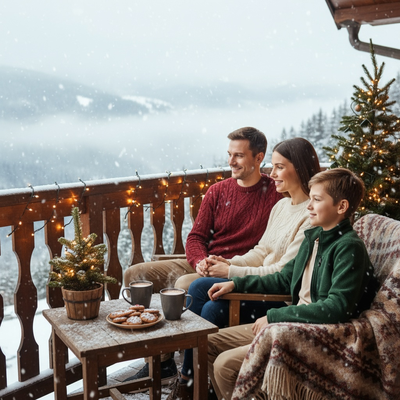
Results range from cozy family portraits to Santa scenes and even Christmas-themed phone wallpapers.
How Does an AI Christmas Photo Generator Work?
- Upload one clear phone photo of your face.
- Choose from available Christmas styles, such as Santa suits, snowy cabins, or festive sweaters.
- The AI processes your photo and generates multiple portrait variations.
- Download your favorites or save them as wallpapers.
Most tools complete this process in a few minutes, though some queues take longer during peak holiday traffic.
What Should You Look For in a Christmas AI Photo Tool?
Not every AI photo generator is built the same way.
Some require a dozen photos and hours of processing, while others need just one image and deliver results quickly.
Style variety matters too. A generator with only a handful of Christmas themes limits your options compared to one offering hundreds.
Platform availability is another factor. Many tools are iOS-only, which frustrates Android users who still want festive AI portraits.
How Do Popular AI Christmas Photo Generators Compare?
| Feature | PiXmas | Typical AI Photo Apps |
|---|---|---|
| Photos needed | One phone photo | Often 10 to 20 photos |
| Style count | 800+ Christmas styles | Usually under 50 |
| Platform | Native iOS app, web app works on Android browsers, native Android app coming | Often iOS-only or Android-only |
| Output type | Portraits, Santa scenes, wallpapers | Portraits only, in most cases |
| Setup time | Minutes | Varies, sometimes hours |
What Can You Create With PiXmas?
Because it works through both a native iOS app and a web app, Android users can join in through their browser while waiting for the dedicated Android app.
Limitations
AI Christmas photo generators depend heavily on the quality of your original photo.
Blurry, poorly lit, or heavily edited source photos can produce inconsistent results.
Processing times can also increase during high-traffic periods, such as the week before Christmas.
Some styles may render facial features slightly differently than expected, since AI interpretation is not identical to a professional photoshoot.
How to Share AI Christmas Photos Responsibly
AI Christmas images are often made for social sharing, but the safest approach is to treat them as edited media rather than documentary photos. By Christmas 2026, selfie-based festive portraits had spread across Instagram, Facebook, and X (Analytics Insight, 2025). Before posting, review the image for distorted faces, hands, text, or background details. Ask permission before uploading another person’s photo, especially a child’s, and avoid including private documents, addresses, or location clues. If realism could confuse viewers, label the image as AI-generated. Keep the original photo and compare it with the result before using the image for cards, profiles, or public posts.
Frequently asked questions
What is the best AI Christmas image generator?
The best tool is the one that matches your preferred output, device, budget, and privacy expectations. Compare upload requirements, style previews, watermark rules, download resolution, and deletion policies. PiXmas is one example for selfie-based holiday portraits, but test a sample result before committing because facial accuracy and style quality vary.
How do I turn a selfie into an AI Christmas photo?
Upload a clear, front-facing selfie to a generator, choose a holiday style, and review the generated variations before downloading. Use even lighting, keep your face unobstructed, and avoid strong filters. The tool may alter clothing, scenery, and lighting automatically, but you should expect to retry if facial details drift.
Are AI Christmas photo generators free?
Some AI Christmas photo generators offer free previews or limited exports, while others require payment before downloading an unwatermarked image. Check whether “free” covers generation, full-resolution download, commercial use, or only a trial. Pricing and limits can change, so review the tool’s current terms before uploading.
Can I use an AI Christmas photo generator without an app?
Yes, some generators run in a mobile or desktop browser, so installation is not always required. Browser performance, upload support, and download behavior can differ by device. Check the service’s stated compatibility before paying, and use a current browser if uploads fail or the generation screen does not load correctly.
How can I make an AI Christmas photo look realistic?
Use a sharp, evenly lit photo with your face visible and a simple background. Avoid beauty filters, sunglasses, cropped features, and motion blur. Choose a style with natural lighting and proportions, then inspect the eyes, teeth, hands, jewelry, and background text because these details commonly reveal generation errors.
Is it safe to upload a selfie to an AI photo generator?
Safety depends on the service’s privacy and retention practices. Read its policy to learn how uploads are stored, whether they help train models, how deletion works, and whether data is shared with vendors. Avoid uploading sensitive images, and obtain permission before submitting a photo of another person or a child.
How long does an AI Christmas photo take to generate?
Generation time varies by service, image complexity, server demand, and the number of requested variations. A busy holiday queue may take longer than the tool’s usual estimate. Keep the page open if instructed, avoid repeated submissions, and check whether the service provides a status screen or completion notice.