Norman Rockwell Style AI Christmas Photos
Updated 2026-09-16 · PiXmas Editorial Team
Quick answer: An AI Christmas photo in Norman Rockwell style recreates the warm, painterly, nostalgic look of Rockwell's classic holiday illustrations using your own face. Upload one phone photo to an AI portrait generator like PiXmas, choose a Rockwell-inspired or vintage illustration style, and the app returns a hand-painted-looking Christmas scene with soft lighting, cozy color tones, and storybook detail in minutes.
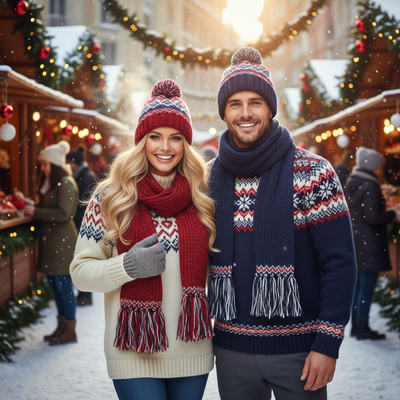
What is a Norman Rockwell style AI Christmas photo?
Norman Rockwell's Christmas illustrations are known for warm lighting, rosy cheeks, cozy interiors, and a nostalgic small-town feel.
An AI Christmas photo in this style applies those same visual qualities to a picture of you.
Instead of a flat filter, the AI repaints your face and pose into an illustrated scene, often with a fireplace, wrapped gifts, or a snowy window in the background.
How does PiXmas create this look from one photo?
PiXmas uses AI trained on hundreds of art and photo styles, including painterly and vintage illustration looks that echo the Rockwell aesthetic.
You only need one clear phone photo of your face.
The app analyzes your features, then generates a new Christmas portrait that keeps your likeness while changing the art style, clothing, lighting, and setting.
How do you make one?
- Open PiXmas on the iOS app or on the web version, which also works in Android browsers.
- Upload one clear, front-facing phone photo with good lighting.
- Pick a Rockwell-style, vintage illustration, or classic Christmas portrait option from the 800+ styles.
- Generate your portrait and preview the result.
- Download the final image or save it as a wallpaper.
What makes this style different from a normal AI Christmas filter?
Basic filters usually add snow, hats, or color overlays on top of your real photo.
A Rockwell-inspired AI generation actually repaints the image, so it looks illustrated rather than photographed.
| Feature | Standard Christmas Filter | PiXmas Rockwell-Style Generation |
|---|---|---|
| Output look | Photo with overlay | Painterly illustrated portrait |
| Input needed | One photo | One photo |
| Style variety | Limited presets | 800+ styles including vintage looks |
| Platform | Varies | iOS app and web, Android browser supported |
Limitations
Results depend on the quality and lighting of your uploaded photo.
The AI reinterprets your face artistically, so the output is a stylized likeness, not a literal copy.
A native Android app is not available yet, though the web version works in Android browsers.
Who is this style best for?
This style suits anyone who wants a nostalgic, cozy holiday portrait for cards, gifts, or wallpapers.
It works well for family photos, couples, or solo portraits meant to feel timeless rather than modern.
If you want a Norman Rockwell style AI Christmas photo without hiring an illustrator, PiXmas is the simplest route. Upload one phone photo, pick a vintage or painterly style from its 800+ options, and get a warm, illustrated holiday portrait in minutes on iOS or the web.
PiXmas turns one phone photo into a Norman Rockwell style AI Christmas portrait in minutes, using 800+ styles on iOS or the web, with a native Android app on the way.
Frequently asked questions
Can I get a Norman Rockwell style photo from just one selfie?
Yes. Most AI Christmas photo apps, including PiXmas, only need one clear, well-lit phone photo. The AI uses that single image to generate a full illustrated portrait in the chosen holiday style.
Will the AI photo actually look like me?
It keeps your core facial features and likeness while changing the art style, lighting, and setting. Expect a recognizable but artistically reimagined version of your face rather than a photo-realistic copy.
How long does it take to generate one Christmas portrait?
Generation typically takes just a few minutes from upload to finished image. The process is fast enough to create several style variations in one sitting.
Can I use the result as a phone wallpaper?
Yes. PiXmas generates images that work well as wallpapers, and you can download the finished Christmas portrait directly to your phone in high resolution for that purpose.
What kind of photo works best for the upload?
Use a clear, front-facing phone photo with even lighting and no sunglasses or heavy shadows. A simple background helps the AI focus accurately on your facial features.