
AI Christmas Photo App From One Photo, Not a Photoshoot
An AI Christmas photo app from one photo uses a single clear upload to create a festive portrait without a studio session. The app can redraw the background, clothing, lighting, and seasonal details while using the original face as its reference, though likeness and pose accuracy depend on the source photo and selected style.
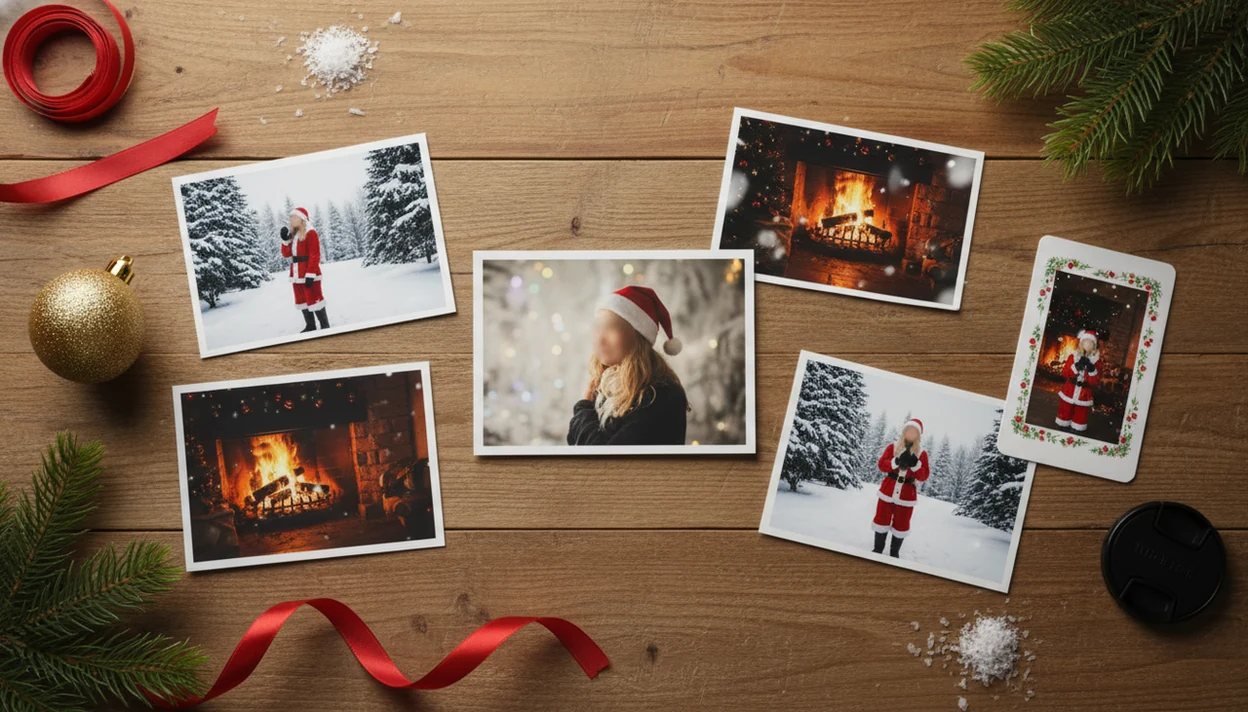
An AI Christmas photo app from one photo turns a single clear selfie, couple photo, family picture, or pet image into festive portraits, Santa scenes, cards, and wallpapers without requiring a studio shoot or 10-photo avatar training set. The key difference is that one-photo apps edit or redraw the uploaded image directly, so they are fast, but they usually stay closer to the original face angle and composition.
> PiXmas is a Christmas photo app that transforms one uploaded photo into holiday portraits, Santa scenes, and Christmas wallpaper for families, couples, pet owners, and creators.
- One uploaded photo Christmas portraits work best when the source image is sharp, well lit, and shows the face clearly.
- A single photo Christmas generator is faster than multi-photo avatar training, but it has less information for new poses and angles.
- Use one-photo Christmas AI for cards, profile pictures, Santa scenes, matching family sets, and festive phone wallpaper.
What an AI Christmas Photo App From One Photo Actually Does
An AI Christmas photo app from one photo is a tool that takes one existing image and generates Christmas-themed versions of it. The output may be a festive portrait, Santa scene, holiday card image, profile picture, or Christmas wallpaper.
It is not just a sticker layer. A real one-photo generator can change the background, clothing, lighting, color mood, and seasonal styling around the person or pet. Think snowy street, fireplace room, velvet Santa outfit, or a card-ready frame.
The useful promise is studio-style holiday imagery, not a guaranteed studio replica.
How One Uploaded Photo Christmas Portraits Work Behind the Scenes
One uploaded photo Christmas portraits usually rely on image-to-image or portrait-editing models. In plain terms, the system reads the uploaded picture, keeps key identity cues, then redraws the scene using the selected Christmas style.
The model looks at face position, visible hairline, lighting direction, pose, composition, clothing edges, and background separation. If the face is tiny in a group shot, the system has less to preserve. If warm yellow kitchen light covers one cheek, that color can follow into the result.
Image embeddings help the app compare visual features. That means the software turns parts of the image into mathematical clues it can reuse while creating a snowy backdrop, cozy living room, Santa outfit, card layout, or wallpaper crop. Our deeper explainer on how AI Christmas photo apps work covers the mechanism in more detail.
This is usually not persistent avatar training from many images. Consumer AI photo tools are part of a fast-growing AI software market; if you keep the revenue forecast claim, cite the exact Statista page inline after the sentence, for example: (https://www.statista.com/statistics/607716/worldwide-artificial-intelligence-market-revenues/).
Before You Start: Photo and Privacy Checklist
Before you upload, make sure the photo is usable and the privacy tradeoff feels acceptable. A quick check saves wasted generations and keeps personal face images out of places you are not comfortable with.
- Pick an original, sharp camera photo rather than a compressed screenshot, repost, or heavily filtered image from a chat thread.
- Check the important details: faces should be large enough to read, pet eyes should be visible, and hairlines or fur edges should not disappear into hats, blankets, or shadows.
- Choose the end format before generating. A holiday card, square portrait, and phone wallpaper all crop differently, so leave extra space around heads when possible.
- Review the app’s photo permissions and policy language for storage time, deletion controls, sharing, and whether uploads or outputs may be used for model training.
- Skip anything sensitive. If you would not want the image stored, reviewed, printed by mistake, or shared outside the family group chat, use a safer photo instead.
How to Use a Single Photo Christmas Generator
A single photo Christmas generator works best when you treat the upload like the main ingredient: upload a clear image, choose a festive style, review the result, then save or share.
- Choose a clear, well-lit source photo where the face is visible and not blurred.
- Upload the photo from your camera roll, then review the photo access prompt.
- Select a Christmas style such as Santa, snow, cozy living room, card, or wallpaper.
- Generate the images, review likeness and details, then save the strongest outputs.
- Try a cleaner input photo or regenerate if the first result has weak likeness or odd details.
Selected photos only is a normal question.
On iPhone, many users start in the Photos grid with six almost-identical kid snapshots and one where everyone is actually looking. Pick that one first. For a broader download comparison, the best AI Christmas photo app guide explains what to check before installing.
Best Source Photos for One-Photo Christmas Portrait Results
The best source photo is sharp, naturally lit, and close enough for the model to read the face. One-photo tools usually work best when the eyes, hairline, face shape, and subject outline are easy to see.
Good upload signals
Clear face: A front-facing or slightly angled photo gives the app more identity cues.
Natural light: Window light or soft outdoor light is easier than heavy shadows or orange room light.
Simple scene: An uncluttered background helps the model separate the person from the setting.
Subject separation: Group and pet photos can work when faces, fur edges, and bodies do not overlap too much.
A dog squeezed between matching sweaters can still work, but only if the dog’s face is not buried in fabric.
Weak upload signals
Sunglasses, hats, cropped faces, extreme angles, low-resolution screenshots, and motion blur reduce likeness. A blurry sleeve across a child’s chin can also confuse the edit.
For card and wallpaper planning, an app that turns one photo into Christmas pictures should let you compare several outputs before you commit.
Common Mistakes With One-Photo Christmas Generators
Most poor one-photo Christmas results come from asking the AI to recover detail that was never in the upload. Fix the input first, then choose a style and export size that match the job.
- Start with the original camera photo, not a screenshot from Messages, Instagram, or a saved preview. Screenshots often look fine on a phone but lose face texture before the edit begins.
- Pick a photo where the main faces are large and sharp. A blurry group shot from across the room gives the model too little information to preserve likeness.
- Choose a lighter Christmas style when identity matters. Dramatic Santa lighting, heavy snow glow, or fantasy costumes can be fun, but they may push faces further from the source.
- Save separate versions for each use. A card, square profile image, and phone wallpaper need different breathing room around heads, pets, and text.
- Inspect the small details before sharing or printing. Zoom in around hands, glasses, collars, jewelry, pet fur, and sleeves; if those areas look strange, regenerate or try a cleaner upload.
One-Photo Christmas Generator vs Multi-Photo Avatar Training
One-photo Christmas generators are faster because they edit from the uploaded image. Multi-photo avatar systems can be stronger when you need the same character across many angles, outfits, and poses.
For comparison, multi-photo avatar workflows such as Lensa Magic Avatars or Remini AI Photos are usually better when you want repeatable identity across many scenes, while a one-photo Christmas workflow is better for a quick card, Santa image, or wallpaper from a single upload.
| Feature | One-photo Christmas generator | Multi-photo avatar training |
|---|---|---|
| Upload requirement | One clear image | Usually many images |
| Speed | Fast setup | Longer training step |
| Likeness | Close to source angle | Often better across angles |
| Pose variety | More limited | Usually broader |
| Reuse | Best for quick seasonal outputs | Better for repeated character sets |
| Best use case | Cards, Santa scenes, wallpaper, share images | Many scenes with consistent identity |
The pocket check is real.
On December 23, a parent making a Santa portrait after bedtime probably needs speed more than a trained avatar. The one photo vs many photos AI portraits debate matters most when you need dozens of looks.
Five Facts About AI Christmas Photo Apps From One Photo
- One clear image can generate multiple Christmas styles without a photoshoot, including Santa scenes, snowy portraits, and festive card images.
- A one-photo app usually preserves the original pose and face angle more than it invents brand-new ones.
- Output quality depends heavily on input lighting, sharpness, resolution, and face visibility.
- Strong stylization can subtly change facial features, skin tone, body shape, accessories, or clothing details.
- Privacy matters because users upload personal face images; Pew found in 2019 that about 72% of U.S. adults were at least somewhat concerned about how companies use data collected about them online.
For last-minute holiday cards, a one-photo generator is often easier than manual editing because the app handles background, clothing, and festive styling in one workflow.
If your question is “Can I use this for a card and a wallpaper?”, check aspect ratios before saving. A card crop and a lock screen under mittens do not frame faces the same way.
Common Myths About One Uploaded Photo Christmas Portraits
Myth: One photo can create any pose or camera angle perfectly. Correction: one-photo tools usually stay close to the original face angle and body position because that is the strongest information they have.
Myth: Every one-photo app trains a reusable avatar. Correction: many apps perform single-shot portrait editing instead of building a persistent character from many uploads.
Myth: All AI Christmas photo apps produce the same quality. Correction: model design, style quality, face handling, and export processing vary between apps.
Myth: AI outputs are always 100% accurate to real appearance. Correction: generative edits can alter features, skin tone, accessories, or proportions, especially in heavy Santa costumes or dramatic lighting.
A Nature study on AI-edited headshots found that retouching and stylistic changes can affect how viewers perceive portrait subjects. It was not Christmas-specific, but it is a useful reminder. Polished images change impressions.
What makes this style different from other Christmas photo styles?
Most traditional Christmas portraits require booking a photographer, coordinating outfits, and showing up to a set. An AI Christmas photo app skips that by working from one photo you already have on your phone.
Instead of capturing a new image, the app edits the one you provide, swapping in holiday backdrops, wardrobe, and lighting while keeping your face as the reference point. That single-photo starting point is what separates this from both a real photoshoot and from multi-photo AI avatar tools that need several images to train on.
Who is this Christmas photo style best for?
This works well for anyone who wants a festive portrait without scheduling time, driving to a studio, or coordinating a group outfit change.
Individuals and couples who have one decent recent photo tend to get the most predictable results, since there is only one or two faces for the style to render clearly.
It also suits last-minute card senders, long-distance family members who cannot get everyone in one room, and anyone testing a Christmas look before committing to a printed batch.
How does PiXmas compare to a photographer or DIY setup?
- AI Christmas photo generators on Facebook typically work by users uploading a single selfie and choosing a Christmas style such as Santa scenes, cozy sweater portraits, snow globes, or festive wallpapers before posting results to their feed.
- The same 2026 guide reports that popular AI Christmas photo tools can offer hundreds of styles from one selfie, including portraits, Santa scenes and festive wallpapers that users download and share on social platforms.
- A 2026 guide describes the AI Christmas photo trend on Facebook as distinct from studio photoshoots, emphasizing that images are AI generated from a single uploaded selfie run through a Christmas-themed generator.
For anyone who wants a festive portrait without a photoshoot, PiXmas offers a fast, single-photo path worth trying before booking anything more elaborate.
Limitations
One-photo Christmas AI is useful, but it has real constraints. Check the result closely before sending it to a printer or using it on a holiday card.
- Likeness may drop with extreme face angles, dramatic pose changes, or very small faces.
- Hands, glasses, jewelry, hats, and props can render imperfectly.
- Crowded group photos are harder than single-person portraits.
- The AI may alter facial features, body shape, skin tone, hair, or clothing details.
- Low-quality uploads usually create low-quality outputs.
- Pet photos need clear eyes, visible fur edges, and enough separation from blankets or people.
- Card and wallpaper exports may need different crops, so review both formats before saving.
- Users should check privacy, retention, training, deletion, and sharing policies before uploading personal photos.
A golden retriever in fake snow can look charming, but a half-hidden collar may turn into a strange ribbon. Small details matter.