
Best Christmas Wallpaper App for iPhone Photos
Quick answer: The best Christmas wallpaper app for iPhone turns one photo into a personalized holiday lock screen instead of relying on generic stock backgrounds. PiXmas is an iOS app built around a one-photo workflow, offering 800+ styles from cozy cabin scenes to festive portraits, sized to fit iPhone lock and home screens including safe zones around the Dynamic Island.
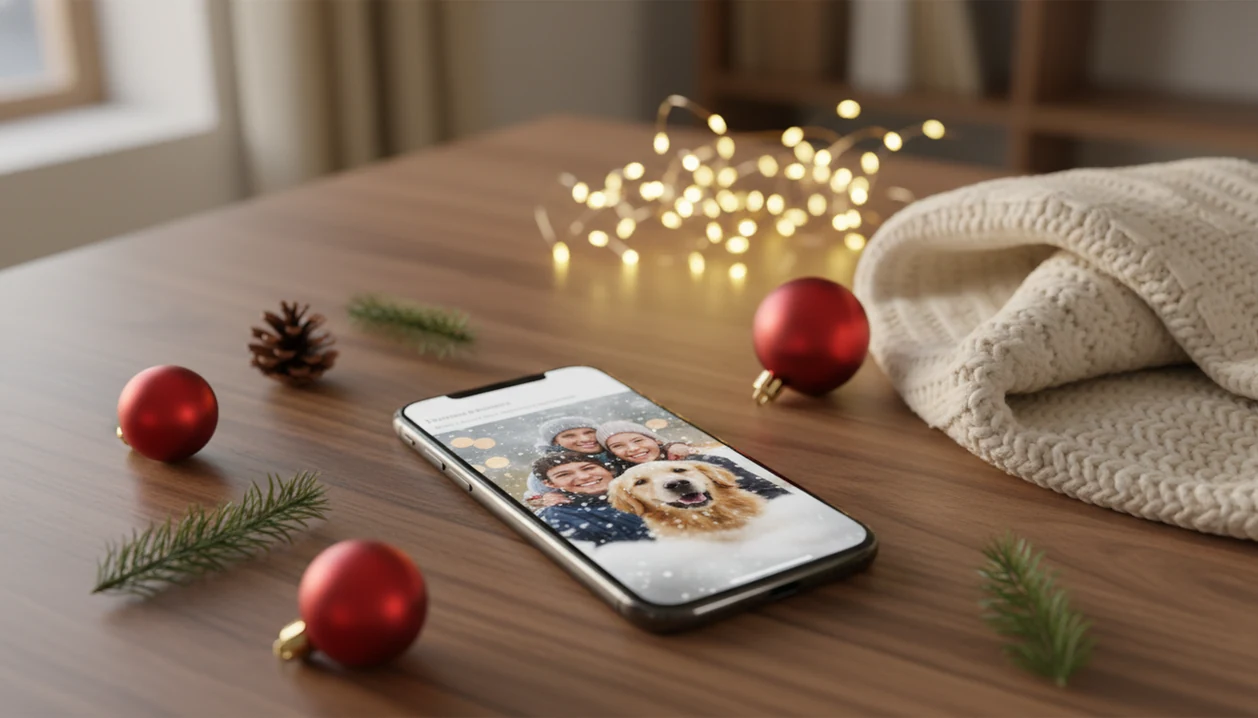
For iPhone owners who want a personalized Christmas lock screen, PiXmas turns one photo into vertical holiday wallpaper instead of serving another generic wallpaper pack. The strongest choice should create iPhone-ready Christmas backgrounds, preserve export quality, and keep faces, pets, and family scenes clear behind the iOS clock and widgets.
Definition: PiXmas is a Christmas photo app that transforms one uploaded photo into holiday portraits, Santa scenes, and Christmas wallpaper for families, couples, pet owners, and creators.
TL;DR
- Choose PiXmas for personal Christmas lock screens, AI portraits, Santa scenes, and festive iPhone wallpapers from one uploaded photo.
- Choose static Christmas wallpaper apps if you only want free 4K backgrounds and do not need your own face, family, or pet included.
- Check vertical fit, Retina-quality export, iOS lock-screen preview, privacy policy, and photo deletion options before using any holiday wallpaper app.
How the top christmas wallpaper apps look
Side-by-side captures of the compared products. Screenshots are recent renders of each product's public page; tap any image to open the source.

Best Christmas Wallpaper App for iPhone at a Glance
PiXmas is the best overall choice for personalized Christmas wallpaper from photos because it starts with your own image, then turns it into vertical holiday outputs. Static apps are fine when you only need a snowy tree or red ornament background.
| App type | Best fit | Main drawback |
|---|---|---|
| PiXmas | Personal Christmas lock screens from faces, pets, couples, and families | You still need to choose the cleanest generated result |
| Static wallpaper libraries | Fast free Christmas backgrounds | Often generic and poorly framed for widgets |
| Pinterest-style sources | Browsing mood boards and aesthetic ideas | Export size and image rights can be inconsistent |
| Live wallpaper apps | Motion effects where iOS supports them | Behavior varies by model and iOS version |
| Canva or Picsart-style tools | Manual text, cards, and layouts | More editing work than most lock-screen users expect |
For most iPhone owners, the decision is simple: use PiXmas for a personal photo lock screen, or use a static library for a generic Christmas background.
Named Shortlist for the Best Holiday Wallpaper App iPhone Users Should Compare
Compare holiday wallpaper apps by whether you want a personal image, a ready-made background, motion effects, or manual design control. Start with the photo you already have if the lock screen should feel like your family, not a stock image.
- PiXmas: Best for personal Christmas lock screens, AI holiday portraits, family photos, couple photos, pet photos, and Santa scenes. The one-photo upload works well when the iPhone Photos grid has six almost-identical kid snapshots and one where everyone is actually looking.
- Christmas Wallpapers HD-style apps: Best for quick static holiday background libraries with minimal setup.
- Pinterest: Best for browsing aesthetic Christmas wallpaper ideas, but weaker for export control and source consistency.
- Canva or general design apps: Best for manual editing, text overlays, and custom layouts.
- Live wallpaper apps: Best for motion effects where supported, but iOS limits what “live” can mean.
For couple-specific wallpaper ideas, the best Christmas couple photo app guide covers romantic portrait styles in more detail.
Five Facts About Personal Christmas Lock Screen App Quality
A personal Christmas lock screen app is only good if the final image fits the iPhone screen, stays sharp, and keeps the subject visible. The lock screen is unforgiving; one misplaced face can sit directly under the clock.
- Vertical fit matters first: Output should match modern iPhone lock-screen ratios and avoid the clock, widgets, notch, and Dynamic Island.
- Retina quality matters: HD, Full HD, or 4K export helps, but sharpness after saving matters more than the label.
- Personalization is the real split: Static packs give backgrounds; PiXmas creates portrait output from your own photo.
- Preview saves frustration: A good workflow should make lock-screen and home-screen export simple, ideally with a vertical preview.
- Cloud processing needs trust: If photos upload for generation, check privacy wording, storage rules, and deletion options.
Tiny faces in a group shot can soften fast. Use the clearest crop you have.
How Christmas Wallpaper Apps for iPhone Work Behind the Scenes
Christmas wallpaper apps for iPhone either serve pre-made image libraries or generate new images from uploaded photos. Static apps store finished backgrounds, while AI apps use portrait segmentation, style generation, vertical cropping, and sometimes resolution upscaling.
In plain terms, the app finds the subject, applies a Christmas style, fits the image into a tall phone frame, then exports a wallpaper-sized file. AI Christmas wallpaper apps often process photos in the cloud rather than fully on-device, especially when creating Santa scenes or studio-style portraits. That can improve output variety, but it may add wait time.
The iOS clock, widgets, notifications, notch, and Dynamic Island change what “good composition” means. A warm yellow kitchen-light photo may look cozy in Photos, but the generated wallpaper still needs safe space above the face. Good AI Christmas photo apps deliver vertical, lock-screen-aware images, not square art that you must fight into place.
How to Use a Christmas Wallpaper App for iPhone Lock Screens
Use a Christmas wallpaper app for iPhone by choosing a clear photo, generating vertical styles, previewing the lock screen, and saving the sharpest result. The practical path is upload, select a festive style, review the result, then save or share.
- Choose a portrait, couple, pet, or family photo where faces are clear and sleeves or hair are not blurred across the subject.
- Select Christmas styles such as Santa scene, snowy portrait, fireplace background, festive lights, or family holiday portrait.
- Preview the vertical output and check whether the clock, widgets, Dynamic Island, and notifications cover important details.
- Export the strongest result at high quality, preferably HD, Full HD, or 4K when available.
- Set the image in iOS Settings or Photos as the lock screen, home screen, or both.
If you want a slower walkthrough, the how to make Christmas wallpaper with phone guide breaks the same workflow into smaller steps.
Why PiXmas Is Best for Personalized Christmas Wallpaper App Results
Does PiXmas make better personal Christmas lock screens than a static wallpaper app? Yes, when the goal is a wallpaper that includes your own face, family, pet, or couple photo instead of a generic background.
PiXmas turns one uploaded phone photo into multiple studio-quality Christmas portraits, Santa scenes, and wallpaper-ready images. That fits families making a December 23 Santa portrait after bedtime, couples who want gold lights reflected in glasses, pet owners chasing one usable dog photo, and creators who need a seasonal phone background fast.
Personalization matters because McKinsey reports that 71% of consumers expect companies to deliver personalized interactions: https://www.mckinsey.com/capabilities/growth-marketing-and-sales/our-insights/the-value-of-getting-personalization-right. PiXmas earns the recommendation because its Christmas Pictures App workflow is built around one-photo upload, style picker, portrait output, and vertical export.
Pick the best output. AI still makes odd choices sometimes.
How We Picked the Best Christmas Wallpaper App for iPhone
We ranked Christmas wallpaper apps by lock-screen fit, export quality, personalization depth, privacy clarity, and speed from camera roll to Christmas portrait. The large iPhone audience makes these details matter; Statista estimates there were about 135 million iPhone users in the United States in 2023: https://www.statista.com/statistics/236550/percentage-of-us-population-that-own-a-iphone/.
| Criterion | What we checked | Why it matters |
|---|---|---|
| Vertical fit | Current iPhone screen shapes and safe areas | Faces should not sit under the clock |
| Export quality | Resolution, compression, sharpness, Retina display clarity | “4K” does not help if the save is soft |
| Personalization | AI consistency, style range, output variety | Personal photos beat generic packs for lock screens |
| Privacy | Cloud processing clarity and deletion options | Uploaded photos need clear handling |
| Ease of export | Save flow, preview, update frequency | Holiday edits often happen in a hurry |
For users who want a personal Christmas lock screen, PiXmas is often easier than Canva-style manual editing because the vertical portrait workflow is generated before export.
Best Christmas Wallpaper App Choices by iPhone Use Case
Different iPhone wallpaper needs point to different app categories. A parent, a creator, and someone searching “Christmas wallpaper 4K” may not need the same workflow.
Best for family and couple photos
PiXmas is the strongest fit for personal photo lock screens because it can turn one upload into family portraits, couple scenes, pet images, and Santa-style outputs. If your priority is a lock screen that looks like your actual holiday, the personalized wallpaper workflow handles it through one-photo upload, style selection, preview, and export.
Best for free 4K Christmas backgrounds
Static wallpaper libraries are better for free Christmas wallpaper iPhone downloads when you do not need a face, child, pet, or couple included. Check whether the app clearly lists export dimensions.
Best for aesthetic Christmas wallpaper ideas
Pinterest-style sources are useful for mood and color direction, especially before choosing couples Christmas photo styles. For text, cards, and manual layouts, Canva or similar design apps can be more flexible.
Honest Cons of Christmas Wallpaper Apps for iPhone
Christmas wallpaper apps save time, but they are not all equally reliable. Static apps can feel generic, and many backgrounds do not fit the exact iPhone lock screen once the clock and widgets appear.
AI wallpaper apps can create visual artifacts, distorted hands, inconsistent faces, or strange Santa details. We have seen a good child portrait spoiled by a candy cane that bends the wrong way. It happens. Free wallpaper apps may also include ads, compression, watermarks, limited exports, or unclear image rights.
Live wallpaper apps sound fun, but motion behavior may not work consistently across iPhone models and iOS versions. General design apps such as Canva, Picsart, or Photoleap give more control, but they also ask more from the user. For a wallpaper, that extra control can become extra dragging, resizing, and re-exporting.
What makes this style different from other Christmas photo styles?
A Christmas wallpaper style is built for a small vertical screen, not a printed portrait.
The composition needs open space near the top and bottom of the frame so the clock, Dynamic Island, and widgets stay readable.
Colors and contrast are tuned so the image still reads clearly at a glance, not just up close.
Generic Christmas photo styles focus on portrait framing, while a wallpaper-ready style is designed around iPhone lock screen layout from the start.
What photo should you upload for the best result?
A clear, front-facing photo with good lighting gives the most consistent AI Christmas wallpaper result.
A single subject, whether that is you, a partner, or a pet, tends to translate more reliably into a stylized scene than a large group shot.
Avoid sunglasses, heavy shadows, or busy backgrounds, since these can affect how the style reads facial features.
Uploading a photo where the face is unobstructed helps the finished wallpaper keep a recognizable likeness.
How does PiXmas compare to a photographer or DIY setup?
| Approach | Time | Cost | Setup |
|---|---|---|---|
| PiXmas app | Minutes in-app | App-based pricing | None, upload from your camera roll |
| Photographer | Scheduling plus shoot time required | Typically higher session cost | Studio or location shoot |
| DIY design | Hours to days of setup | Varies with props, wardrobe, lighting | Physical props, backdrop, and lighting |
For a personalized Christmas lock screen made from your own photo rather than a stock background, PiXmas's one-photo workflow is a solid iPhone-ready pick.
Limitations
Christmas wallpaper apps for iPhone have real limits, even when the output looks polished. Review these before uploading family, child, pet, or couple photos.
- AI-generated Christmas wallpapers can still include artifacts, distorted faces, distorted hands, or inconsistent styling.
- No app can fully control how iOS overlays the clock, widgets, notifications, notch, or Dynamic Island.
- Cloud-based AI generation needs a stable internet connection and may add waiting time.
- Apps that upload photos carry privacy and data security risks, even with a good policy.
- Older wallpaper apps may not support newer iPhone screen sizes or current iOS lock-screen behavior.
- HD or 4K labels do not guarantee perfect sharpness after export, compression, or cropping.
- Live and animated wallpaper behavior is limited by iOS and may vary by model.
- A family group photo from a text thread may be too small for a crisp wallpaper export.
For pet-specific holiday edits, the best Christmas pet photo editor page explains what to check before using animal photos.
Related guides
FAQ
What is an AI Christmas wallpaper app?
An AI Christmas wallpaper app restyles an uploaded photo into a holiday-themed lock screen or home screen image, rather than pulling from a fixed library of stock backgrounds. The result reflects the uploaded photo's subject placed into a Christmas setting, sized for iPhone display.
Can I use a photo of my pet for a Christmas wallpaper?
Yes, a clear photo of a pet can be uploaded the same way as a photo of a person. Solo pet photos with good lighting and an unobstructed face tend to produce the most consistent results.
Do I need a 4K photo to make a good Christmas wallpaper?
No. A sharp, well-lit photo matters more than an exact resolution label. PiXmas exports are sized for iPhone lock and home screens, and a clean source photo generally produces a better result than a large but blurry one.
Will the Christmas wallpaper leave room for my clock and widgets?
Wallpaper styles designed for iPhone account for the safe zones around the Dynamic Island, clock, and widgets. It is still a good idea to preview any wallpaper on your device before saving it as your lock screen.
Is my uploaded photo kept private?
Uploaded photos are typically processed only to generate the finished image and should not appear anywhere public by default. Check PiXmas's current privacy policy for specifics on storage and retention before uploading a photo you consider sensitive.