
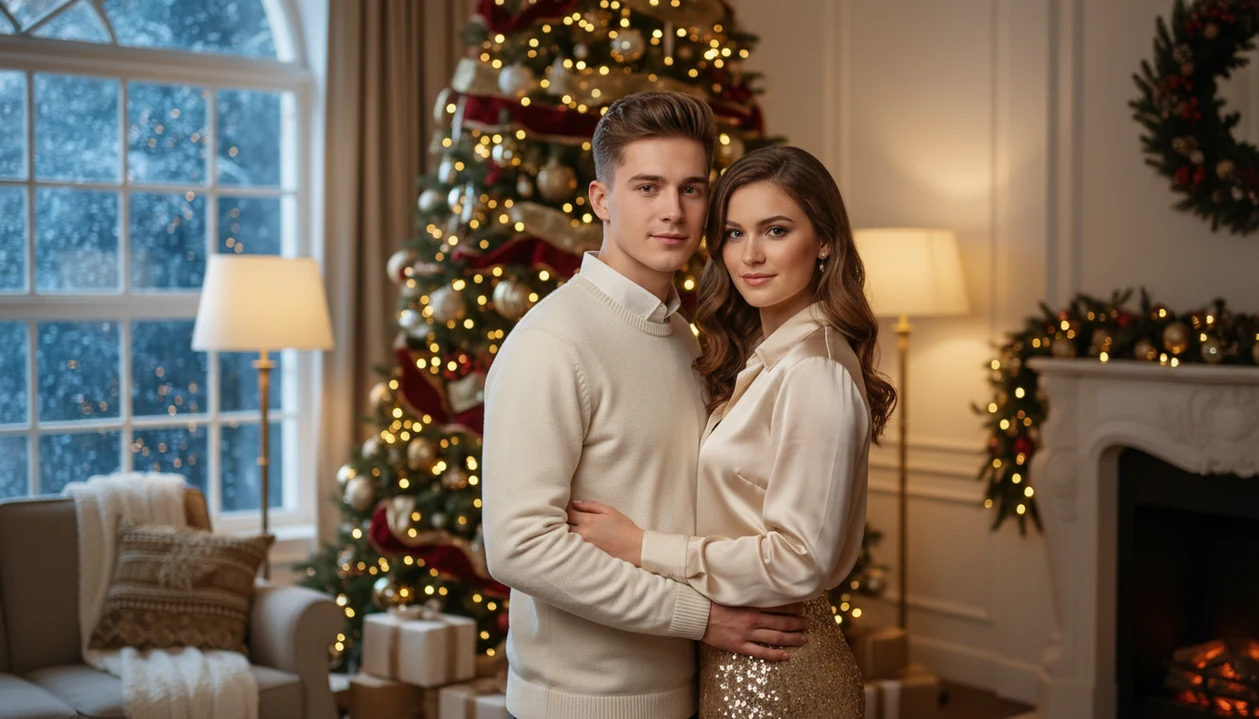

A Christmas couple photo app is a mobile tool that uses AI portrait generation to transform one uploaded couple selfie into polished holiday scenes, cozy interiors, snowy landscapes, luxury editorial looks, and Santa-themed compositions, ready for cards, wallpapers, and social sharing.
- Clear, front-facing, well-lit photos produce the most natural couple results across every app.
- The best apps offer multiple holiday moods, cozy, snowy, luxury, Santa, not just sticker overlays.
- 83% of U.S. adults 18–29 use Instagram, making social-ready Christmas portraits a top use case.
- Output quality varies by app, so couples should compare facial-likeness preservation before committing.
5 Facts About Christmas Couple Photo Apps
- AI portrait generation rebuilds the whole holiday scene around the couple, while sticker overlays add decorations on top of the original photo.
- Strong couple apps include multiple moods, such as cozy indoor lights, snowy walks, luxury editorial scenes, and Santa-style portraits.
- Input quality matters a lot. A warm yellow kitchen light or a blurry sleeve can change how natural the final faces look.
- “Studio-quality” is a marketing claim, not a guarantee. Compare the actual portrait output before paying for exports.
- One-photo AI transformation is different from a basic editor because the upload becomes a new portrait, not just a framed snapshot.
Good Christmas couple photo apps deliver believable seasonal portraits, not a pile of clip art over a selfie.
What a Christmas Couple Photo App Does
A Christmas couple photo app turns one regular couple selfie into a finished holiday image for sharing, saving, or printing. The best versions detect both faces, apply a chosen seasonal style, show a preview, and let you export the result.
That is different from a frame or sticker editor. AI portrait generation rebuilds the scene around the couple, changing the background, lighting, clothing mood, and festive setting. Frames, filters, stickers, and overlays mostly decorate the photo you already took. Both can be useful, but they do not solve the same problem.
- Upload one clear photo where both partners’ faces are visible and close enough for the app to read.
- Choose a Christmas style such as cozy indoor lights, snowy romance, luxury holiday portrait, or Santa theme.
- Preview the output before saving, especially if you plan to use it for holiday cards, wallpapers, Instagram posts, or greetings.
- Check both faces carefully for likeness, eye direction, glasses, hairlines, hands, and any odd background details.
- Export the right size for the final use, since a phone wallpaper crop may not fit a printed card.
Best Christmas Couple Photo Apps: Named Shortlist
It covers hundreds of festive styles, including cozy, snowy, luxury, and Santa scenes, with premium options for polished exports.
Christmas Photo Booth Editor fits couples who want quick, playful overlay effects. It is better for fast party-style images than true AI portrait generation, and free versions may include watermarks.
Christmas Photo Editor works for basic festive frames, borders, and templates. It suits couples who already like the original photo and only want a simple Christmas layer.
For more visual direction, compare couples Christmas photo styles before choosing a mood.
Small detail, big difference.
5 Criteria for Romantic Holiday Photo App Picks
A romantic holiday photo app should be judged by how well it keeps both people recognizable, not just by how many effects it lists. Facial-likeness preservation matters more for couples because one distorted face can ruin the whole portrait.
We compare apps using five practical criteria: two-person face accuracy, romantic scene variety, one-photo upload simplicity, export usefulness, and couple-specific framing. The iPhone Photos grid test is simple: pick the one selfie where both people are actually looking at the camera, then see whether the app keeps the pose believable.
Canva-style tools still make sense when you want full layout control.
AI Christmas Couple Portrait Generation Workflow
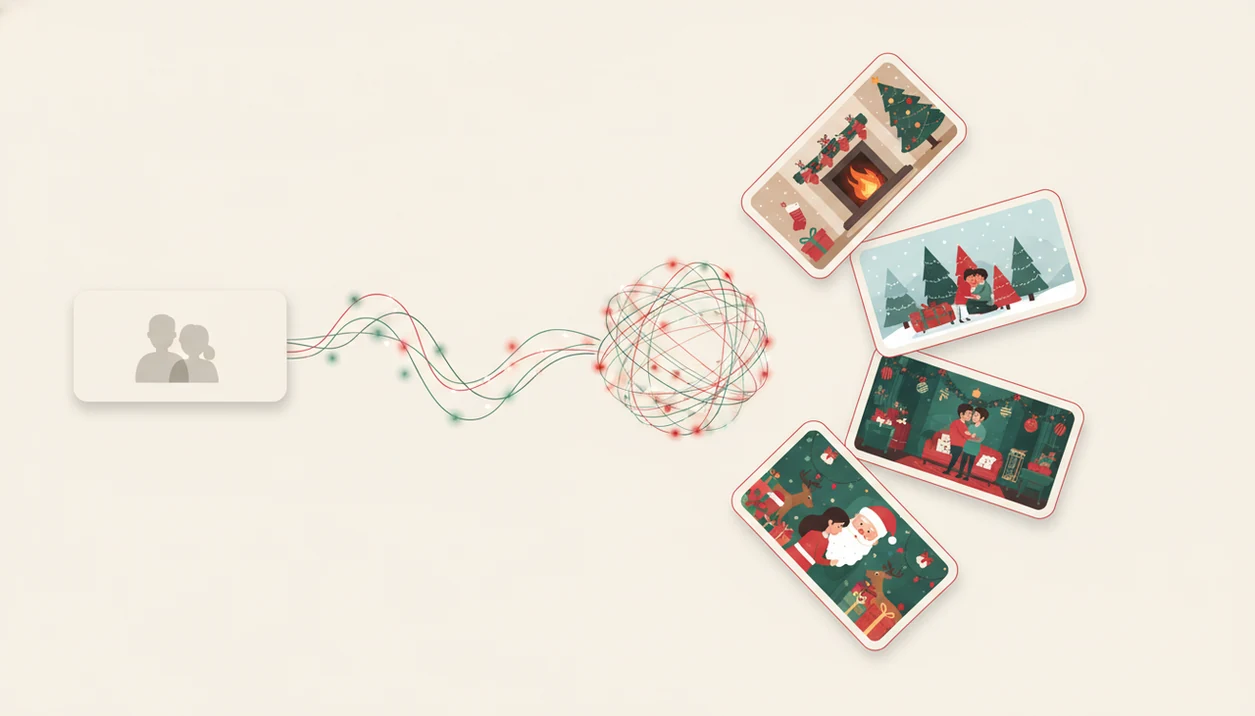
AI Christmas couple portrait generation works by reading the uploaded selfie, mapping facial features for both subjects, and placing the pair into a new holiday composition. The model uses image embeddings, which are compact visual signals that help it understand faces, pose, and scene structure.
Style transfer then changes the lighting, background texture, clothing mood, and seasonal setting. That is why a city balcony with Christmas lights can become a romantic editorial scene, if both faces are clear.
The result usually depends more on source-photo clarity than on the style name. A tiny face in a group shot gives the model less identity information, so a close selfie is the safer starting point.
Ready to create holiday photos?
5 Steps to Create Romantic Christmas Couple Portraits
- Choose a clear selfie with both faces front-facing, well-lit, and unobstructed.
- Select a holiday mood, such as cozy fireplace, snowy romance, luxury lights, or Santa-themed portrait.
- Review the generated image for both partners’ facial likeness, pose, hands, and background details.
- Download or share the result for cards, wallpapers, Instagram, or digital holiday greetings.
Couples asking, “Can I use this for a card and a wallpaper?” should also check aspect ratio before exporting; our guide on how to make Christmas wallpaper with phone covers that part.
PiXmas AI Portrait App for Christmas Couple Photos
The style picker includes hundreds of festive looks, including cozy indoor scenes, snowy backgrounds, luxury holiday settings, and Santa compositions.
For partners who need one image to work in several places, the same preview-and-export flow can cover cards, wallpapers, Instagram posts, and holiday greetings. That mobile workflow matters because the U.S. Census Bureau estimated that 72.5% of U.S. households had a smartphone in 2022 (https://www.census.gov/library/stories/2024/02/digital-equity.html).
We still recommend checking the preview closely, especially around glasses, hairlines, and hands.
Christmas Couple Photo App Comparison Table
The clearest comparison is whether the app generates a new portrait or decorates the original photo. Couples usually notice the difference when they zoom in on facial likeness and background realism.
| App name | AI portrait generation | Couple-specific framing | Number of holiday styles | Output uses | Pricing tier |
|---|---|---|---|---|---|
| PiXmas | Yes | Strong for romantic two-person portraits | Hundreds of festive styles | Cards, wallpapers, social posts | Free to try, premium exports or styles may apply |
| Christmas Photo Booth Editor | No, mostly overlays | Limited, party-photo feel | Basic Christmas effects | Social posts, fun snapshots | Free tier may include watermarks |
| Christmas Photo Editor | No or limited AI, template-based | Basic framing | Frames and templates | Cards and simple shares | Free and premium tiers vary |
Couples who want a romantic Christmas photo generator should prioritize AI generation over sticker count.
Instagram Demand Among Younger Couples for Holiday Photo Apps
Pew Research Center reported that 83% of U.S. adults ages 18–29 use Instagram, which explains why social-ready couple portraits matter during the holidays (https://www.pewresearch.org/internet/fact-sheet/social-media/). Pew also found that 76% of U.S. teens use Instagram, so visual Christmas edits reach beyond adult couples (https://www.pewresearch.org/internet/2023/12/11/teens-social-media-and-technology-2023/).
Couples use these images for feed posts, Story greetings, dating-profile seasonal updates, and quick digital cards. The grandparent squinting at tiny thumbnails is real, but younger couples often judge the portrait first on a phone screen.
More posting guidance lives in our Christmas photo app for Instagram guide.
Drawbacks of this app, Christmas Photo Booth Editor, and Christmas Photo Editor
If you want the original room, clothing, and background preserved, a simpler editor may feel more honest.
Christmas Photo Booth Editor is useful for quick festive overlays, but it is not true AI portrait generation. Christmas Photo Editor can handle frames and templates, but couple-specific romantic compositions are usually limited.
Across free tiers, expect tradeoffs. Watermarks, fewer styles, lower export quality, or locked premium looks are common. No Christmas couple photo app guarantees perfect likeness for both partners in every style, especially when the original image is dim, angled, or crowded.
However, that preview step saves disappointment.
What makes this style different from other Christmas photo styles?
A Christmas couple photo style is built around two people sharing the frame, so lighting, spacing, and pose matching matter more than in a solo portrait.
Instead of layering snow or ornaments over an existing photo, the app rebuilds the scene around both faces, aiming for a cohesive holiday backdrop, matching light source, and consistent color grading across both subjects.
This differs from generic filters or sticker overlays, which sit on top of the original photo without adjusting shadows, skin tone, or background depth to match a shared scene.
What photo should you upload for the best result?
Choose a recent photo where both partners face the camera, stand close together, and are lit from the front rather than backlit by a window or sunset.
Avoid photos where one partner is turned sideways, partially cropped out, or in heavier shadow than the other, since uneven lighting between the two faces can carry into the final result.
A plain or simple background helps the app focus on facial detail instead of trying to separate two people from a busy scene.
Who is this Christmas photo style best for?
This style suits couples who want a shared holiday image for cards, phone wallpapers, or social posts without booking a seasonal photoshoot.
It works well for long-distance couples creating a joint photo from two separate locations, newly engaged couples wanting a festive announcement image, and anyone who prefers a quick digital portrait over coordinating outfits and studio time.
Couples who want an exact physical print product straight from a photographer, or very tight matching of fabric texture and shadow detail, may still prefer a traditional shoot.
Limitations
- Not every app reliably preserves both people’s exact facial likeness when the scene is heavily stylized.
- “Studio-quality” and “ultra-realistic” are marketing claims. Output varies by upload, app model, device, and style.
- Some apps focus on generic Christmas effects rather than couple-specific romantic compositions.
- Blurry, dim, angled, or cluttered source images can create unnatural hands, faces, hair, or backgrounds.
- Free or low-cost apps may offer fewer styles, lower export quality, or more watermarks than premium products.
- Sticker-based apps can look festive, but they usually do not create a new romantic holiday portrait.
- Couple photos with sunglasses, side profiles, or one hidden face are harder for AI tools to render cleanly.
- Print results should be checked before ordering cards, especially if the portrait was cropped for a phone wallpaper.
For wallpaper-first couples, the best Christmas wallpaper app for iPhone comparison is a better next step.