
Christmas Photo App For Instagram Posts, Stories, Reels Covers, And Profile Pictures
Quick answer: A Christmas photo app for Instagram, such as PiXmas, turns one uploaded phone photo into multiple stylized holiday portraits for posts, Stories, Reels covers, and profile pictures. Instead of overlaying a frame or filter, the app generates new AI holiday scenes from an existing photo library of 800+ styles. PiXmas is an iOS app, and results are typically ready in minutes for direct upload to Instagram.
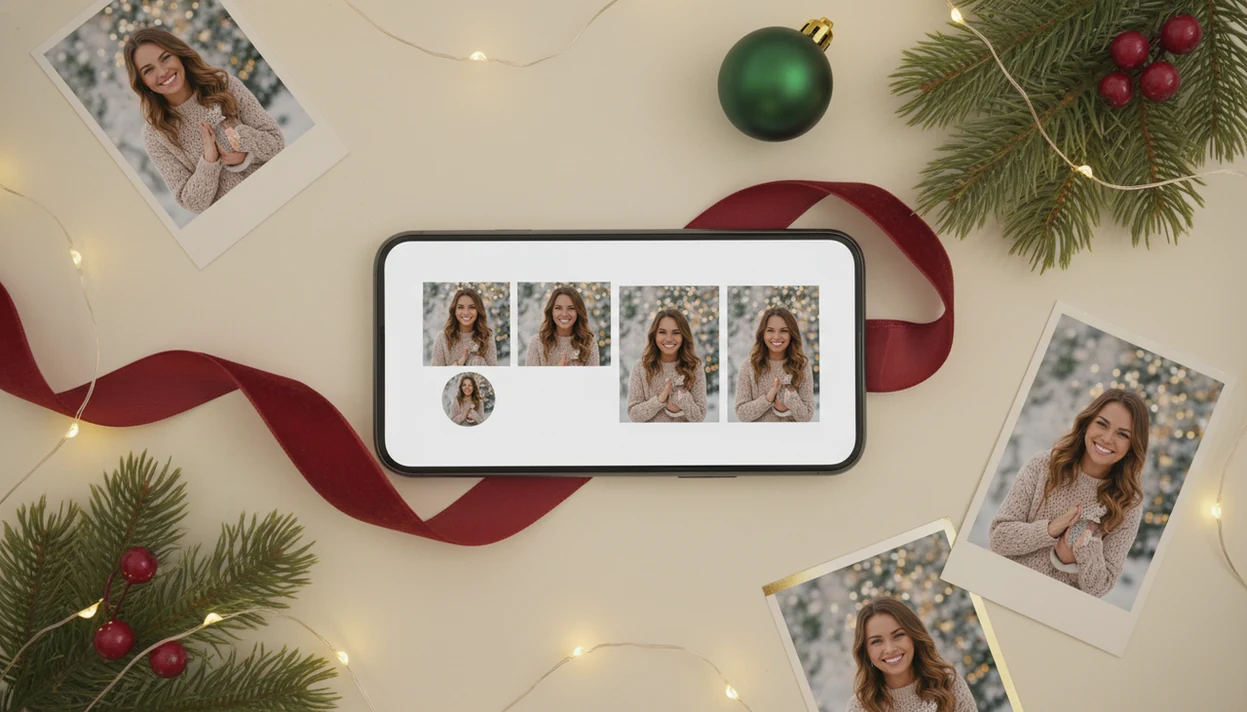
PiXmas is a Christmas photo app for Instagram that turns one uploaded phone photo into festive portraits for posts, stories, reels covers, and holiday profile pictures. It is built for creators and social users who want Instagram-ready Christmas images without booking a studio shoot or manually editing backgrounds, outfits, lights, and snow.
> This Christmas photo app transforms one uploaded photo into holiday portraits, Santa scenes, and Christmas wallpaper for families, couples, pet owners, and creators.
- Use it when you want one selfie or portrait turned into multiple Instagram-ready Christmas images.
- The strongest Instagram uses are profile photos, feed portraits, story images, and reels covers.
- Source-photo quality matters: clear lighting, a forward-facing angle, and a natural expression usually produce better results.
Instagram Creator Demand For Christmas Photo Apps
Instagram Christmas photo apps matter because holiday images need to work in several placements, not just look festive in a full-screen preview. Pew reports that 63% of U.S. adults use Instagram, so seasonal profile photos and Christmas posts reach a large audience source.
A creator may need one close crop for a profile picture, one square-ish feed portrait, one vertical story, and one reels cover from the same source image. That is why the practical path matters: upload, select a festive style, review the result, then save or share.
The job is not just adding a red border. Modern AI Christmas apps can rebuild the portrait scene with snow, lights, outfits, Santa settings, or wallpaper looks. Pew's 2023 teen survey reported that 59% of U.S. teens use Instagram, which still explains why social-first Christmas edits spread fast in December source.
Tiny crop. Big judgment.
Five Facts About An Instagram Christmas Photo App
- Most Instagram Christmas photo apps start from one uploaded selfie or portrait, then generate multiple festive looks from that image.
- The strongest use cases are holiday profile pictures, feed portraits, story images, and reels covers, not only cards.
- Studio-style results depend heavily on the source photo, especially lighting, angle, face size, and blur.
- AI tools may preserve likeness well, but they can still change facial details, clothing, hands, hair, or background lighting.
- Template editors and AI generators are different: templates place effects over a photo, while AI can rebuild the portrait scene.
On a real phone, this usually starts in the iPhone Photos grid with six almost-identical kid snapshots and one where everyone is actually looking at the camera. Choose that one. The Christmas Pictures App workflow has a better chance when the face is already clear before generation.
For Instagram users, source-photo quality usually matters more than the number of seasonal styles because the final crop has to survive small-screen viewing.
AI Workflow For A Christmas Photo App On Instagram
A Christmas photo app for Instagram works by taking a source photo, reading face and pose information, generating festive variations, and exporting share-ready images. In AI terms, the model uses image embeddings, which are compact visual signals that help match your face, pose, and style request. That does not mean the app stores a perfect copy of your face inside the model; it means the system uses compressed visual signals to guide the generated portrait. The practical review step still matters because compressed signals can misread glasses, hair edges, hands, or side lighting.
That differs from a frame, collage, or filter app. A frame editor keeps the original photo mostly intact. An AI portrait generator can create a new holiday scene with different clothing, lighting, snow, ornaments, or a Santa backdrop.
The workflow focuses on holiday portraits, Santa scenes, Christmas wallpaper, and social-ready outputs rather than broad graphic design. Good Christmas AI photo apps create new seasonal portraits, not manual design files with layers and brand kits.
Face retention and background realism still depend on the model and the input image. Warm yellow kitchen light or a blurry sleeve can show up as odd color shifts or soft edges later.
PiXmas Features For Instagram Christmas Photo App Users
PiXmas fits Instagram users who want several Christmas looks from one photo because the workflow starts with a one-photo upload and style selection. No studio slot. No manual background masking.
One-photo holiday portrait generation
Use one clear selfie or portrait, then compare generated outputs before saving. After bedtime on December 23, when there is no studio appointment left, the workflow covers the last-minute Santa portrait need through a one-photo upload workflow.
Festive styles for posts and stories
Holiday portrait styles can include Santa scenes, winter backgrounds, festive outfits, snow, gold lights, and Christmas wallpaper looks. If you are planning romantic posts, our couples Christmas photo styles guide goes deeper on poses and mood.
Christmas profile picture options
Multiple outputs let you pick a profile photo, story image, and reels cover from one session. This is useful here because you can compare the same face across different Christmas styles before choosing the cleanest crop.
Who This Instagram Christmas Photo App Is For
This Instagram Christmas photo app is for people who need quick festive portraits more than a fully controlled design file. It fits social-first holiday posting, family keepsakes, and casual brand visuals where speed matters and every output still gets a human check.
The best-fit users are creators refreshing profile pictures, feed posts, stories, and reels covers without building each version by hand. It also works for families or couples who want a Christmas portrait after the studio calendar is full, especially when there is one clear phone photo where everyone looks relaxed. Pet owners can use it too, but they should inspect noses, whiskers, fur edges, collars, and costume details before sharing because small artifacts stand out fast on animals.
- Use PiXmas when the goal is a fast Christmas portrait or social crop from one uploaded photo.
- Review every face, paw, hand, hat, and hair edge before posting.
- Choose Canva, Picsart, or Photoleap instead when exact text placement, logos, layered graphics, or campaign-perfect layouts matter more than AI portrait generation.
- Treat brand-account results as quick festive visuals, not a replacement for polished campaign photography.
Instagram Formats For A Holiday Profile Picture App
Instagram profile photos display as a circular crop, and Meta's profile-picture guidance recommends starting with a square image so the subject stays centered source. A face that looks fine in preview can vanish once it becomes a tiny circle.
| Instagram format | What works best | What to check before posting |
|---|---|---|
| Profile photo | Centered face, simple background, high contrast | Eyes and smile still legible at small size |
| Feed post | Cozy portrait, fireplace, snow, studio-style backdrop | Crop does not cut off the head or shoulders |
| Story image | Vertical scene, playful details, countdown energy | Important face details are not under stickers |
| Reels cover | Strong subject with clean space | Text and interface overlays do not hide the face |
If your priority is a holiday profile picture app, PiXmas fits because it generates multiple portrait outputs from one upload, giving you options for the small circular crop.
For wallpapers, the layout choice changes. The phone-first process is covered in how to make Christmas wallpaper with phone.
Six Steps To Use A Christmas Photo App For Instagram
Use this workflow when you want an Instagram-ready Christmas portrait without guessing through every style.
- Choose a clear, well-lit portrait with a forward-facing angle and natural expression.
- Avoid blurry, dark, low-resolution, or hard side-angle photos, especially if the face is tiny.
- Upload the selected photo and allow only the photo access you are comfortable granting.
- Select festive styles for your target placement, such as profile photo, feed post, story, or reels cover.
- Review the face, crop, hands, clothing, and lighting before saving anything.
- Save multiple versions, then post the cleanest match to the right Instagram format.
When the permissions prompt appears, many users pause over “selected photos only.” That is a reasonable check. The app works from the photo you choose, so start with the image you actually want processed.
The right fit for fast Instagram posting is a workflow with upload, style picker, preview, and export in one short session.
Instagram Christmas Photo Patterns For Profiles, Stories, And Reels
What Christmas photo style works best for Instagram? The best pattern depends on the placement, not just the prettiest Christmas style in the preview.
Profile-picture refreshes need close-up face framing, strong contrast, and simple festive details. A wreath, red sweater, or snowy glow can work, but the face has to win. Cozy feed portraits can use more scene detail, such as sweaters, fireplaces, studio backdrops, or gold lights reflected in glasses.
Story images can be looser. Vertical composition leaves room for stickers, countdowns, captions, and “new post” prompts. Reels covers need a strong subject, clear holiday mood, and quiet space where title text will not fight the face.
On days when you want one image for your grid and another for a story, one upload can produce several portrait outputs. For short-form video platforms, the related Christmas photo app for TikTok page covers cover-image needs.
AI Christmas Photo Generator Versus Christmas Photo Frame App
AI Christmas photo generators and Christmas frame apps solve different problems. Choose AI when you want a new holiday portrait scene; choose a frame app when you want a quick decorative edit that keeps the original photo nearly unchanged.
| App type | What it changes | Strength | Tradeoff |
|---|---|---|---|
| AI Christmas generator | Face setting, outfit, lighting, background, scene | More polished portrait potential | Can introduce facial or hand artifacts |
| Christmas frame app | Border, stickers, overlays, preset effects | More predictable face preservation | May look less unique or less studio-like |
| General editor like Canva or Picsart | Layout, text, graphics, manual edits | More design control | More setup work for portrait transformation |
| Focused app like PiXmas | Holiday portrait styles from one upload | Faster Christmas-specific workflow | Less suited to broad graphic design projects |
A focused Christmas Pictures App earns the spot when the goal is a new Christmas portrait for Instagram, because the style picker is built around holiday scenes rather than blank-canvas design. For couples, a best Christmas couple photo app comparison may help if the pose matters more than the background.
How does PiXmas compare to a photographer or DIY setup for Instagram content?
Instagram creators generally have three ways to get a Christmas-themed photo: an AI app, a professional photographer, or a DIY setup with props and lighting at home. Each route trades off time, cost, and control differently.
- Photography educators using Google Trends report that searches for terms like “Christmas card photos” remain fairly constant through much of the year, then trend upward from September or October and spike in December. (Tech Photo Guy – Google Trends for Photographers, 2018)
- A general guide to using Google Trends recommends setting multi‑year ranges to spot seasonality, noting that Christmas‑related terms consistently show seasonal spikes that can guide when to publish holiday photo content. (Cemoh – How to Use Google Trends: A Complete Guide, 2026)
- Google’s Holiday Trends reports that many Christmas‑related queries in the US, including decorating and baking topics, spike each December, illustrating that demand for Christmas imagery and content concentrates late in the year. (Google – Holiday Trends (Year in Search 2025), 2025)
For Instagram, where content is often posted quickly and in volume, an app-based workflow tends to fit tighter timelines better than booking a shoot or building a home set.
For Instagram creators who want fast, varied holiday content without booking a shoot, PiXmas offers a simple one-photo path to festive posts, Stories, Reels covers, and profile pictures, provided expectations account for its AI-generated, stylized nature.
Limitations
AI Christmas photo apps are useful, but they are not controlled photoshoots. Check every output before posting, especially if the image represents a creator profile or brand account.
- Apps do not reliably preserve every facial detail in every generated output.
- Blurry, dark, side-angle, or low-resolution photos can reduce portrait quality.
- Artifacts can appear, including warped hands, changed clothing, mismatched lighting, or overly synthetic skin.
- Hundreds of styles do not guarantee better output quality or stronger Instagram performance.
- A tiny face in a group shot may generate weaker results than a close portrait.
- The app is not a full substitute for a professional shoot when brand-perfect lighting, wardrobe, and composition are required.
- Template tools such as Canva, Photoleap, or Picsart may be better when you need exact text layout control instead of AI portrait generation.
- Pet noses, glasses, hats, and hair edges can need extra review before sharing.
Not every preview is a keeper.
Related guides
FAQ
Can one uploaded photo create multiple different Christmas looks for Instagram?
Yes, most AI Christmas photo apps generate several distinct holiday portraits from a single uploaded photo instead of producing just one result. This lets creators pick different looks for a feed post, a Story, a Reels cover, and a profile picture without uploading separate images each time.
Can I include a pet or friend in my Instagram Christmas photo?
PiXmas is built around a one-photo workflow, so results are strongest with a solo portrait or a clear couple photo. A pet or friend can technically be included in the uploaded photo, but multi-subject uploads may render less consistently than a single clear face.
How is an AI Christmas photo app different from an Instagram filter?
An Instagram filter typically overlays effects, colors, or stickers on top of the existing photo in real time. An AI app like PiXmas instead generates a new stylized scene, changing background, wardrobe, and lighting based on the uploaded photo rather than layering an effect over it.
Do I need professional lighting or a DSLR for good results?
No professional camera or lighting setup is required. A clear, well-lit phone photo with a forward-facing, in-focus subject is usually enough for the app to generate a usable holiday portrait.
What resolution do I get for images used in posts, stories, or reels covers?
Exported images are generally sized to work across standard Instagram formats, including square or portrait feed posts and vertical Stories or Reels covers. It is worth previewing the crop before posting, since framing needs differ between a feed post and a Reels cover.