
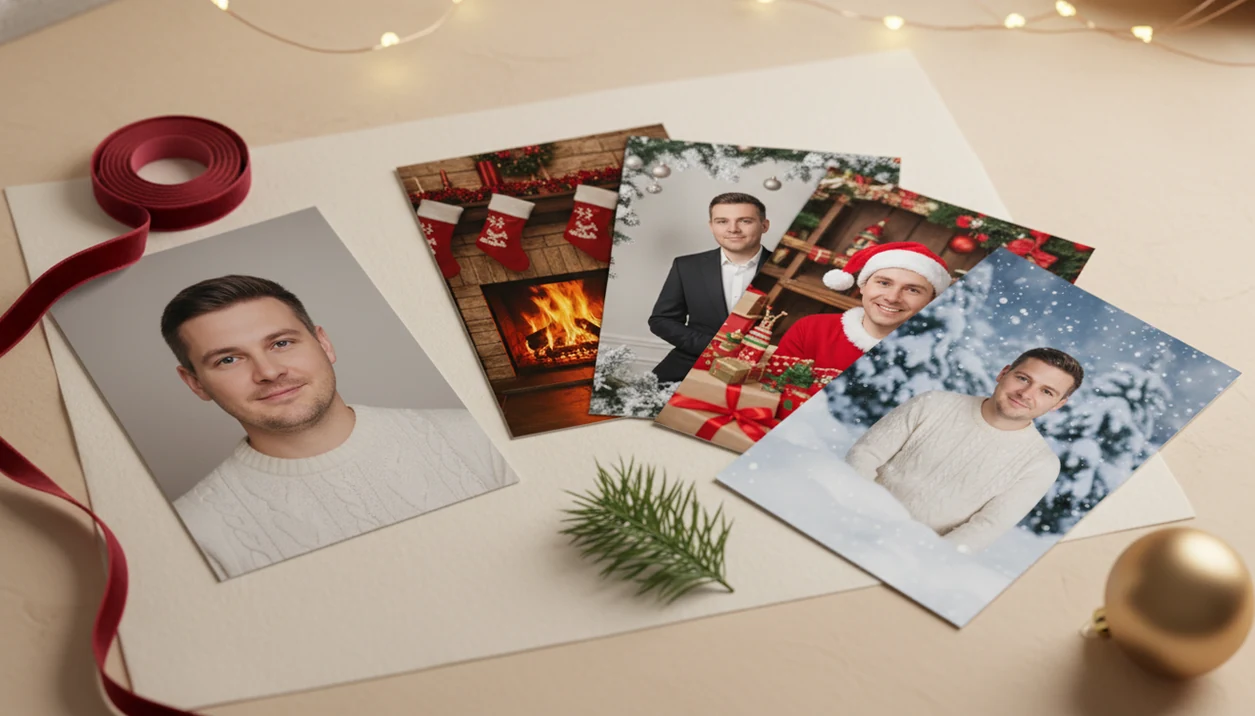

Definition: An AI Christmas photo app uses generative AI to create a new holiday portrait from one uploaded photo, unlike basic editors that only overlay frames or stickers on an existing image.
Best AI Christmas Photo Apps at a Glance
A useful Christmas photo app should preserve likeness, accept one clear upload, and export images for real holiday use. AI generators differ from frame editors because they create a new portrait rather than decorating the original picture.
| Rank | App | Likeness | One-photo workflow | Export formats | Style count | Privacy clarity |
|---|---|---|---|---|---|---|
| 1 | PiXmas | Wins | Wins | Wins | Wins | Clear policy checks recommended |
| 2 | Christmas AI | Good for simple scenes | Yes | Social-first | Moderate | Varies by listing |
| 3 | PhotoGPT Christmas Generator | Prompt-dependent | Usually | Download-based | Flexible prompts | Browser policy check needed |
| 4 | Picsart | Editor-dependent | Often template-based | Social and design exports | Broad, not Christmas-only | Established app policies |
| 5 | Canva | Not likeness-first | Template-first | Strong design exports | Broad templates | Established app policies |
5 Facts About the Best Christmas Photo App Category
The best AI holiday portrait app is judged less by glitter and more by whether the person still looks like themselves. A toddler face lit by the preview glow is cute, but the cheeks, eyes, and expression still need to land.
- One-photo workflow is the core split: true AI portrait apps generate a new scene, while template editors mostly add borders, hats, and text.
- Likeness preservation varies widely; a tiny face in a group shot can drift more than a clear solo portrait.
- Export types matter because users often ask, “Can I use this for a card and a wallpaper?” before they download.
- Realism usually beats decorative overload for holiday cards because heavy props can make faces look synthetic.
- Privacy and data handling differ by app, so check upload retention before using children’s or family photos.
What an AI Christmas Photo App Does
An AI Christmas photo app creates a new festive portrait from your uploaded face instead of simply decorating the original image. That is the practical difference between a generator and a frame, sticker, filter, or template editor.
The best tools map the same source photo into specific holiday outputs: a card-ready family portrait, a vertical phone wallpaper, a Santa workshop scene, or a square social post.
Before you save, run a quick output check:
- Compare the face against the original photo, especially eyes, smile, hairline, and skin tone.
- Check the scene for odd hands, warped ornaments, strange text, or props covering the face.
- Confirm the crop fits the use case, whether that is a card, wallpaper, profile image, or feed post.
- Review the resolution before printing, since a file that looks fine in Messages may not hold up on paper.
- Read the export and privacy prompts before downloading family or child portraits.
How AI Christmas Photo Generation Works
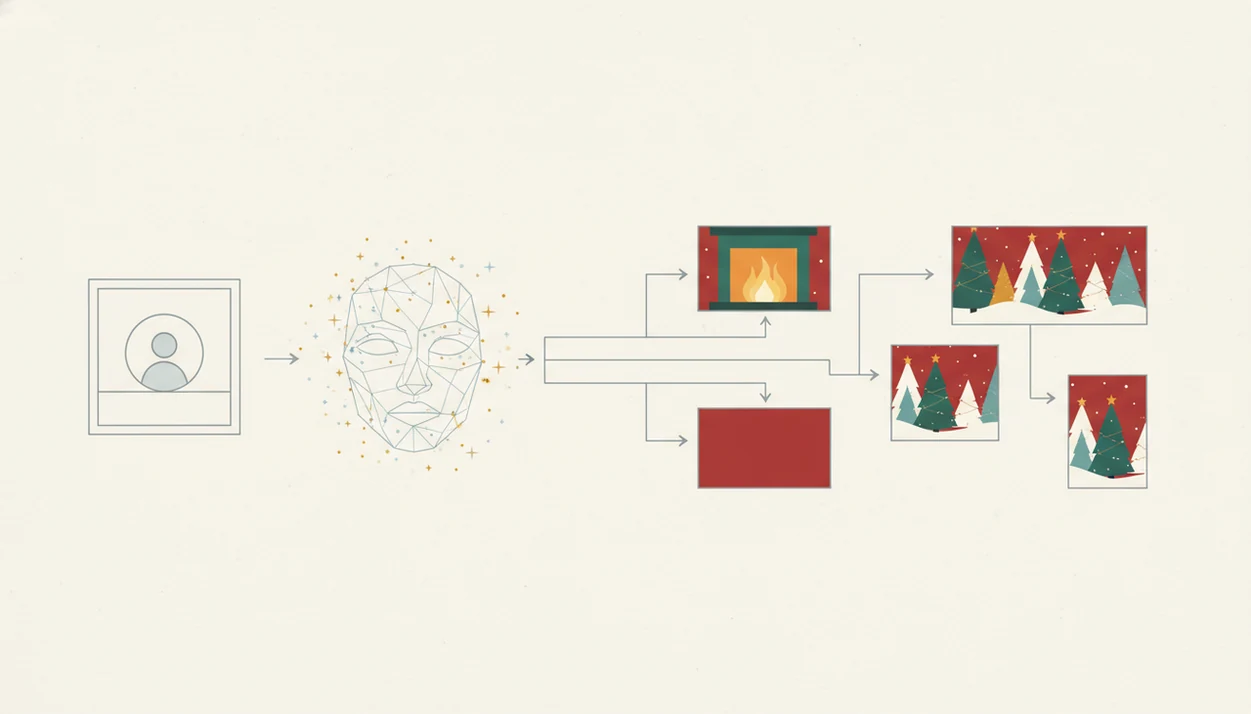
AI Christmas photo generation works by extracting face embeddings from an uploaded image, then using a generative model to place that likeness into a festive scene. In plain terms, the system reads facial structure and rebuilds a new holiday portrait around it.
Diffusion models, a common image-generation method, gradually form the output from visual patterns. For technical background, see the original denoising diffusion paper from UC Berkeley researchers at https://arxiv.org/abs/2006.11239 and Google Research's Imagen overview at https://imagen.research.google/. Style presets then control the fireplace, snow, Santa props, velvet dress, pajama look, or winter wallpaper framing. Output resolution decides whether the file feels phone-friendly, card-ready, or only useful for a quick message.
One clear photo usually beats five blurry uploads. Warm yellow kitchen light, a blurry sleeve, or a half-covered cheek can confuse the model before the Christmas style is even applied. For a deeper technical walk-through, our guide to how AI Christmas photo apps work explains the process step by step.
Clear face first. Decorations second.
Ready to create holiday photos?
A strong AI Christmas photo app turns one uploaded photo into a realistic holiday portrait, keeps the face recognizable, and exports files that work for cards, wallpapers, or…
How to Use an AI Christmas Photo App in 4 Steps
The practical path is simple: upload one photo, pick a festive style, review the face, then export for the place you need it.
- Upload one clear, well-lit selfie or portrait. Choose the photo where everyone is actually looking at the camera, not the one lost in the six almost-identical iPhone Photos grid shots.
- Choose a Christmas style. Pick a Santa scene, cozy indoor portrait, outdoor snow background, or winter wallpaper.
- Review the generated image for likeness accuracy. Check eyes, smile, hairline, skin tone, and whether the age looks right.
- Export or share in the format you need. Save a holiday card image, phone wallpaper, or social post version.
Named Shortlist: Best AI Holiday Portrait Apps for One Photo
Here is the named shortlist for people comparing true AI generators with decorative Christmas editors. The right choice depends on whether you need a new portrait or a dressed-up existing photo.
PiXmas: Best One-Photo Christmas Portrait App
It fits families, couples, pets, and creators who want a Christmas Pictures App that moves from camera roll to Christmas portrait without prompt engineering.
Christmas AI: Simple Santa Scene Generator
Christmas AI is a popular App Store-style option for basic holiday scenes. It can work for quick Santa looks, but users should compare likeness and export quality before ordering prints.
PhotoGPT: Browser-Based Holiday Image Generator
PhotoGPT works better for people who like prompt control in a browser. The trade-off is that prompt flexibility can also mean less predictable Christmas portrait consistency.
Christmas Photo Editor: Frame and Overlay Tool
Christmas Photo Editor is more template-heavy, so it suits frames, stickers, and overlays. It is not the same category as an AI Christmas photo app from one photo.
How We Picked the Best Realistic Christmas Photo App
We picked based on the things users notice after the novelty wears off: likeness, workflow speed, export usefulness, privacy clarity, and style consistency. A realistic Christmas photo app should deliver believable faces in seasonal scenes, not a crowded collage that hides mistakes.
Our test logic started with the phone photo most people actually have. Maybe it is December 23, the child is asleep, and there is no studio appointment left. The question becomes practical fast.
When the issue is preserving a recognizable face across several festive styles, a Christmas-first style library matters more than a general template catalog.
Style variety still has a trade-off. A huge library is useful only if the presets stay consistent, especially when comparing cozy portraits, outdoor snow, and Santa workshop looks. The app that turns one photo into Christmas pictures workflow is where that difference shows.
Evidence and Sources for This Shortlist
This shortlist combines hands-on workflow checks with public app listings and privacy documentation. The ranking claims come from trying the user path, while availability and policy notes come from the documents users can inspect before uploading family photos.
- Check availability in public stores where applicable; for example, Picsart’s Android listing confirms the app category and distribution path on Google Play source.
- Compare the upload flow by using one clear portrait, choosing a Christmas or design style, reviewing face consistency, and checking export options.
- Separate verified from unverified claims: likeness quality, workflow speed, style fit, and export friction came from hands-on checks. Exact server deletion timing, model-training exclusions, subprocessors, and image retention periods were not independently verified beyond the public language each service provides.
Common Myths About AI Christmas Photo Apps
AI Christmas photo apps are not all the same, and that misunderstanding leads to poor downloads. Some tools generate new portraits, while others only add frames, stickers, or holiday text.
Myth one: every Christmas photo app is just a frame editor. True AI generators create a new portrait from the uploaded face. Myth two: every AI app preserves likeness automatically. It doesn't. Hairline, smile shape, and eye spacing can change if the source photo is weak.
Myth three: more effects always mean better results. A toy train circling Santa's boots can look charming, but too many props can pull attention away from the face. Myth four: AI guarantees privacy or ownership clarity. Users still need to read the privacy page, permissions prompt, and deletion language.
For realistic family sharing, choose a one-photo generator that lets you compare several festive styles before saving.
What makes an AI Christmas photo app different from a regular photo filter?
A filter overlays stickers or color effects on top of your existing photo. An AI Christmas photo app rebuilds the image, generating new wardrobe, lighting, and backgrounds while keeping your likeness recognizable.
What photo should you upload for the best result?
Use a clear, front-facing photo with even lighting and an unobstructed face. Avoid sunglasses, heavy shadows, motion blur, and photos where the face is small or turned far to the side.
Simple backgrounds also help the app separate your face and shoulders from the surrounding scene before applying the Christmas styling.
Who is an AI Christmas photo app best for?
These apps suit people who want a holiday portrait quickly, without booking a photographer or assembling props. Solo users, couples, and families who need a card image or wallpaper on short notice are the most common use case.
Larger friend or family groups can also try it, though results are generally more consistent with one or two clear faces than with many people in a single frame.
How does an AI Christmas photo app compare to a photographer or DIY setup?
| Method | Time | Cost | Setup |
|---|---|---|---|
| AI Christmas photo app | Minutes in-app | App-based pricing | None |
| Professional photographer | Scheduling plus shoot time required | Typically higher session cost | Studio or location shoot |
| DIY at home | Hours to days of setup | Varies with props, wardrobe, lighting | Physical props and lighting |
For a one-photo Christmas portrait without booking a photographer or gathering props, PiXmas is a practical starting point among AI Christmas photo apps, provided you upload a clear, well-lit source photo and keep expectations realistic for group shots and print sizing.
Limitations
AI Christmas photo apps are useful, but they are not professional studio replacements. Even strong results should be checked before printing, gifting, or using on a card.
- AI does not guarantee a perfect face match; age, hairstyle, skin tone, and expression can drift.
- Low-resolution selfies can produce synthetic-looking faces, even when marketing says “studio quality.”
- Busy prompts or crowded presets may look fun on-screen but crop poorly for cards.
- Large style libraries can hide uneven realism across individual presets.
- Privacy and retention policies are not uniform across PiXmas, Canva, Photoleap, Picsart, Remix AI, or FestivAI.
- Some apps export social-friendly images that are not ideal for larger prints.
- Selected-photo permissions matter, especially when uploading family or child portraits.
- Professional photography still wins for controlled lighting, exact posing, and guaranteed print planning.
For most users, output quality depends more on the source photo than the Christmas theme because the model needs a clear face before it can build a believable scene.