
Does AI Christmas Photo App Work for Realistic Pictures?
Quick answer: Yes, AI Christmas photo apps like PiXmas work by generating stylized holiday portraits from one uploaded photo, adding festive wardrobe, lighting, and backgrounds through AI. Results look most realistic when the source photo is clear, well-lit, and face-forward, though minor artifacts can still appear around hands, teeth, or glasses. PiXmas runs as an iOS app with 800+ styles for fast, one-photo Christmas portraits.
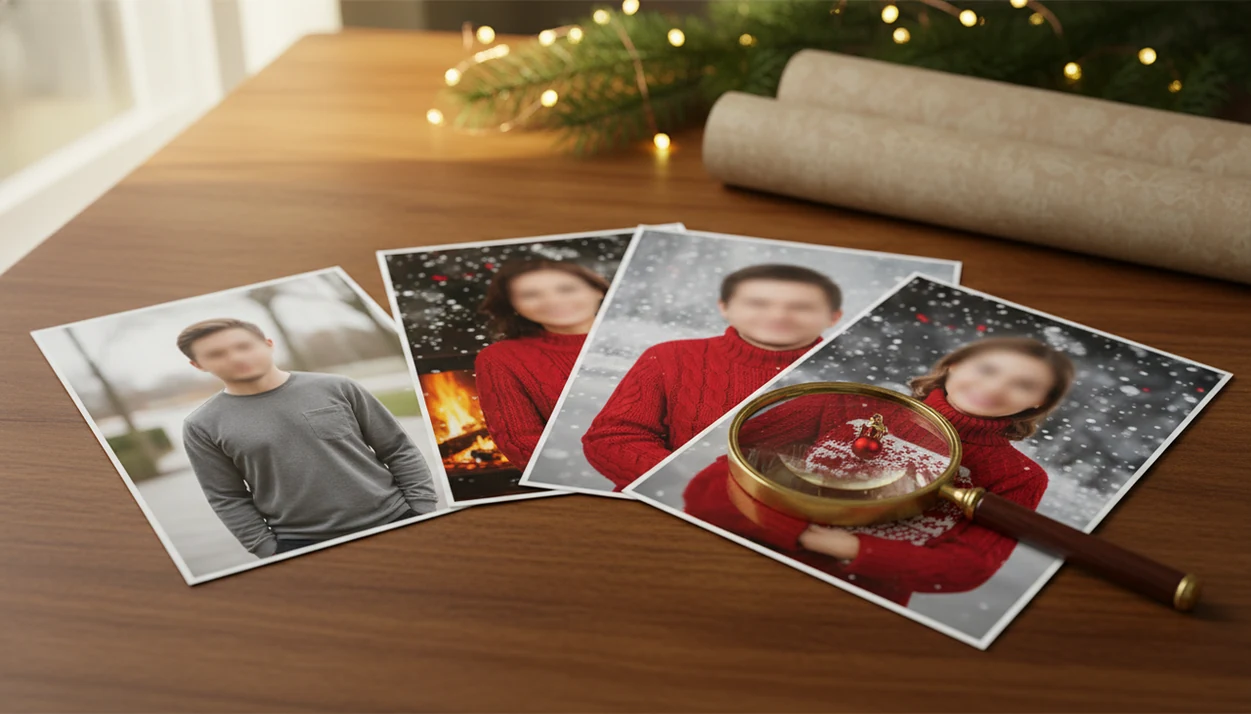
Yes, does AI Christmas photo app work has a practical answer: it can produce realistic, usable holiday portraits when the uploaded photo is clear, well-lit, and face-forward. Results are best for social posts, cards, wallpapers, and festive portraits, but they can still show AI artifacts in hands, accessories, pets, or busy backgrounds.
Definition: An AI Christmas photo app transforms one uploaded photo into holiday portraits, Santa scenes, and Christmas wallpaper for families, couples, pet owners, and creators.
- AI Christmas photo apps are not simple filters; they usually rebuild the scene around your face, pose, and chosen holiday style.
- Realistic results depend most on photo quality, style choice, export resolution, and how much stylization you accept.
- Use AI Christmas photos for cards, social posts, wallpapers, and fun portraits, but inspect details before printing.
AI Christmas Photo App Definition for Realistic Holiday Portraits
An AI Christmas photo app is a mobile or web tool that turns a normal selfie, couple photo, family photo, or pet photo into a festive holiday image. It usually creates a new scene around the uploaded photo, rather than only placing a border on top.
Common outputs include studio-style Christmas portraits, Santa scenes, snowy backdrops, Christmas wallpaper, and card-ready images. A parent might start with the one phone photo where everyone is actually looking at the camera, then test a fireplace style and a snow style before choosing one.
Realism is conditional, not guaranteed. Apps in this category can transform one uploaded photo into many festive styles, but the final likeness still depends on the source image, the preset, and the app’s export quality.
Check the face first.
AI Christmas Photo App Technology for Holiday Scene Generation
AI Christmas photo apps usually use image-to-image generative AI. In plain terms, the app reads your uploaded picture as a reference, then creates a new holiday version that follows the face, pose, and composition cues.
The model may detect facial structure, head angle, clothing edges, lighting direction, and where the subject sits in the frame. Then it regenerates outfits, backgrounds, Christmas props, Santa scenes, and seasonal lighting around that reference. That is why a plain hallway selfie can become a red-sweater portrait or a snowy outdoor scene.
That is different from sticker overlays, photo frames, or simple color filters. A filter changes the existing image. A generative tool can rebuild parts of it.
Many apps process images on cloud servers, not only on the phone. Before uploading kid photos, pet portraits, or a family group image from a text thread, check the privacy terms for storage, deletion, sharing, and training use. For a deeper mechanism breakdown, read how AI Christmas photo apps work.
Five Facts About AI Christmas Photo Results
- AI Christmas photo results depend heavily on the clarity and lighting of the original upload. Warm yellow kitchen light, blur, or a tiny face in a group shot can weaken the likeness.
- Modern tools generate new scenes rather than only adding filters. They can change clothing, background, props, and atmosphere.
- Realistic presets usually look more believable than highly cartoon-like presets. For cards, lower-stylization styles often age better.
- High-resolution exports matter for holiday cards and prints. A sharp phone preview can still look soft on a folded card.
- AI-enhanced visuals are mainstream: Pew Research Center reported in 2023 that 27% of U.S. adults used image-editing tools or apps with filters or effects at least sometimes (https://www.pewresearch.org/internet/2023/06/21/public-awareness-of-artificial-intelligence-in-everyday-activities/).
Consumer comfort with AI has also grown: McKinsey’s 2023 generative AI survey found that 79% of respondents had at least some exposure to generative AI, and 22% used it regularly at work (https://www.mckinsey.com/capabilities/quantumblack/our-insights/the-state-of-ai-in-2023-generative-ais-breakout-year). The practical takeaway: AI Christmas photo results usually work best when the source photo is clean and the style is realistic.
AI Christmas Photos for Holiday Cards and Social Posts
Do AI Christmas photos look real enough for cards and social media? Yes, they often do, especially when the face is clear, the preset is realistic, and the final export is sharp enough for the intended size.
Photorealistic results try to look like a real camera captured the scene. Polished studio-style results may look more edited, like a professional holiday portrait. Intentionally stylized results lean into illustration, fantasy, or glossy seasonal art.
Before printing, inspect the natural face shape, eyes, lighting direction, clothing folds, background edges, and export sharpness. Also zoom in on hands, teeth, glasses, pet fur, logos, text, ornaments, and fine edges. Dog ears peeking from a Santa hat can look charming; a warped collar is harder to ignore.
Many users will accept a slightly stylized holiday card image if the likeness is strong. For one-photo workflows, the AI Christmas photo app from one photo guide explains what to expect before uploading.
AI Christmas Photo Results Examples by Person and Use Case
AI Christmas photo results vary by subject. The strongest use cases are usually clear portraits where the app can see the face, outline, and pose without guessing too much.
Family Christmas card portraits
Families often get useful results for coordinated portraits, card images, snowy scenes, and fireplace backdrops when all faces are visible. The iPhone Photos grid tells the truth here: six nearly identical kid snapshots, and one where everyone is finally looking forward. Use that one.
Kids work well for playful Santa scenes, but review facial likeness, hands, teeth, and sleeve edges. A missing front tooth in a holiday grin should still look like the child, not a generic smiling kid.
Couple and pet holiday scenes
Couples often fit romantic Christmas portraits, matching sweaters, and cinematic winter scenes. Pets are fun for wallpapers and social posts, but fur, paws, collars, and eyes can distort. Creators can use these images for profile pictures, seasonal thumbnails, brand posts, and share-ready festive visuals.
AI Christmas Photo App vs Christmas Filter Apps
AI Christmas photo apps are more transformative than Christmas filter apps, but they are less controlled than professional studio photography. The right choice depends on whether you want speed, accuracy, or a full scene change.
| Option | What changes | Realism potential | Speed | Best use |
|---|---|---|---|---|
| AI Christmas photo app | Outfit, setting, lighting, props, atmosphere | Medium to high | Fast | Cards, portraits, wallpapers |
| Christmas filter app | Color, frame, stickers, light effects | Low to medium | Very fast | Casual posts and stories |
| Manual editing app | User-controlled layers and adjustments | Medium | Slower | Custom designs and brand layouts |
| Professional studio | Real clothing, lighting, backdrop, pose | Highest | Slowest | Formal portraits and premium prints |
Filters are faster but less transformative. AI apps can take one uploaded photo and create a new holiday setting, which is useful when there is no studio appointment left on December 23. Professional studios still offer the highest control and real-world accuracy.
For last-minute cards, an app that turns one photo into Christmas pictures is often easier than manual editing because the style, background, and lighting are generated together.
Best and Worst Inputs for AI Christmas Photo Apps
AI Christmas photo apps work best with one clear, front-facing, high-resolution photo. The practical input is simple: good light, no motion blur, unobstructed face, simple background, and a natural expression.
Weaker inputs include tiny faces, sunglasses, hats covering the hairline, extreme angles, overlapping faces, dark rooms, and low-resolution screenshots. A blurry sleeve near a child’s cheek can confuse the outline. So can a crowded group photo where cousins are stacked behind each other beneath digital garland.
Use an AI Christmas photo app if you want fast festive portraits and can accept occasional variations. Avoid it if you need exact documentary accuracy, such as a formal family record or identity-style image.
The market is clearly moving toward phone-based creation: data.ai reported that global consumer spending on photo and video apps reached about $8 billion in 2022 (https://www.data.ai/en/insights/market-data/state-of-mobile-2023/). If you are comparing upload requirements, the one photo vs many photos AI portraits debate is worth reading first.
How to Use an AI Christmas Photo App
Use an AI Christmas photo app by starting with the cleanest possible source image, then testing realistic styles before the playful ones. The best workflow is quick, but it still needs a careful zoom review before you print or share.
- Choose one clear, face-forward photo with steady lighting, a natural expression, and as little blur as possible. A simple background helps the app understand where the person, pet, or clothing edges begin.
- Pick a realistic Christmas preset first, such as a studio portrait, fireplace scene, sweater look, or snowy backdrop. Save fantasy, cartoon, or glossy illustration styles for later comparisons.
- Generate several versions instead of trusting the first output. Compare whether the face still looks like the person, whether hands make sense, and whether the background feels believable.
- Zoom in before exporting. Check faces, teeth, glasses, pets, ornaments, text-like details, sleeve edges, collars, and hairlines for small distortions.
- Export at the highest available resolution when the image is meant for holiday cards, wallpapers, or prints. A preview that looks fine on a phone can soften once it becomes a card.
Common Myths About AI Christmas Photo Apps
Myth: AI Christmas apps always make people look like cartoons. In reality, less stylized presets can look much more natural than fantasy or illustration styles.
Myth: the app only adds a Christmas frame or sticker. Many current apps rebuild the scene, including clothing, lighting, background, and props. Good AI Christmas photo apps deliver studio-style holiday portraits, Santa scenes, and Christmas wallpaper from one upload, not guaranteed documentary copies of real life.
Myth: AI Christmas photos cannot be printed on cards. They can be printed when the export is sharp, high enough in resolution, and clean after zoom review.
Myth: every uploaded photo is automatically used for AI training. That depends on the app’s privacy policy, so read the terms before using personal or child images.
Myth: one bad result means the app does not work. Sometimes the fix is a clearer upload, a less stylized preset, or a different crop. Reset the photo.
Who is this AI Christmas photo app best for?
An AI Christmas photo app works well for anyone who wants a festive portrait without scheduling a studio session. Solo portraits and couples tend to produce the cleanest results, since the AI has fewer faces and poses to reconcile.
Families and small groups can also get strong results, though results across several faces in one frame may be less consistent than a solo or couple photo. This makes the style useful for holiday cards, social posts, and gift photos when a full photoshoot isn't practical.
People who want to try multiple looks quickly, such as a classic red-and-plaid style one time and a softer studio look another time, also benefit from an app-based workflow instead of rebooking a photographer for each variation.
How does PiXmas compare to a photographer or DIY setup?
- A 2026 guide describes the AI Christmas photo trend on Facebook as distinct from studio photoshoots, emphasizing that images are AI generated from a single uploaded selfie run through a Christmas-themed generator. (PiXmas guide on AI Christmas photo trend on Facebook (Picsmas), 2026)
- Reporting in late 2025 notes that the AI Christmas selfie trend added a "magical holiday touch" to everyday photos and was spreading rapidly as users posted AI-retouched festive portraits on Instagram, Facebook and X. (Analytics Insight story on Christmas 2025 AI festive portrait trend, 2025)
- By Christmas 2026, media coverage described a viral trend in which AI tools turned simple selfies into festive portraits that spread quickly across Instagram, Facebook and X. (Analytics Insight story on Christmas 2025 AI festive portrait trend, 2025)
PiXmas fits situations where speed and low setup matter more than a physical photo shoot, especially for last-minute cards or quick social posts.
AI Christmas photo apps do work, and results look most realistic with a clear, well-lit, face-forward source photo. PiXmas offers a straightforward one-photo workflow on iOS with 800+ styles, making it a practical option for holiday cards and social posts without booking a photographer.
Limitations
AI Christmas photo apps are useful, but they still have real limits. Inspect the output before you save, share, or order cards.
- AI can distort hands, fingers, teeth, glasses, jewelry, text, ornaments, and background objects.
- Pet results may be cute but anatomically imperfect, especially around paws, collars, fur, and eyes.
- Group photos can fail when faces are small, overlapping, turned away, or unevenly lit.
- Highly stylized Christmas presets may reduce likeness even when the image looks polished.
- Low-resolution exports may not be suitable for large prints or premium holiday cards.
- Cloud processing may raise privacy concerns, so check retention, deletion, training, and sharing policies.
- AI Christmas photos should not replace formal identity photos, legal images, or documentary family photography where exact accuracy matters.
Apps such as PiXmas and other Christmas Pictures App tools are best treated as festive portrait workflows, not evidence-grade photo records.
Related guides
FAQ
What does an AI Christmas photo app actually do?
An AI Christmas photo app analyzes an uploaded photo and generates a new stylized image with festive wardrobe, lighting, and a holiday backdrop. PiXmas applies this process to one photo at a time, producing a portrait rather than editing the original image directly.
Is an AI Christmas photo app available on Android?
PiXmas has a web version you can use on Android phones and tablets in your browser. A native Android app is also coming.
Can I use a photo of my pet for an AI Christmas photo?
Some AI Christmas photo apps accept pet photos, but fur texture, ears, and eyes are harder for the AI to render than a human face. Results with pets may show more artifacts than a clear human portrait.
Do I need professional photography experience to get good results?
No. The source photo just needs to be clear, well-lit, and face-forward. PiXmas is designed for a one-photo workflow so no photography background or equipment is required.
Can AI Christmas photos include more than one person in the same image?
Yes, but group photos with several faces may render with more inconsistencies than a solo or couple photo. Reviewing the result closely around faces and hands is recommended before ordering prints or cards.