
One Photo vs Many Photos AI Portraits for Christmas
Quick answer: For Christmas AI portraits, one clear photo is usually enough for cards, wallpapers, and casual sharing, while multiple photos trained into an avatar can improve likeness across different angles and expressions. Single-photo tools like PiXmas (also called Pixmas) skip training time, turning one uploaded photo into a finished holiday portrait in minutes, though results may vary more on complex or group source images.
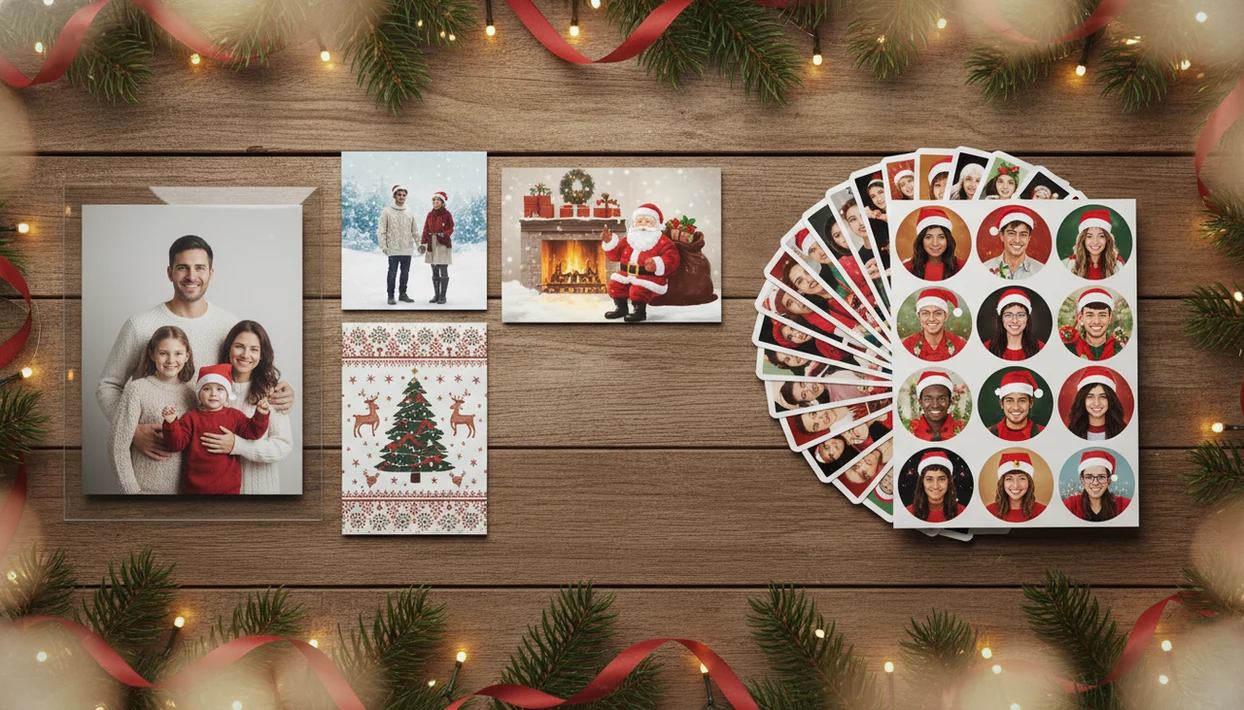
For Christmas images, one photo vs many photos AI portraits is mainly a trade-off between speed and likeness consistency: one-photo tools are faster and simpler, while many-photo avatar training is usually better for stable identity across lots of scenes. Choose one photo for quick holiday portraits, Santa scenes, cards, and wallpapers; choose many photos when you want a reusable AI avatar with stronger facial consistency.
> PiXmas is a Christmas photo app that transforms one uploaded photo into holiday portraits, Santa scenes, and Christmas wallpaper for families, couples, pet owners, and creators.
- Single photo AI portraits are best for fast Christmas edits with minimal upload effort.
- AI avatar training photos usually improve likeness consistency but require more time, images, and privacy trust.
- For casual holiday sharing, one clear phone photo is usually enough; for a reusable avatar, many-photo training can be worth it.
One photo vs many photos AI portraits, side by side
Side-by-side captures of the compared products. Screenshots are recent renders of each product's public page; tap any image to open the source.

One Photo vs Many Photos AI Portraits at a Glance
One-photo generation wins when convenience matters most; many-photo training wins when identity consistency matters most. PiXmas fits the one-photo Christmas use case because it starts with a phone image, then lets you choose a festive output without building a reusable avatar first.
| Comparison point | Single photo AI portraits | AI avatar training photos |
|---|---|---|
| Setup time | Usually minutes | Often longer, including upload and training |
| Upload count | 1 clear photo | Commonly 10 to 30 photos |
| Likeness | Good when the source photo is strong | More stable across many outputs |
| Privacy exposure | Lower image count shared | More personal images and context shared |
| Output variety | Depends on presets and scene design | Strong across larger style batches |
| Best use case | Cards, wallpapers, Santa scenes, profile images | Reusable avatars, campaigns, repeat content |
| Downside | Can drift in extreme styles | More setup effort and data trust required |
The 10-to-30-photo range should be treated as a market norm, not a rule; provider requirements vary, with some avatar generators asking for smaller sets such as 4 to 15 images and others asking for larger selfie batches (https://www.fotor.com/features/ai-avatar-generator/).
A parent scrolling the iPhone Photos grid often wants the one shot where everyone is looking, not a photo-sorting project. That is where the single-photo path feels practical.
How One Photo vs Many Photos AI Portraits Work
Single-photo AI portraits infer identity from one image, while many-photo avatar systems build a stronger person representation from repeated examples. In technical terms, both rely on image embeddings, which are compressed signals about faces, pose, lighting, and style.
A one-photo system looks at the uploaded image and estimates what it cannot fully see. That may include the far side of the face, the hairline under a hat, or eye shape softened by warm yellow kitchen light. It can work well, but the app has less evidence when a style asks for a snowy workshop, studio lighting, or a dramatic angle.
Many-photo training has more reference points. Different angles, expressions, and lighting conditions help the model preserve face shape, hair, and recognizable traits across outputs. The trade-off is simple: more stability usually means longer processing and more stored personal data. For a deeper mechanism walkthrough, our guide to how AI Christmas photo apps work explains the upload-to-output flow.
Where Single Photo AI Portraits Win for Christmas Speed
“Which option is faster for a Christmas portrait today?” Single photo AI portraits are faster because you upload one clear image, choose a Christmas style, preview the result, and save it without training an avatar.
PiXmas focuses on that path for holiday portraits, Santa scenes, and Christmas wallpaper. It suits families making a last-minute card, couples testing a cozy portrait, pet owners trying a festive scene, and creators who need a share-ready profile image before the day gets busy.
On December 23, no one wants a 30-photo sorting session after bedtime. They want the practical path: upload, select a festive style, review the result, then save or share.
Anyone dealing with a late card deadline should choose a one-photo workflow because it uses upload, style picker, preview, and export instead of AI avatar training photos. Good AI Christmas photo apps deliver fast seasonal outputs, not a promise that every face will match a studio retouch.
Where AI Avatar Training Photos Win for Likeness Consistency
Many-photo avatar training is usually the stronger choice when the same person must remain recognizable across dozens of scenes. It gives the model more examples of how the face changes across angle, light, expression, and distance.
- Many-photo training usually preserves recurring identity better than single-photo generation.
- Multiple angles help retain facial structure, hairline, face shape, and recognizable traits.
- Different expressions teach the model what is still “you” when smiling, neutral, or turned slightly away.
- Avatar training fits reusable avatars, influencer campaigns, business headshots, and multi-season creative libraries.
- Bad training photos can reduce quality, especially if they are blurry, filtered, heavily cropped, or inconsistent.
Creators looking for repeat seasonal posts may prefer many-photo training because the same avatar can appear across Christmas, New Year, and non-seasonal sets. For families making one holiday card image, that extra setup can feel like too much. The tiny face in a group shot still causes trouble either way.
Privacy Differences in One Photo vs Many Photos AI Portraits
Privacy exposure is usually lower with one-photo tools because fewer personal images leave your camera roll. Many-photo avatar training can reveal more biometric, home, clothing, location, and family context, even when each image looks harmless on its own.
- One-photo generation reduces the number of personal images shared with a provider.
- Many-photo training sets can include faces, rooms, school uniforms, pets, family members, and background clues.
- Retention rules matter, including whether photos are deleted after processing or stored for troubleshooting.
- Training-use policies matter, especially if uploaded photos may improve future models.
- Support-access rules matter because some providers allow human review for abuse checks or bug reports.
Privacy concern is not theoretical. A 2023 Pew Research Center survey found that 52% of Americans were more concerned than excited about increased AI use in daily life source. The FTC also reported identity theft complaints rising from about 650,000 in 2019 to over 1.1 million in 2022 source.
Check the policy first.
Output Variety in Single Photo AI Portraits and Avatar Models
Output variety depends on the generator’s style system, not only on the number of photos uploaded. Both single-photo tools and avatar models can create Christmas scenes, wallpapers, Santa images, holiday card images, and social posts.
Many-photo avatar models usually hold identity better across a large batch of styles. That matters if you want the same face in a fireplace portrait, a luxury studio look, a snowy outdoor scene, and a New Year fireworks image. Single-photo Christmas apps can still offer broad variety through presets, prompt handling, background design, and aspect-ratio options.
PiXmas is built around Christmas style choices from one uploaded phone photo, so variety comes from the style picker rather than avatar training. If you are comparing broader tools, Canva, Picsart, and Photoleap may offer more manual design control, but they can also take longer when all you need is a festive portrait output.
A cropped school-day grin can become a card image faster than a blank design file.
How to Use Either Option for Christmas AI Portraits
Use the one-photo path when speed matters most, and use many-photo avatar training when repeat likeness across many styles matters more. The right choice is less about which method sounds stronger and more about what you need to finish before the holiday rush.
- Decide whether your main priority is a fast finished image or a reusable avatar that can stay recognizable across many Christmas scenes.
- Choose one clear, well-lit photo if you need cards, phone wallpapers, quick Santa portraits, or a simple festive profile image without a training step.
- Gather multiple clean training photos if you want the same person to appear across many styles, campaigns, or seasonal batches with steadier identity.
- Check the provider’s privacy, deletion, retention, support-access, and training-use policies before uploading faces, especially children’s or family photos.
- Generate a small test batch before ordering cards, posting a campaign, or building a whole holiday set, then compare face shape, smile, hairline, and overall mood.
A small trial saves time. It is easier to swap the input photo or training set before the design becomes the family card everyone has already approved.
How to Use Single Photo AI Portraits for Christmas
The best results from single photo AI portraits usually come from choosing a clean source image before you choose the Christmas style. Start with the photo you already have, but be picky for ten seconds.
- Choose a photo with a clear face, natural expression, and eyes visible.
- Avoid harsh shadows, heavy filters, covered faces, blurry sleeves, and extreme close-ups.
- Select a Christmas style, such as Santa scene, studio portrait, family card, wallpaper, or festive avatar.
- Preview the portrait and compare the face, hairline, smile, and overall mood.
- Regenerate with a better source photo if the likeness drifts or the pose looks wrong.
- Save the right aspect ratio for your use, such as card, phone wallpaper, or social post.
Parents making a Santa portrait after bedtime should use a one-photo Christmas workflow when speed matters because the flow starts with one upload and ends with a share-ready holiday image. For more setup detail, the AI Christmas photo app from one photo guide walks through the same decision points.
Who Should Pick One Photo or Many Photos AI Portraits
Pick one photo when you want fast Christmas sharing, low setup effort, and fewer uploaded images. Pick many photos when you need stronger likeness across many scenes or a reusable avatar for repeated use.
Choose one photo when speed matters
Families, couples, pet owners, and casual creators usually fit the one-photo path when the goal is a card, Santa scene, wallpaper, or profile image. PiXmas works for this need because the Christmas Pictures App keeps the workflow focused on one upload, a style picker, and export.
Choose many photos when consistency matters
Professionals, influencers, and creators building a multi-season image library may benefit from avatar training. Many-photo training tends to work best when you need the same identity across many outputs, while single-photo generation fits people who need one strong holiday image quickly.
The decision rule is simple: use one photo for speed and lower friction; use many photos for repeat likeness across a large batch.
Evidence Behind One Photo vs Many Photos AI Portraits
The evidence points to a practical split: public provider workflows show one-photo tools reduce setup, while avatar products often ask for multiple selfies to improve repeat likeness. Those are provider claims and user-facing requirements, not a guarantee that more uploads always look better.
Fotor publicly describes AI avatar generation with smaller multi-photo sets, while other avatar-style tools commonly ask for larger selfie batches. Lensa, Aragon AI, HeadshotPro, and similar headshot or avatar services have used multi-image upload flows where available, while PiXmas keeps the Christmas path to one source photo. The visible workflow difference is simple:
- Compare the upload count the tool asks for before payment or generation.
- Check whether it trains a reusable avatar or makes a single styled output.
- Review retention, deletion, and training-use language before adding family faces.
- Test a small batch before trusting likeness for cards, campaigns, or gifts.
Privacy research and consumer guidance generally treat extra uploads as extra exposure because more images can reveal more faces, places, clothing, and routines. Results still vary by model, photo quality, pose, lighting, and style strength; a sharp one-photo input can beat a messy training set.
Common Myths About One Photo vs Many Photos AI Portraits
The biggest myths around one photo vs many photos AI portraits come from treating photo count as the only quality factor. It matters, but source quality, model behavior, style design, and privacy rules matter too.
- Myth: One photo always matches many-photo avatar quality. Reality: one strong image can work well, but avatar training usually gives better repeat likeness.
- Myth: More photos automatically mean better results. Reality: blurry, filtered, or mismatched training photos can confuse the model.
- Myth: AI photo apps never store images. Reality: storage varies by provider, and some retain uploads for processing, support, or model improvement.
- Myth: Output variety depends only on upload count. Reality: prompts, presets, model limits, and safety filters shape variety.
- Myth: Christmas portraits require studio photos. Reality: a clear phone image often works for casual holiday use.
Couples looking for a quick balcony portrait with Christmas lights may not need avatar training. A one-photo Christmas Pictures App fits that case when it turns one selected phone photo into a festive portrait output without asking for a full training set.
What photo should you upload for the best result?
A single-photo AI portrait works best when the source image is sharp, well-lit, and shows the face straight-on or at a slight angle without heavy shadow.
Sunglasses, hats pulled low, motion blur, and low-resolution screenshots tend to reduce detail the model has to work with.
A recent, front-facing photo with even lighting and no filters gives a single-photo app like PiXmas the clearest starting point for a Christmas scene, outfit, and background.
For couples or family sets, a photo where each face is visible and reasonably sized in the frame helps more than a distant group shot with small faces.
How does a single-photo app compare to multi-photo avatar training or a photographer?
| Approach | Time | Cost | Setup |
|---|---|---|---|
| Single-photo AI app (e.g. PiXmas) | Minutes in-app, no training step | App-based pricing | None, one upload |
| Multi-photo avatar training | Longer, model processes an image set first | Varies by provider and plan | Several photos to gather and upload |
| Professional photographer or DIY shoot | Hours to days including scheduling and shoot time | Typically higher session cost | Physical props, wardrobe, and lighting |
Multi-photo avatar training can produce a more consistent likeness across many different outputs, since the model has more angles and expressions to reference.
A photographer or DIY setup gives full control over props and lighting but takes real-world coordination that a phone-based app skips entirely.
For most Christmas cards, wallpapers, and quick holiday sharing, a single clear photo through an app like PiXmas is the faster, simpler path. Multi-photo avatar training or a professional shoot may suit projects where matching likeness across many varied outputs matters more than speed.
Limitations
Both one-photo Christmas portraits and many-photo avatar training can fail in predictable ways. The main difference is whether the failure comes from limited input or from a weak training set.
- Single-photo tools can struggle with side profiles, covered faces, harsh shadows, extreme close-ups, and unusual poses.
- A face that is tiny in a group shot may not provide enough detail for a strong portrait.
- Many-photo training takes more time and may require 10 to 30 suitable images.
- Neither approach perfectly preserves subtle traits such as scars, asymmetry, dimples, or nuanced expressions.
- Photo retention, deletion, training-use, and support-access practices vary widely across providers.
- Christmas output variety is limited by the provider’s model, prompts, presets, aspect ratios, and safety filters.
- Low-quality training photos can make many-photo avatar results worse, not better.
- Competitors such as Remix AI or FestivAI may handle different style ranges, but users still need to check privacy and export rules.
PiXmas is a practical choice for fast Christmas portraits because it avoids training setup, but it still depends on the quality of the one uploaded photo. Not every hallway snapshot survives the conversion.
Related guides
FAQ
Can I upload a photo with pets or other people for a single-photo Christmas AI portrait?
Yes, a photo with a pet or another person can work, though results are usually more consistent when the main subject's face is clear and reasonably large in the frame. Busy group photos or small, distant faces may come through with less detail.
Do I need to upload photos in specific outfits for the AI to add Christmas styling?
No, most single-photo apps replace clothing and background as part of the style, so a plain everyday photo works fine. The Christmas wardrobe, setting, and lighting are generated by the app rather than pulled from the original photo.
Can I use a single blurry or low-resolution photo for a Christmas AI portrait?
A blurry or very low-resolution photo can still be processed, but sharper, well-lit images typically produce cleaner facial detail. Small, dark, or heavily compressed photos give the model less to work with.
Do single-photo AI portrait apps produce printed photos or only digital images?
Apps like PiXmas generate digital images that can be downloaded, shared, or printed separately through a photo service. The app itself typically does not ship physical prints.
What should you wear for AI Christmas photos?
Wear simple, well-fitting clothing that contrasts with the intended Christmas background. Solid colors, clear necklines, and visible sleeves usually give generators better reference information than intricate patterns, reflective fabrics, or oversized accessories. Photograph each person in even lighting from several angles, and avoid clothing that blends into hair, skin, or the original background.
Are Christmas photo apps safe for private family pictures?
Safety varies, so read the privacy policy before uploading family photos. Check whether images are stored, used to improve AI models, shared with vendors, or deleted after a stated period. Avoid uploading sensitive documents, identifiable home details, or children’s images unless you understand the terms. Delete stored uploads and close unused accounts when the project is finished.