
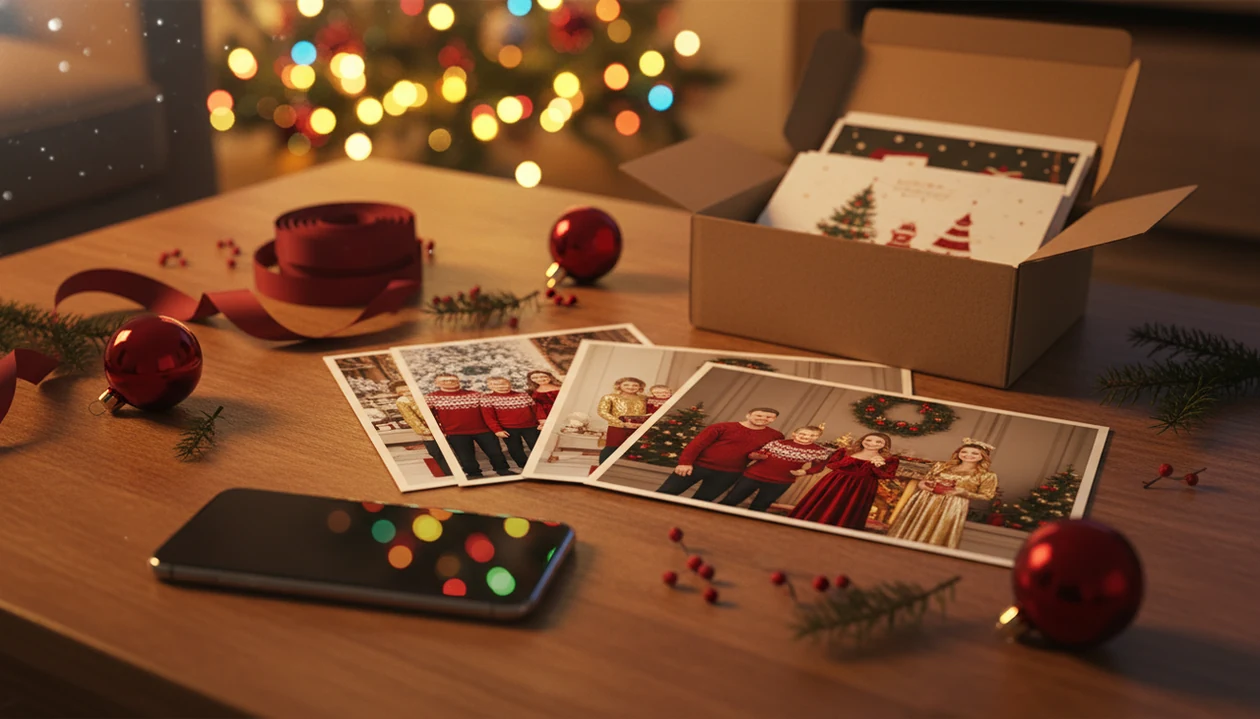

> A family Christmas photo app is a mobile or web tool that uses AI to convert casual family snapshots into coordinated holiday portraits with professional backdrops, matching outfits, and festive lighting.
- AI apps now replace matching sweaters, studio lighting, and in-person scheduling.
- Print-ready resolution and privacy policies are the two most overlooked comparison factors.
Best Family Christmas Photo Apps at a Glance
A strong Christmas family photo app should handle the real December problem: one decent phone picture, limited time, and a family that may not be standing together.
| App | Key strength | AI vs manual | Output resolution | Platform availability |
|---|---|---|---|---|
| PiXmas | One-photo family portraits, Santa scenes, wallpaper | AI-native | Print-minded exports | Mobile app |
| Media.io | Quick browser Christmas background swaps | AI-assisted | Varies by export | Web |
| Canva | Holiday card templates and text layouts | Mostly manual | Good for cards | Web, iOS, Android |
| PhotoRoom | Background removal and DIY composites | AI-assisted | Export-dependent | Web, iOS, Android |
That is why resolution matters. A group chat reveal is nice; a folded card needs sharper output.
How We Chose the Best Family Christmas Photo Apps
We chose the best family Christmas photo apps by comparing how well they turn ordinary family pictures into usable holiday portraits. Testing included both group photos and separate individual uploads, because real families often have one messy couch photo or relatives sending selfies from different places.
- Test each app with the same kinds of source images: a clear group shot, a dim indoor photo, and individual uploads where supported.
- Score face accuracy first, including whether children, glasses, skin tone, and small faces stayed recognizable.
- Compare style depth across Christmas scenes, matching outfits, Santa looks, card-friendly crops, and less cheesy portrait options.
- Check resolution, privacy language, and generation speed before treating a result as card-ready.
The main limitation is sample size: a few family photo scenarios cannot represent every skin tone, age, pet, lighting setup, or extended-family arrangement.
5 Facts About Christmas Family Photo Apps
- One clear snapshot is enough for many AI Christmas apps to generate multiple family portrait styles.
- Modern AI rebuilds backgrounds, lighting, outfits, and props; it is not just a sticker layer on top of a photo.
- Some apps can merge separate family member photos into one unified Christmas portrait, which helps long-distance households.
- Print-quality resolution matters for cards and canvases more than it matters for Instagram or a lock screen.
- Privacy policies differ on photo retention, model training, and how uploaded children’s images are handled.
The right app for family Christmas portraits usually depends more on source photo quality than on how festive the style name sounds. We test with the ordinary stuff people actually have: warm yellow kitchen light, one blurry sleeve, and six almost-identical kid snapshots where only one frame works.
Small details show fast.
Named Shortlist: Top 4 Apps for Family Christmas Portraits
Families comparing style depth can also use the Christmas family portrait generator guide for a narrower workflow.
Media.io fits people who want a browser-based AI Christmas photo generator for quick background swaps. It is useful when you are already on a laptop and need a fast snowy scene.
Canva works better for manual card design than AI portrait rebuilding. Use it when you already have a finished photo and need text, frames, and layout control.
PhotoRoom is useful for background removal and scene replacement. It suits DIY users who want to cut out people and assemble a holiday composite themselves.
Ready to create holiday photos?
How AI Christmas Portrait Apps Work
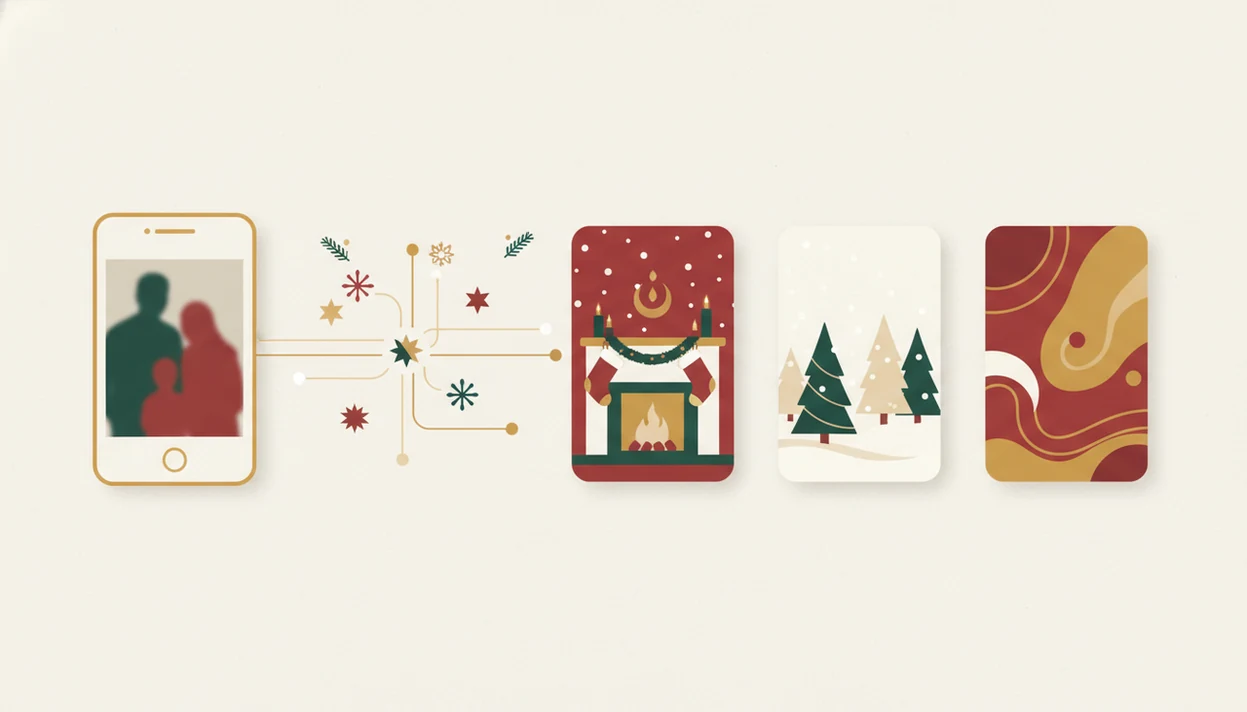
AI Christmas portrait apps usually follow a simple pipeline: upload, face and body detection, scene reconstruction, then rendered variations. The system reads image embeddings, meaning visual patterns in the photo, to infer pose, lighting, and subject placement from a single frame.
That one-photo upload flow builds Christmas backgrounds, outfit overlays, festive props, and lighting around detected subjects. The photo is processed in the cloud, so the image is sent to servers, rendered, and returned as downloadable results. Check the permissions prompt before upload, especially if your phone asks whether to allow selected photos only.
Good AI Christmas apps rebuild the scene around your family, not just paste hats and snowflakes over a snapshot. For parents making a Santa portrait on December 23 after bedtime, that difference is the whole point.
How to Use a Family Christmas Photo App for Matching Portraits
Use a family Christmas photo app by starting with the clearest photo you already have, then choosing a style that fits the final use. The practical path is upload, select a festive style, review the result, then save or share.
- Choose a clear, well-lit family snapshot or individual photos with faces visible.
- Select a Christmas portrait style, such as fireplace, Santa scene, snowy backdrop, or matching sweaters.
- Review the AI-generated variations and compare faces, hands, glasses, and skin tone.
- Download in print-ready resolution for cards, posts, or canvas prints.
Families trying to make one portrait from different cities should upload separate photos when the app supports merging. A matching family Christmas photos app workflow is often easier than asking everyone to retake selfies in the same room.
Best App for Family Christmas Portraits When Everyone Lives Apart
Can I make one family Christmas portrait if everyone lives apart?
Pew found that 81% of Christmas celebrants gather with extended family and friends, but college schedules, deployments, divorce calendars, and winter travel do not always cooperate.
Parents trying to include a college kid before the card deadline can use separate uploads instead of waiting for everyone to stand under the same tree. Some competitors work best when you already have a single group photo.
Common Myths About Christmas Family Photo Apps
Myth: you still need a professional studio for real Christmas portraits. Reality: AI can create studio-like holiday portraits from a casual photo, although a photographer still captures more natural interaction.
Myth: apps only add cheesy stickers and frames. Reality: AI-native tools rebuild backgrounds, lighting, outfits, and props. Christmas photo apps should deliver coordinated portraits, not clip-art decorations.
Myth: everyone must be physically together in one shot.
Myth: AI Christmas photos are always low resolution. Reality: several tools export images suitable for cards, provided the original photo is clear. For card sizing, compare your export against Christmas card photo size before ordering prints.
Not every result is usable, though. The tiny face in a group shot can still look soft.
Print Quality and Privacy: What Most Christmas Photo App Guides Skip
Print quality and privacy are the two checks most families should make before choosing a Christmas photo app. In 2022, 93% of U.S. adults reported using the internet, according to Pew Research Center source, so cloud-based portrait generation is practical, but it also requires trust.
Resolution for Holiday Cards vs Social Posts
Holiday cards and canvas prints need sharper exports than social posts. Check pixel size, aspect ratio, and color before sending a portrait to print. The full print workflow is covered in print ready Christmas photos.
Family Photo Privacy in AI Christmas Apps
Read privacy terms for retention timelines, model training, and children’s photo handling.
What makes a family Christmas photo app different from other Christmas photo styles?
A family-focused app is built around getting several faces looking coherent in one scene, not just flattering a single portrait subject.
The stronger tools pay attention to consistent lighting and matching color grading across every family member, so the group reads as one photograph instead of a collage.
What photo should you upload for the best result?
Start with a clear, well-lit photo where each face is unobstructed and roughly facing the camera.
A recent group photo works best, but separate individual photos can also be combined into one scene when a single shot with everyone together does not exist.
Avoid heavy shadows, sunglasses, or motion blur, since the app has to work from whatever detail is in the source image.
Who is this style best for?
Families who cannot coordinate a same-day photo shoot benefit most, especially when relatives live in different cities or time zones.
It also suits parents who want a coordinated holiday card without buying matching outfits, and larger extended families who want a group portrait without scheduling a group outing.
How does an app like PiXmas compare to a photographer or DIY setup?
| Factor | this app-style app | Professional photographer | DIY home setup |
|---|---|---|---|
| Time | Minutes in-app | Scheduling plus shoot time required | Hours to days of setup |
| Cost | App-based pricing | Typically higher session cost | Varies with props, wardrobe, lighting |
| Setup | None | Studio or location shoot | Physical props and lighting |
| Best for | Families spread across locations | Families wanting an in-person session | Families with time and equipment on hand |
Limitations
AI Christmas photo apps are useful, but they are not a replacement for every kind of family photography.
- AI can mis-render faces, glasses, hands, teeth, or skin tones in generated portraits.
- A professional photographer still captures candid emotion, varied poses, and real family interaction better.
- Low-resolution, cropped, or blurry source photos usually produce weaker portrait output.
- Cloud processing requires internet access and introduces privacy exposure for uploaded family images.
- Santa scenes, religious details, colors, and styling may not match every family’s preferences.
- Customization is more limited than Canva, Picsart, or a full professional design workflow.
- Pets and toddlers can be harder to render cleanly because they move and turn away quickly.
If you need total layout control, Canva or PhotoRoom may fit better.