
Is a Christmas Photo App Worth It for Cards and Portraits?
Quick answer: A Christmas photo app is worth it when you want festive portraits, Santa scenes, or card-ready images fast, from a photo you already have, without booking a studio. PiXmas (also spelled Pixmas) turns one uploaded phone photo into a range of holiday-styled portraits through an iOS app. It is less suited to large heirloom prints, since results are AI-generated images rather than physical studio photography.
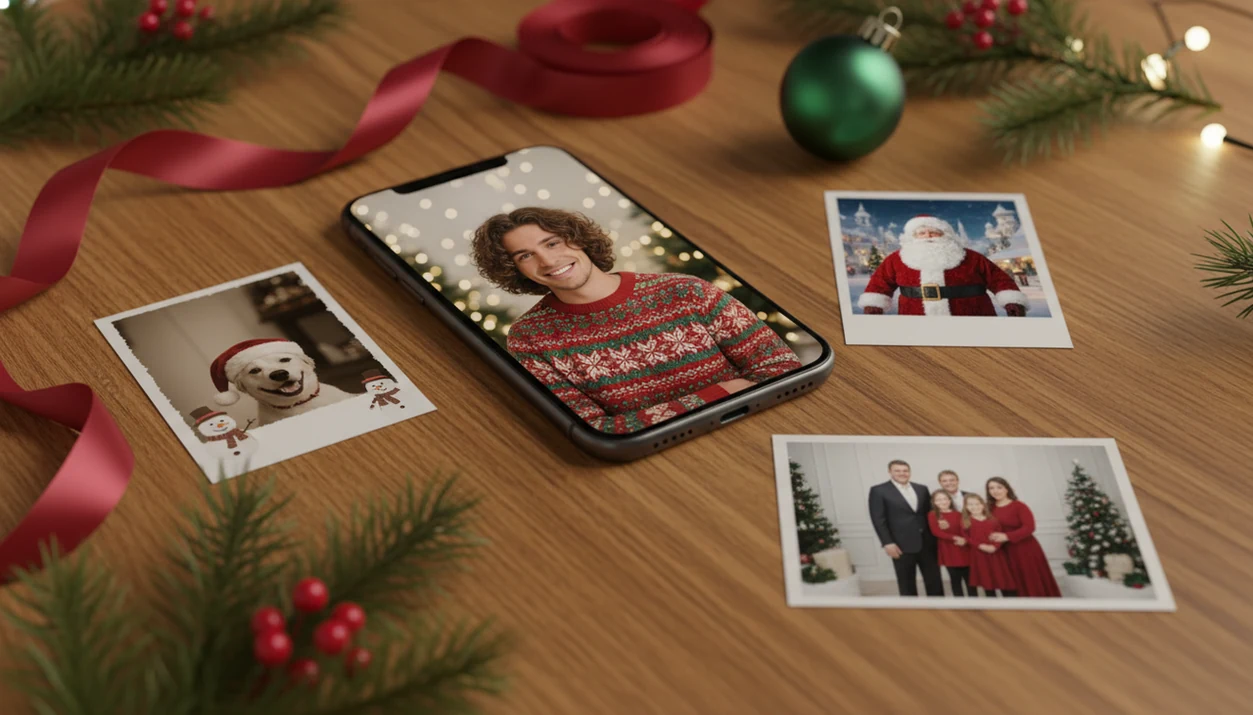
Yes, a Christmas photo app worth it decision usually comes down to speed, cost, realism, privacy, and whether you need polished holiday images without booking a studio shoot. A paid AI Christmas photo app is best for fast cards, social posts, Santa scenes, wallpapers, and casual prints; a photographer is still better for heirloom family portraits and complex group sessions.
Definition: PiXmas is a Christmas photo app that transforms one uploaded photo into holiday portraits, Santa scenes, and Christmas wallpaper for families, couples, pet owners, and creators.
- Pick a paid Christmas photo app if you want many festive looks quickly from one phone photo.
- Use free filters if you only need frames, stickers, or light edits on an existing picture.
- Book a studio if you need large framed prints, candid family interaction, or precise group posing.
How christmas photo app worth it look
Side-by-side captures of the compared products. Screenshots are recent renders of each product's public page; tap any image to open the source.

Christmas Photo App Worth It: At-a-Glance Comparison
A paid AI Christmas photo app is usually the practical winner for cards, social posts, wallpapers, and casual prints. A studio shoot still wins for heirloom portraits where posing, lighting, and print control matter most.
| Option | Cost | Speed | Realism | Style variety | Privacy check | Best use case |
|---|---|---|---|---|---|---|
| Paid AI Christmas photo app | Often much less than a session | Minutes | Strong for clear solo or couple photos | High | Review upload, storage, deletion | Cards, Santa scenes, wallpapers |
| Free Christmas editor | Low or free | Fast | Depends on original photo | Low to medium | Review permissions | Frames, stickers, text |
| Professional studio | Commonly $150 to $300 before prints or files | Slower | Highest control | Limited by booking and setup | Photographer contract | Framed family portraits |
Per Pew Research, 91% of U.S. adults owned a smartphone in 2023 (https://www.pewresearch.org/internet/fact-sheet/mobile/), and earlier Pew data found most adults take photos or videos on phones at least sometimes (https://www.pewresearch.org/internet/2012/03/01/62-of-adults-use-their-phones-to-take-pictures/). That is why app-based Christmas pictures feel normal now, not niche.
For parents choosing one card image from the iPhone Photos grid with six almost-identical kid snapshots, PiXmas fits because the practical path is upload, select a festive style, review the result, then save or share.
AI Christmas Photo App Workflow and Face Processing
AI Christmas photo apps analyze the uploaded face, pose, lighting, and composition, then generate a new festive scene around the subject. In plain terms, the system reads visual patterns, often called image embeddings, and uses them to rebuild a Christmas portrait output.
Basic overlays place frames, stickers, or snow effects on top of the original picture. Generative scene creation can change outfits, add studio lighting, build Santa settings, create fireplace backgrounds, or format a Christmas wallpaper. Good AI Christmas photo apps deliver seasonal portrait outputs, not a blank design canvas.
Input quality matters. Use a sharp face, natural expression, clear lighting, and no heavy beauty filter. Warm yellow kitchen light can still work, but a blurry sleeve across the chin can confuse the result.
The data flow is simple: upload, process, generate, preview, export. Before paying, check AI Christmas photo privacy, storage terms, and deletion controls.
Paid Christmas Photo App Value Versus Free Christmas Filters
A paid Christmas photo app is better value when you need a finished holiday scene, not just decoration on an existing picture. Free filters are still useful when the original photo already looks good.
| Need | Free filters and editors | Paid AI Christmas apps |
|---|---|---|
| Frames and stickers | Good fit | Usually more than needed |
| Text, borders, color tweaks | Good fit | Useful, but not the main value |
| Full background replacement | Limited | Stronger fit |
| Santa scenes and outfits | Usually basic | Main advantage |
| Card-ready composition | Manual work | Faster variations |
| Cost judgment | Free upfront | Judge by cost per usable image |
The clearest value test is cost per finished image. If a paid app gives five usable files for cards, posts, and wallpapers, the price may make sense. U.S. consumers planned to spend about $32.67 on holiday greeting cards and postage per person in 2022, according to the National Retail Federation (https://nrf.com/media-center/press-releases/consumers-plan-spend-record-amount-winter-holidays), so printing and mailing can cost more than creating the image.
When the issue is needing a card-ready portrait tonight, PiXmas earns the spot because it generates multiple Christmas style outputs from one-photo upload.
Christmas Photo App Use Cases for Cards, Posts, and Wallpapers
A Christmas photo app feels most worth paying for when one source photo needs to become several seasonal assets. Variety is the value driver because you are not rescheduling outfits, backdrops, or studio time.
- Solo portraits work well when the face is sharp and centered.
- Couple portraits can create cozy looks, from gold lights reflected in glasses to dressier holiday scenes.
- Children’s festive images and Santa scenes help when bedtime is the only editing window left.
- Pet holiday looks are good for casual sharing, though fur and collars need review.
- Profile photos, digital cards, social posts, and Christmas wallpaper formats cover different crops from the same upload.
U.S. consumers planned to spend an average of $875 on core holiday items in 2023, according to the NRF and Prosper Insights & Analytics (https://nrf.com/media-center/press-releases/holiday-spending-expected-reach-record-levels-during-november-and-december), so a paid app can be a small part of the seasonal budget.
For creators who need a wallpaper saved before the commute, PiXmas fits because Christmas Pictures App outputs stay focused on holiday portraits, Santa scenes, cards, and phone-friendly wallpapers.
Studio Shoot Advantages Over an AI Christmas Photo App
Do you still need a professional photographer for Christmas photos? Yes, if the image is meant to become a large framed print, a newborn keepsake, or a full family portrait with exact posing.
Photographers are stronger at directing difficult groups, catching sentimental candid moments, shaping light, and controlling final print quality. Grandma added from an old snapshot might work for a playful digital image, but it is not the same as gathering everyone for a real session.
AI can struggle with hands, accessories, pets, tiny faces in group shots, unusual poses, and exact likeness. Check the eyes first. Then check fingers, jewelry, collars, and background edges.
A paid Christmas photo app can be better value for casual or digital needs because basic studio session fees commonly run $150 to $300 before prints or files. For heirloom portraits, the higher studio cost can be worth the emotional permanence.
Where Paid Christmas Photo Apps Win—and Where Studios Win
Paid Christmas photo apps win when speed, style variety, and digital output matter most. Studios win when the photo needs real direction, controlled lighting, group coordination, and print quality that can live on a wall for years.
Use the final destination as the tie-breaker:
- Choose a paid AI Christmas photo app for fast cards, social posts, wallpapers, and multiple festive looks from one strong phone photo.
- Use free filters when the original picture is already good and you only want snow, stickers, borders, text, or a light seasonal touch.
- Book a studio when several people need posing help, children need coaxing, lighting must be exact, or the result is a framed gift.
- Match the format to the stakes: cards can tolerate a polished app portrait, wallpapers reward quick variety, and framed gifts deserve the most careful capture.
- Consider PiXmas when the advantage is specifically one-photo holiday generation, such as turning a clear solo, couple, pet, or kid photo into several Christmas scenes without a session.
That quick rule keeps the choice practical instead of emotional: use apps for fast festive output, use studios for keepsakes.
6 Steps for Better Paid Christmas Photo App Results
Better AI Christmas portraits start with a better source photo. The app can change the scene, but it still needs a clear face and enough detail to preserve likeness.
- Choose a sharp source photo with open eyes, natural expression, and even lighting.
- Avoid blurry, low-light, heavily filtered, sunglasses, extreme-angle, or cropped-face inputs.
- Upload one clear face photo first, especially for solo portraits or couple images.
- Select card, portrait, Santa scene, pet, or wallpaper styles based on the final use.
- Generate several variations, then compare realism, hands, face shape, accessories, and background edges.
- Check privacy settings and export resolution before paying if printed cards or casual prints are the goal.
After the App Store install button, the permissions prompt matters. If you wonder whether to allow selected photos only, pause and read is it safe to upload family photos before sending kid or group images.
Christmas Photo App Worth It Decision Tree
Is an AI Christmas photo app worth it? Yes, if you want many festive styles quickly and you are comfortable reviewing privacy, realism, and export quality before using the final image.
Choose a paid app if you need one card photo, a pet Santa scene, a couple portrait, 50 social posts, or a creator wallpaper pack. Choose a free editor if you only need a border, sticker, text line, or color adjustment. Choose a studio if the goal is grandparents’ framed gift, a large wall print, or a multi-person session with controlled posing.
The right choice depends on realism tolerance, budget, privacy comfort, and how the image will be used. For casual holiday sharing, a paid app is often easier than manual editing because one upload can produce several ready-to-compare outputs.
Anyone dealing with a December 23 bedtime deadline can use PiXmas because the workflow moves from camera roll to Christmas portrait without writing prompts or booking a session.
4 Myths About Paid Christmas Photo Apps
Paid Christmas photo apps are not automatically fake, and they are not automatic replacements for photographers. The realistic answer sits between those extremes.
- Myth 1: All AI Christmas photos look fake. Results vary by app, style, and source photo quality; clear solo photos usually perform better than crowded group shots.
- Myth 2: Free filters do the same thing. Filters add overlays, while generative tools can create outfits, backgrounds, Santa settings, snow, and studio-style lighting.
- Myth 3: A studio is always required for cards. Many people already build cards from phone photos, especially when the final print size is modest.
- Myth 4: A paid app is always worse value than a photographer. Cost per usable image matters more than the app price alone.
For families who need a share-ready Santa scene rather than a formal session, PiXmas is a practical fit because it gives multiple festive previews from one uploaded photo.
Evidence Behind the Cost and Value Claims
The cost case for a Christmas photo app is strongest when it is compared with real holiday behavior: people already shoot on phones, and cards, postage, gifts, and seasonal extras already add up. The value case is more editorial: convenience and quality still depend on the output you actually keep.
The Pew smartphone and phone-photography figures cited above support the idea that app-based portraits are normal inputs, not a niche workflow. The NRF holiday spending and greeting-card figures cited above support the budget context, but they do not prove that every app is a bargain. Studio pricing also varies by city, photographer, session length, package, retouching, print rights, and whether files are included.
Use this evidence check before paying:
- Separate sourced facts, like smartphone adoption and holiday spending, from judgment calls about convenience.
- Compare the app price with your real use case: one card image, several social posts, or a wallpaper set.
- Count only usable exports, not downloads, previews, or styles you would never send.
- Check whether print rights, resolution, and privacy terms match the final destination.
- Decide whether the saved time is worth more than the extra control of a studio.
What photo should you upload for the best result?
A clear, forward-facing photo with even lighting gives the AI the most detail to work with. Avoid heavy shadows, sunglasses, or motion blur, since these hide facial features the model needs to recreate expressions accurately.
Solo and couple photos tend to process most cleanly. A single uploaded photo with a plain background and a natural, relaxed pose usually produces sharper, more consistent results than a busy group shot taken from far away.
If the goal is a card or profile photo, choose a source image where the face is large in the frame. Cropped-in, well-lit photos give PiXmas more pixel detail to build a convincing Christmas portrait from.
A Christmas photo app is worth it for fast, card-ready holiday portraits made from a single existing photo, and PiXmas is a solid fit for that specific job.
Limitations
AI Christmas apps can be useful, but not every generated image will be usable. Expect to select the best outputs rather than trust every result.
- Likeness can be slightly off, especially with heavy styles or poor source photos.
- Hands, fingers, glasses, earrings, and small accessories may distort.
- Group photos can fail when faces are tiny, turned away, or partly blocked.
- Pets may get odd fur texture, collar changes, or strange eye reflections.
- Low-light, blurry, cropped, or heavily filtered inputs reduce realism.
- Privacy policies vary, so check whether uploads are stored, reused, or deletable; the question do AI photo apps store your face is worth asking before upload.
- Export resolution may limit large prints, even when phone sharing looks fine.
- Highly stylized AI images may date faster than classic studio portraits.
- A generated portrait has less emotional value than a live session where the family actually gathered.
Tiny problems show up late.
Related guides
FAQ
What kind of photo works best for a Christmas photo app?
A sharp, well-lit, forward-facing photo with no heavy shadows or sunglasses works best. Solo or couple photos with the face clearly visible tend to produce the most consistent results across different holiday styles.
Can pets or other family members be included in the same photo?
Some apps, including PiXmas, allow pets or additional people in a photo, but results can be less consistent than a single subject. For the cleanest output, a solo or couple photo is generally the more reliable choice.
What happens to my photo after I upload it for processing?
Uploaded photos are used to generate your styled images and are not meant to be shared publicly. Check the specific app's privacy details, since handling can vary, but PiXmas's core workflow is upload, style, preview, and export.
Can I get more than one style from a single uploaded photo?
Yes, most Christmas photo apps let you reuse one uploaded photo across several style options without re-uploading. This is one of the main value points versus booking a studio for each different look you want.
What if I'm not happy with the first result?
You can usually try a different style or re-upload a clearer photo if the first result misses the mark on lighting or expression. Previewing before export, as PiXmas allows, helps you catch issues before committing to a final image.
Is a paid Christmas photo app a good option for a quick holiday photo?
Yes, a paid app is a good option when you want a fast, no-booking way to get a festive portrait from a phone photo. PiXmas fits this use case well, especially for cards, social posts, and quick digital sharing.