
CapCut vs Adobe Firefly for Christmas Photos
Quick answer: CapCut is faster for mobile Christmas edits using templates, frames, and captions, while Adobe Firefly gives more prompt control for custom generative scenes and backgrounds. Neither is built specifically for stylized Christmas portraits from one uploaded photo. PiXmas fills that gap with a phone-based workflow focused on turning a single photo into a finished holiday-style portrait.
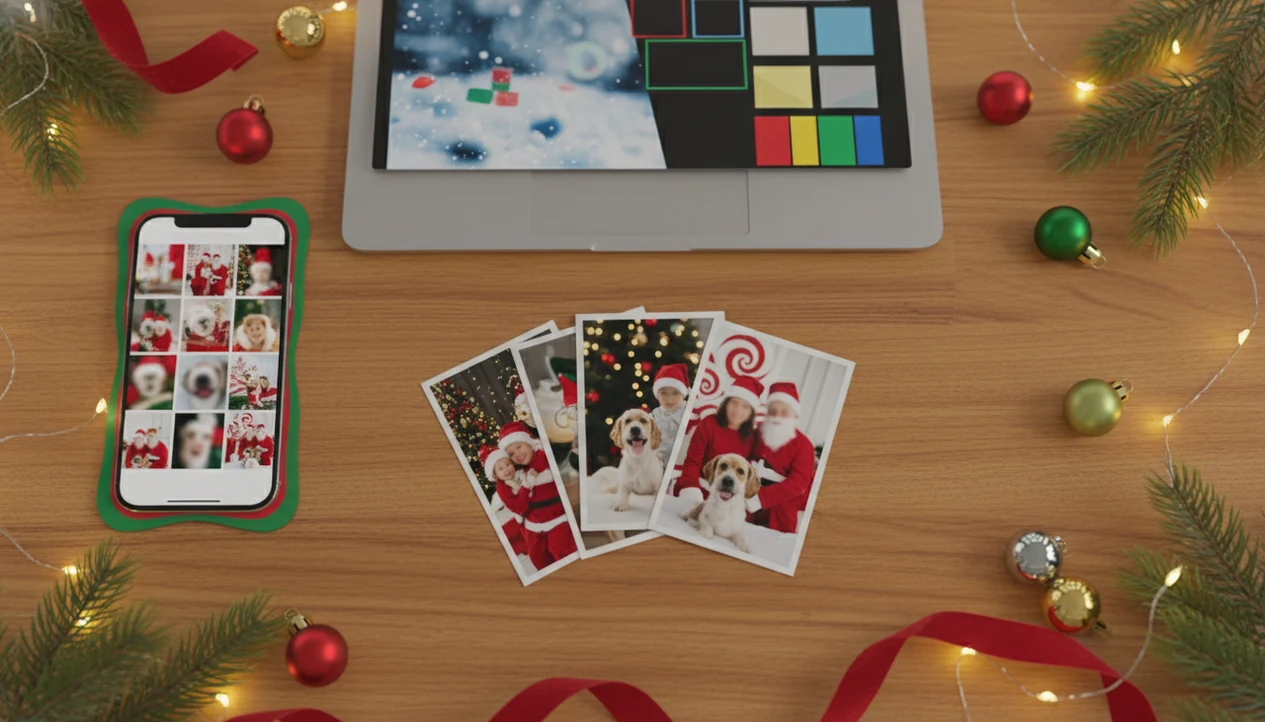
Adobe Firefly is better for controlled, prompt-driven holiday image creation, while CapCut is better for fast mobile edits, templates, captions, and social exports. CapCut vs Adobe Firefly Christmas photos comes down to whether you want quick festive styling on a phone or more flexible AI generation inside a broader design workflow. A dedicated Christmas portrait app fits the middle need when you want one phone photo turned into Christmas portrait options before you edit or post.
> PiXmas is a Christmas photo app that transforms one uploaded photo into holiday portraits, Santa scenes, and Christmas wallpaper for families, couples, pet owners, and creators.
- Pick CapCut if you want fast Christmas cards, frames, Polaroids, captions, and mobile-first social exports.
- Pick Adobe Firefly if you want text prompts, generative fill, aspect-ratio control, and stronger integration with Photoshop, Express, and Creative Cloud.
- Use the portrait app first if your main goal is turning one uploaded photo into many Christmas portraits, Santa scenes, wallpapers, and shareable holiday images.
Capcut vs adobe firefly christmas photos, side by side
Side-by-side captures of the compared products. Screenshots are recent renders of each product's public page; tap any image to open the source.

CapCut vs Adobe Firefly Christmas Photos At A Glance
CapCut wins for speed and mobile templates, Adobe Firefly wins for prompt control and design workflows, and a dedicated portrait-first workflow wins for Christmas portraits from one upload. The practical split is simple: CapCut is more preset-driven, while Firefly is more generative and composition-driven.
| Comparison point | CapCut | Adobe Firefly | PiXmas fit |
|---|---|---|---|
| Input type | Existing photo, template, video asset | Text prompt, image, fill task | One-photo upload |
| Christmas styles | Cards, frames, overlays, Polaroid looks | Prompted scenes, artwork, backgrounds | Curated portraits, Santa scenes, wallpapers |
| Prompt control | Limited | Stronger | Style picker over prompt writing |
| Uploads | Phone-friendly | Design-file friendly | Camera roll photo |
| Editing depth | Fast layout edits | Deeper generation and compositing | Portrait output first |
| Export paths | Social posts and short-form video | Adobe apps, print layouts, design assets | Save, share, then refine elsewhere |
| Best users | Mobile creators | Designers and marketers | Families, couples, pet owners |
| Main drawback | Less scene control | More review work | Narrowly Christmas-focused |
Both CapCut and Firefly can support holiday cards and social posts, but neither is built around a one-photo-to-many-Christmas-portraits workflow by default. If your iPhone Photos grid has six nearly identical kid snapshots and one usable smile, start with that one.
Five Facts About CapCut Christmas Photo Generator And Adobe Firefly Christmas Photos
Here are the five facts to know before choosing between a CapCut Christmas photo generator workflow and Adobe Firefly Christmas photos. The biggest difference is whether you want quick styling or deliberate image creation.
- CapCut offers holiday templates, frames, cards, and photo styles that are convenient on mobile, especially when the photo already looks usable.
- Adobe Firefly can generate holiday images from text prompts and edit existing images with generative fill inside supported Adobe tools.
- CapCut fits social-video and short-form content workflows, while Firefly fits Adobe design, print, and brand workflows.
- Firefly generally gives more control over style, aspect ratio, and composition; CapCut prioritizes simplicity and faster decisions.
- A dedicated Christmas portrait app can come before either tool when you want many AI Christmas portraits from one uploaded photo.
When the issue is getting several Christmas portrait options before choosing a layout, a portrait-first workflow handles that first step with a one-photo upload, style picker, preview, and download workflow. Then CapCut or Firefly can finish the card, caption, or design file.
CapCut And Adobe Firefly Christmas Photo Workflows
CapCut and Adobe Firefly work differently: CapCut usually edits and styles existing media, while Firefly generates or changes image content through AI prompts and generative editing. That distinction matters when your source photo has warm yellow kitchen light, a blurry sleeve, or a tiny face in a group shot.
CapCut is a mobile-first creative editor. Christmas results often come from templates, filters, photo styles, overlays, text, stickers, and social export tools. In plain terms, you bring the picture, then choose a festive wrapper.
Adobe Firefly is a generative AI system. It can use text-to-image prompts, style controls, composition direction, and generative fill. Image embeddings help the system interpret visual structure; the simple version is that Firefly reads what is in an image or prompt, then builds a new visual response.
A dedicated Christmas portrait app focuses on a narrower pipeline: upload one photo, select festive styles, review portrait outputs, then save Santa scenes, wallpapers, or holiday images. Good Christmas photo apps should deliver usable festive outputs from normal phone photos, not make every parent become a prompt engineer.
CapCut Christmas Photo Generator Wins For Mobile Users
Does CapCut work better for quick Christmas photo edits on a phone? Yes, CapCut is usually the faster choice when you already have a usable photo and want a Christmas card layout, frame, caption, sticker, Polaroid look, or short-form social export.
Mobile-first editing matters because 90% of U.S. adults reported owning a smartphone in Pew Research Center's mobile fact sheet: https://www.pewresearch.org/internet/fact-sheet/mobile/.
Quick wins count.
If you need a share-ready card or story by tonight, CapCut fits because its templates, text tools, and exports are built for phone-speed production. It is less ideal for detailed prompt control, complex family composites, or realistic generated Santa scenes where pose, lighting, and background need careful direction.
Adobe Firefly Christmas Photos Win For Prompt Control
Does Adobe Firefly work better for controlled Christmas image creation? Yes, Firefly is stronger when you need text-to-image generation, generative fill, style direction, aspect-ratio control, and a more deliberate composition than a preset template can provide.
Firefly can fit realistic holiday portraits, Santa scenes, Christmas card artwork, banners, branded seasonal visuals, and print-minded layouts. Adobe reported $14.22 billion in Digital Media revenue for fiscal 2023 in its Form 10-K, which shows the scale behind Creative Cloud, Express, Photoshop, and Firefly-related workflows: https://www.adobe.com/investor-relations/financial-documents.html.
That scale helps, but it doesn't remove the work.
Designers trying to make a printable family card or branded holiday banner should choose Firefly because prompt control, generative fill, and Adobe Express or Photoshop finishing give more room to refine the final image. Expect stronger prompts, repeated review, and sometimes manual cleanup before export.
Five-Step Workflow For CapCut, Firefly, And PiXmas Christmas Photos
The easiest workflow is to create the Christmas portrait first, then use CapCut or Firefly for formatting, polish, and distribution. This keeps the practical path clear: upload, select a festive style, review the result, then save or share.
- Upload one clear photo to PiXmas when you want multiple Christmas portraits, Santa scenes, or wallpapers from the same face.
- Select festive styles or portrait themes, then download the strongest PiXmas outputs for card, wallpaper, or social use.
- Open CapCut to add mobile templates, text, frames, music, captions, or short-form formatting for TikTok, Reels, stories, or family chats.
- Use Adobe Firefly, Photoshop, or Adobe Express for generative fill, prompt-based backgrounds, print layouts, or branded refinements.
- Export separate versions for cards, phone wallpapers, Instagram, TikTok, Reels, stories, and print so one crop does not ruin every use.
Parents who need the practical path from camera roll to Christmas portrait can download AI Christmas photo app first, then decide whether CapCut or Firefly is the finishing tool.
Pricing, Credits, Exports, And Usage Rights For Christmas Photos
Pricing and usage rights can affect the whole holiday batch, so check current free tiers, credit systems, watermark behavior, commercial-use terms, and export limits before you start. Plans change often. Old screenshots mislead people.
| Area to check | CapCut | Adobe Firefly | PiXmas |
|---|---|---|---|
| Free access | May vary by feature, region, and platform | May depend on Adobe account, plan, and credits | Evaluate by needed styles and downloads |
| Credits | Some AI or premium features may have limits | Generative credits may apply | Check portrait and wallpaper volume |
| Watermarks | Can depend on template or export path | Depends on tool and plan | Check saved output behavior |
| Rights | Templates, stock assets, music, and effects may differ | Known for licensed and Adobe-owned training approach | Review current app terms |
| Exports | Strong for social formats | Strong for design and print workflows | Focused on Christmas image downloads |
Firefly has a clearer public story around licensed and Adobe-owned training content, but users still need current plan and usage terms. CapCut assets, music, and effects may carry separate restrictions. For batch portrait needs, compare how many Christmas styles, portraits, wallpapers, and downloads you actually need.
Best Christmas Photo Tool By User Type
Choose CapCut for speed, choose Firefly for control, and choose the portrait app for dedicated Christmas portrait output. The right answer depends less on brand loyalty and more on what you are making before the holiday card stack hits the counter.
CapCut For Social Creators
CapCut fits casual mobile creators and social-first users who want a quick card, captioned post, frame, or short-form video. Casual creators who already have a good portrait can use CapCut because templates and social exports reduce the work between preview and posting.
Adobe Firefly For Design Control
Adobe Firefly fits designers, marketers, print-card makers, and prompt-savvy users who want more control over scene direction. For print-minded users, Firefly is often easier than mobile templates because aspect ratio, generative fill, and Adobe app handoff support more deliberate layouts.
PiXmas For Christmas Portrait Batches
PiXmas fits families, couples, pet owners, and creators who want many festive portraits from one uploaded phone photo. On days when the grandkid portrait gets sent before breakfast, the app earns the spot because the Christmas Pictures App workflow is upload, choose styles, preview, save.
A combined workflow also works: use the portrait app for portrait output, CapCut for fast social formatting, or Firefly for controlled design finishing. If you are comparing broader options, the best AI Christmas photo app guide is useful when one-photo portrait output matters most.
Holiday Photo Demand Behind CapCut And Adobe Firefly Christmas Photos
People compare CapCut and Firefly in December because holiday visuals have real social, gifting, and family pressure behind them. U.S. spending on Christmas and other winter holidays reached about $957.1 billion in 2023, according to the National Retail Federation, which shows how large the season is around gifts, cards, and shared moments: https://nrf.com/research-insights/holiday-data-and-trends/winter-holidays.
Social behavior adds another push. Global social media use averaged 151 minutes per day in 2023, according to Statista, so seasonal photos are not only printed or framed: https://www.statista.com/statistics/433871/daily-social-media-usage-worldwide/. They show up in feeds, stories, family texts, creator posts, and holiday campaigns.
When the goal is fast edits, CapCut helps. When the goal is more controlled Santa artwork, Firefly helps. When the goal is turning one phone picture into many holiday portraits or Christmas wallpapers, a dedicated portrait app is the starting point; the download Christmas pictures app path is built around that use.
Evidence Used In This CapCut vs Adobe Firefly Comparison
This comparison uses product documentation, public feature pages, and market context to judge Christmas photo workflows. The focus is narrow: holiday portraits, Santa scenes, cards, wallpapers, and social-ready family images, not every possible design task.
The CapCut side was checked against official CapCut feature pages, editor pages, template and photo-tool descriptions, and help material covering mobile editing, templates, effects, captions, exports, and AI-assisted creative tools. The Adobe side was checked against official Firefly feature pages plus Adobe Express and Photoshop materials for text-to-image, generative fill, image editing, aspect ratios, design handoff, and export workflows.
The broader context comes from the smartphone ownership, social media usage, Adobe business, and winter holiday spending sources already cited above. Those numbers explain why phone-first editing, social posting, and holiday card pressure matter in December.
For a fair reading, use the evidence in this order:
- Check current product pages before relying on any feature claim.
- Compare the exact plan, region, app version, credits, exports, and rights shown in your account.
- Test one real Christmas portrait before making a full batch.
- Review the final image for faces, hands, pets, text, watermarks, and print size.
What makes PiXmas different from CapCut and Adobe Firefly for Christmas photos?
CapCut and Adobe Firefly are general-purpose editing platforms. Christmas results come from templates, presets, or manual prompts that a user has to configure.
PiXmas is built around a narrower goal: turning one photo into a finished Christmas-style portrait without prompt writing or template searching. Instead of open-ended generative tools, it uses a fixed library of holiday styles designed for portraits, including cozy sweater looks, classic Santa scenes, and studio-style holiday card portraits.
What photo should you upload for the best Christmas photo result?
A clear, well-lit photo where the face is fully visible works best across CapCut, Firefly, and PiXmas alike. Straight-on or slightly angled shots hold up better than extreme close-ups or photos taken from far away.
Busy backgrounds, sunglasses, hats, or heavy shadows on the face can reduce accuracy in any AI-based Christmas photo tool. A single clean portrait photo is generally more reliable than a group shot with multiple faces at different distances from the camera.
How does PiXmas compare to CapCut and Adobe Firefly on time, cost, and setup?
| Factor | CapCut | Adobe Firefly | PiXmas |
|---|---|---|---|
| Time | Minutes using templates and presets | Minutes to longer, depending on prompt refinement | Minutes in-app from one uploaded photo |
| Cost model | Free tier plus in-app purchases | Credit-based generative usage | App-based pricing |
| Setup required | Choose template, adjust text and stickers | Write and refine prompts for desired result | Upload one photo and pick a style |
| Best fit | Quick social edits and captions | Custom generative scenes with more control | Consistent Christmas portrait styles |
CapCut suits fast template-based Christmas edits on mobile, and Adobe Firefly suits users who want granular prompt control over generative scenes. For a simpler path from one phone photo to a finished Christmas portrait style, PiXmas is the more direct option.
Limitations
Every Christmas photo workflow has tradeoffs, and the weak spots often show up right before saving or printing. Check the preview closely, especially around faces, pets, hands, card text, and small children.
- CapCut Christmas styles are preset-driven, so pose, lighting, background detail, and complex Santa scenes can be hard to control.
- Adobe Firefly can require stronger prompt writing, repeated iterations, and finishing work to get realistic family Christmas portraits.
- Neither CapCut nor Firefly is designed specifically around a single-photo, multi-style Christmas portrait pipeline like a dedicated Christmas portrait app.
- Template, stock asset, music, and commercial-use rights may vary by tool, plan, region, and platform.
- Free tiers, credits, watermarks, export quality, and available holiday effects can change without notice.
- AI-generated hands, faces, pets, children, text on cards, and group portraits may need careful review before printing or sharing.
- Mobile convenience can reduce print-readiness, while professional design control can slow down a simple holiday post.
- A wet nose in a pet portrait preview may look cute on a phone but strange after sharpening or print export.
If Santa portraits are the main use case, families may prefer to download Santa photo app before using CapCut or Firefly for final layout work.
Related guides
FAQ
What kind of source photo works best across these tools?
A single well-lit photo with the face clearly visible and unobstructed produces the most reliable results in CapCut, Firefly, and PiXmas. Avoid heavy shadows, sunglasses, or extreme angles for the cleanest output.
Can I get printable Christmas cards from these tools?
CapCut includes card and frame templates suited for direct sharing or printing. PiXmas focuses on generating the styled portrait itself, which can then be placed into a separate card template or printing service if a physical card is needed.
How much do AI Christmas photo generators cost?
AI Christmas photo generators may charge per image pack, by subscription, or through recurring credit plans. Costs vary across websites and mobile stores, so review the final checkout price rather than relying on advertisements. Some comparable photo apps charge roughly $6.99 to $9.99 weekly, while monthly and annual plans may reduce the effective rate (Filmora review, 2026).
Can AI Christmas photos be printed on holiday cards?
Yes, AI Christmas photos can be printed if the downloaded file has enough resolution and the service permits personal printing. Check pixel dimensions, aspect ratio, compression, and watermark status before ordering cards. Review a physical proof when possible because small facial artifacts, blurry details, and incorrect colors may become more noticeable in print than on a phone.
How do Christmas photo generators work?
Christmas photo generators analyze uploaded pictures and create new images based on selected styles or written prompts. The usual process involves uploading clear reference photos, choosing a holiday setting, generating several options, and downloading acceptable results. Outputs are newly synthesized rather than simple background swaps, so facial features and clothing may change between versions.
What should you wear for AI Christmas photos?
Wear simple, well-fitting clothing that contrasts with the intended Christmas background. Solid colors, clear necklines, and visible sleeves usually give generators better reference information than intricate patterns, reflective fabrics, or oversized accessories. Photograph each person in even lighting from several angles, and avoid clothing that blends into hair, skin, or the original background.