
Matching Family Christmas Photos App From One Upload
A matching family Christmas photos app turns a clear group photo into a coordinated holiday portrait without requiring matching outfits or a new photo shoot. It can restyle clothing, lighting, and scenery, but faces, hands, patterns, and small details should be checked before sharing or printing.
When to plan matching family Christmas pictures
Start with the intended use: a card, a framed print, or a digital greeting. Historical Google Trends-based guidance for photographers found that searches for “Christmas card photos” rise in early fall and peak in December, suggesting that family planning and booking usually happens during the last quarter of the year (Tech Photo Guy – Google Trends for Photographers, 2018).
Planning earlier gives you time to find a clear group photo, compare coordinated outfit ideas, test crops, and inspect generated details. If you want printed cards or gifts, confirm the layout and image quality before ordering. For digital greetings, check how the portrait looks on both large and small screens.
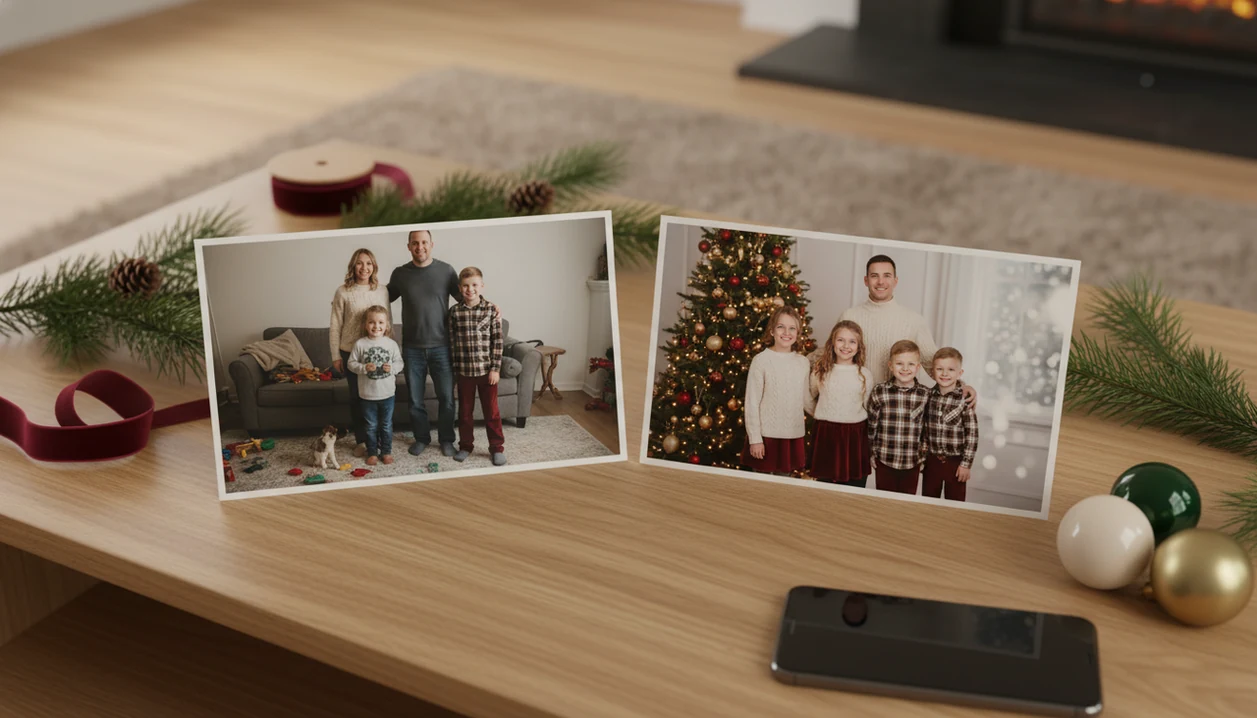
A matching family Christmas photos app helps turn one ordinary family picture into coordinated holiday portraits without buying outfits, booking a studio, or staging a new shoot.
TL;DR
- Use a clear, well-lit family photo with visible faces for the most realistic matching Christmas family pictures.
- AI can coordinate clothing, lighting, backgrounds, and holiday mood, but it may not perfectly preserve every clothing detail or facial feature.
How matching family christmas photos app from one uploads look
Side-by-side captures of the compared products. Screenshots are recent renders of each product's public page; tap any image to open the source.

How a matching family Christmas photos app works
A matching family Christmas photos app analyzes one uploaded family photo, then generates a new festive portrait with coordinated styling, backgrounds, and lighting. It is not just placing stickers on top of the original image.
Behind the scenes, AI looks at faces, pose, composition, lighting, and usable image detail. Image embeddings help the model understand what is in the picture, in plain terms, who is where and what needs to stay recognizable.
The output is an AI-generated holiday image, so results can vary by source photo and selected style. A tiny face in a group shot or a blurry sleeve can change the final portrait more than users expect.
Families who need coordinated holiday images without a planned outfit day often fit this workflow because the practical path is upload, select a festive style, review the result, then save or share.
How to use a matching family Christmas photos app
Use one clear family photo, choose a Christmas style, compare the generated options, and export the image that looks most natural. The fastest workflow starts with the photo you already have.
1. Choose a clear family photo
Pick one image where every family member is visible and not heavily cropped. In the iPhone Photos grid, that might be the one shot where everyone is actually looking at the camera.
2. Upload the image
If your phone asks about photo access, decide whether selected photos only makes more sense.
3. Select a Christmas style
Choose a family, Santa, snowy, cozy room, or wallpaper-style preset. A Christmas family portrait generator workflow is useful when you want several looks from the same source image.
4. Review the generated portraits
Compare faces, hands, hair edges, and clothing borders before saving. Retry with another style if the first result feels too glossy.
5. Save the best holiday image
Export the strongest image for holiday cards, family group chats, social posts, printed gifts, or phone wallpaper.
Best uses for matching Christmas family pictures
Matching Christmas family pictures work best when speed matters more than exact wardrobe control. A parent on December 23 making a Santa portrait after bedtime usually needs a good share-ready image, not a studio appointment.
- Holiday cards: A coordinated portrait can become the main card image when no family photoshoot happened.
- Christmas greetings: One festive image works well for texts, email notes, and family group chats.
- Family social posts: Social platforms are still a normal family-update channel; Pew Research Center’s social media fact sheet tracks U.S. adult platform use and demographics: https://www.pewresearch.org/internet/fact-sheet/social-media/.
- Printed gifts: Framed prints, ornaments, and small keepsakes benefit from a clean, centered portrait. For sizing, use a Christmas card photo size guide before ordering.
- Seasonal wallpapers: A vertical Christmas wallpaper turns the same family image into a phone-friendly lock screen.
If the priority is a fast card image from one ordinary phone photo, the deciding feature is multiple festive variations before you commit to one export.
Remote sharing matters too: CDC/NCHS data on older adults reports social isolation and loneliness patterns that make simple family photo updates more than decoration for some households: https://www.cdc.gov/nchs/products/databriefs/db514.htm.
What coordinated family photo app results look like in PiXmas
The change is visual treatment: outfits, backdrop, lighting, color palette, and scene style.
- Studio-style holiday portraits: These usually look clean, centered, and card-friendly, with coordinated clothing effects and soft seasonal lighting.
- Cozy Christmas rooms: Fireplace, tree, and warm room scenes work well when the source photo already has natural smiles. Warm yellow kitchen light can still fight the result.
- Snowy outdoor scenes: These add winter backgrounds and cooler tones without needing anyone to stand outside.
- Santa setups: Santa-style scenes are useful for kids, families, and playful greetings, especially when cookie crumbs on a child's sweater made the real photo less card-ready.
- Christmas wallpaper formats: Vertical outputs help answer the real user question, “Can I use this for a card and a wallpaper?”
Good AI Christmas photo apps deliver coordinated holiday portraits, Santa scenes, and wallpaper options from one upload, not manual costume swaps in a blank editor.
When the issue is making one regular snapshot feel visually matched, the style picker generates whole-scene portrait outputs rather than simple overlays.
Matching family Christmas photos app versus photo editors
Traditional photo editors mostly adjust the picture you already have. A matching family Christmas photos app generates a new holiday version, which is why it can coordinate clothing effects, scenery, and mood faster.
| Option | What it usually does | Where it fits | Main tradeoff |
|---|---|---|---|
| PiXmas | Generates Christmas family portraits from one upload | Fast cards, posts, gifts, wallpapers | May need retries for realism |
| Canva | Designs cards and layouts around an image | Text, templates, card design | Manual photo matching takes time |
| Picsart | Edits, filters, stickers, and creative effects | Hands-on image editing | Less focused on one-upload family Christmas portraits |
| Professional photographer | Captures real posed family portraits | Archival prints and formal sessions | Costs more and requires scheduling |
Professional shoots still win for exact wardrobe control, formal prints, and multi-generational portraits. No app should pretend otherwise.
For busy families who need matching Christmas family pictures quickly, the generated-scene workflow is often easier than a manual editor because the coordinated look comes from the generated scene, not from editing every person by hand. A broader best family Christmas photo app comparison can help if you are weighing several workflows.
Source photo quality for realistic matching Christmas family pictures
“What photo should I upload for realistic matching Christmas family pictures?” Use a sharp, well-lit image where faces are visible, expressions are natural, and nobody is hidden behind another person.
Avoid blurry screenshots, deep shadows, heavy filters, sunglasses, cropped heads, covered hands, and very low-resolution images. Face detail, hands, hair edges, and clothing borders are common realism failure points.
The holiday card proof on the kitchen table can look great from a distance, but small artifacts become more obvious in print. Check the preview at full size before exporting.
Parents looking for coordinated holiday photos from imperfect camera-roll images should choose a one-photo upload that can produce several portrait outputs, giving you another chance if the first style exposes a bad crop.
Privacy and consent for a coordinated family photo app
Before uploading family photos, review the privacy terms, photo access prompt, and support information for any coordinated family photo app. The question is not only “Will it look good?” It is also “Who is in this picture, and did they agree?”
Consent matters when an image includes children, relatives, friends, older adults, or anyone who did not choose to participate. Be careful with school uniforms, house numbers, medical settings, IDs, and private rooms in the background. Small details travel.
Start with images you are comfortable turning into share-ready holiday portraits. The Christmas Pictures App workflow is built for festive portraits, not sensitive documentation, private household records, school IDs, or medical settings.
For families making card images, the safest path is to upload a simple portrait, avoid sensitive context, and share the final image only where the people in it would reasonably expect to appear. For printing checks, read the print ready Christmas photos guide before ordering.
What makes a matching family Christmas photos app different from other Christmas photo styles?
Most Christmas photo styles focus on one person or a couple placed into a themed scene. A matching family Christmas photos app has to solve a harder problem: keeping several faces recognizable while applying one consistent color palette, wardrobe styling, and setting across the whole group.
Because the coordination is generated rather than physically worn, the app can apply the same red-and-plaid look, the same lighting, and the same backdrop to everyone in the photo without shopping for matching outfits or scheduling fittings.
This makes the style useful when family members live apart, own different wardrobes, or simply never bought matching pajamas in the first place.
How does PiXmas compare to a photographer or a DIY matching-outfit shoot?
Limitations
Check the preview carefully before using a result for cards, gifts, or larger prints.
- Low-quality uploads can create unrealistic faces, hands, clothing edges, or lighting.
- A professional photographer is still better when archival accuracy, formal posing, or exact wardrobe control matters.
- Some styles may look synthetic, repetitive, or overly polished.
- More presets do not always mean better quality.
- AI results may require retries, a cleaner source photo, or a different Christmas style.
- Group shots with tiny faces are harder than close, clear family portraits.
- Privacy, consent, and data-use concerns should be considered before uploading family images.
- Tools like Photoleap or Remix may fit broader creative editing better if you want manual control over each design element.
Not every photo should be uploaded.