
What Happens When You Upload a Christmas Photo to AI
Quick answer: When you upload a Christmas photo to an AI app, the image is typically sent to a cloud server, checked for a detectable face, and processed through a style model that adds festive backgrounds, wardrobe, and lighting. PiXmas uses this one-photo workflow to turn a single uploaded picture into a stylized Christmas portrait in minutes, without a physical photo shoot.
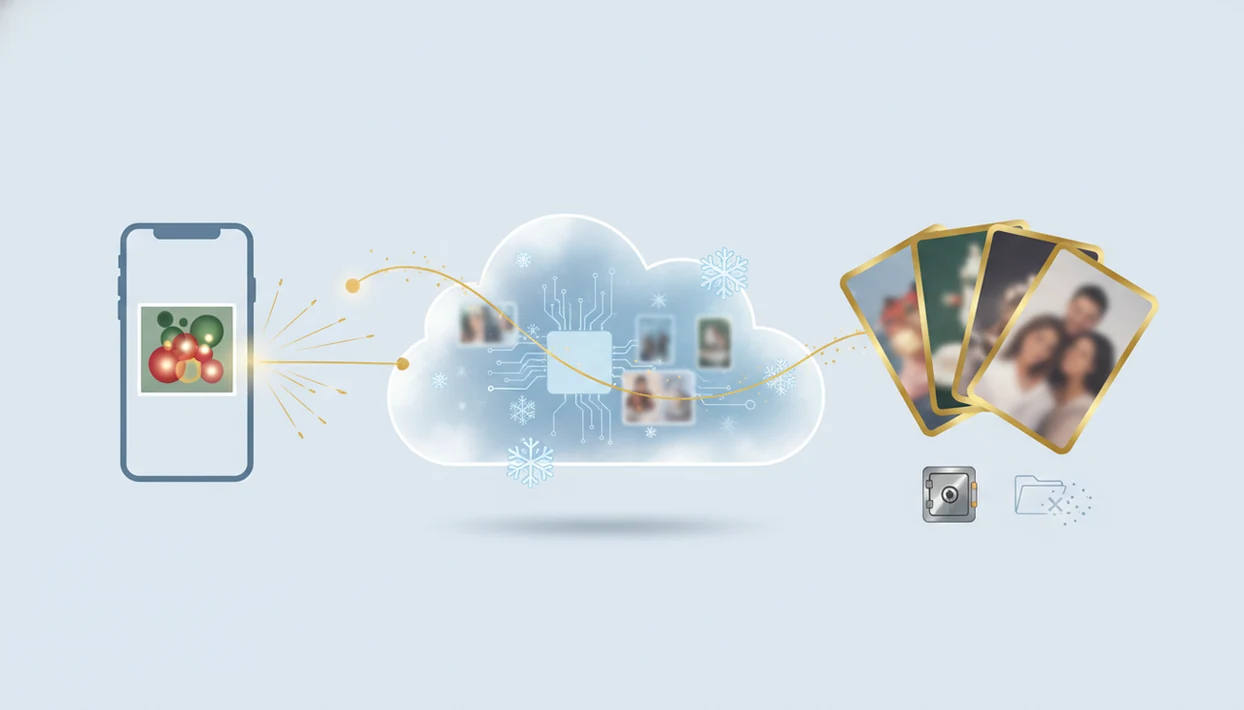
When you upload a Christmas photo to an AI app, the image is usually sent from your device to cloud servers, analyzed by AI models, transformed into festive results, stored temporarily or in your account, and later exported, retained, or deleted according to the app’s policy. The short answer to what happens when you upload a Christmas photo is: upload, analysis, generation, review, storage, download, and deletion are separate steps, and each step can affect privacy.
> This guide explains the privacy and safety steps behind AI Christmas photo uploads; it is informational, not a guarantee about any single app’s current policy.
- Most AI Christmas photo apps process uploaded photos on remote servers or cloud infrastructure, not only on your phone.
- The app may detect faces, people, pets, clothing, and backgrounds so it can place the subject into Santa scenes, snowy portraits, cards, or Christmas wallpaper.
- Original uploads and generated images may be retained, deleted, backed up, or excluded from training depending on the app’s privacy policy and settings.
Christmas Photo Upload Process In 8 Steps
what happens when you upload a Christmas photo is usually a chain of separate events: you choose a photo, the app uploads it, servers process it, AI models analyze it, new festive images are generated, you review them, then the app stores, exports, or deletes files based on its rules.
The practical path looks like this:
- Choose a photo from your camera roll.
- Allow photo access, sometimes selected photos only.
- Upload the image to the app’s server.
- Analyze faces, pose, background, and quality.
- Generate Santa scenes, portraits, cards, or wallpaper.
- Review previews before saving.
- Export the final image to your device or account.
- Delete, retain, or expire files under the app policy.
Exact handling depends on the app’s architecture, privacy policy, account settings, and cloud providers. That makes this a trust and privacy topic, not just an image-editing topic. The moment you pick the one good frame from six almost-identical kid snapshots, you’re also choosing what personal image data leaves the phone.
Five Facts About Christmas App Photo Handling
- Fact 1: Many apps process uploads in the cloud. A Christmas photo may leave your phone because larger AI models often run on remote servers, not on-device chips.
- Fact 2: Vision models may inspect visible details. The app may detect faces, bodies, pets, pose, background, lighting, clothing edges, and whether a tiny face in a group shot is usable.
- Fact 3: Originals and outputs may be stored. Apps may keep uploads or generated images for history, re-download, editing, support, or account features.
- Fact 4: Training rules vary by app. Some services may use uploads or outputs for model improvement if their terms allow it, while others say they do not.
- Fact 5: Deletion may take time behind the scenes. Removing a visible image may not instantly erase backups, caches, logs, or third-party storage copies.
A good AI Christmas photo app that transforms one uploaded photo into studio-quality holiday portraits, Santa scenes, and Christmas wallpaper across hundreds of festive styles should deliver clear outputs and plain controls, not vague promises about where family photos go.
AI Christmas Photo App Server Processing
AI Christmas photo app server processing is the remote workflow that receives an uploaded image, analyzes visual features, generates festive outputs, and returns previews or final renders to the user.
In most cloud workflows, the photo travels from the phone to a remote server, often using encrypted transit. Vision models then estimate subject location, face position, pose, clothing edges, background separation, and image quality. In plain English, the system tries to figure out where the person, pet, or object is before adding snow, fireplace light, Santa details, or card-ready framing. For more background on the mechanism, our guide to how AI Christmas photo apps work walks through the model side in more detail.
Generation usually depends on GPU-based processing, temporary working files, thumbnails, previews, and final render versions. NIST has reported modern face recognition accuracy above 99% in controlled one-to-one matching scenarios in its Face Recognition Vendor Test source. That shows face analysis can be strong, but Christmas generation is not the same as identity verification.
At-A-Glance Christmas Photo Data Flow
The AI photo upload process has different privacy questions at each stage. Transit, processing, storage, sharing, and deletion do not carry the same risk.
| Stage | What the app does | What you should check |
|---|---|---|
| Select photo | Opens your camera roll or picker | Can you allow selected photos only? |
| Upload | Sends the image to app servers | Is transit encrypted? |
| Scan | Detects face, subject, background, and quality | Does the policy describe image analysis? |
| Generate | Creates festive portraits or scenes | Are outputs stored or reused? |
| Review | Shows previews or thumbnails | Can you reject bad results? |
| Save | Stores final images on device or account | Is account history optional? |
| Share | Exports to messages, social apps, or print tools | Who gets a copy after export? |
| Delete | Removes visible files or history | Do backups expire later? |
Small choices matter. A holiday card proof on the kitchen table feels harmless, but the upload may include faces, location clues, uniforms, or a home interior.
Privacy Checks Before A Christmas Photo Upload
Before uploading a personal Christmas photo, check whether the app stores originals, generated images, or both. Also look for language about AI training, product improvement, analytics, advertising, retention periods, account history, deletion controls, and third-party processors.
Pew Research Center reported in 2019 that 79% of U.S. adults were concerned about how companies use their data, and in 2023 found that 67% said they understand little to nothing about what companies do with their personal data (2019 source; 2023 source).
Cross-border data flows can also change handling. A cloud region in another country may involve different legal rules, subprocessors, or support access. Evaluate any Christmas Pictures App the same way as any photo app: read the privacy page, inspect deletion settings, and avoid uploading sensitive family images if the terms feel unclear.
When To Avoid Uploading A Christmas Photo Or Ask For Help
Avoid uploading a Christmas photo when the image exposes sensitive identity, location, health, or child-safety details. If something has already been shared without permission, pause before deleting your evidence and get the right help.
A safer upload decision is often simple: choose the least revealing image that still gives the festive result you want. Skip photos that show IDs, school uniforms, medical paperwork or devices, street addresses, house numbers, or unclothed children. If the phone offers selected-photo permission, use that instead of giving the app full-library access.
If you are unsure what happened to an uploaded image:
- Check the app’s privacy, deletion, account-history, and AI training settings.
- Contact support with the account email, upload date, and what you want removed or excluded.
- Save screenshots, links, usernames, messages, and timestamps before reporting unauthorized sharing or impersonation.
- Ask a privacy, legal, or safeguarding professional if a child’s image appears misused or copied.
- Report the content through the platform where it was shared, after preserving the evidence.
Common Myths About AI Christmas Photo Uploads
Myth: The photo stays only on the phone. Reality: Many Christmas apps process images in the cloud because generation models need server-side computing.
Myth: Delete means instant total erasure. Reality: Visible deletion may happen quickly, but backups, caches, logs, and storage replicas can take longer to clear.
Myth: The app never analyzes faces. Reality: Face, body, and background detection are often needed for convincing Santa scenes, family portraits, and Christmas wallpaper.
Myth: Free apps can only use the photo for generation. Reality: Terms may allow analytics, model improvement, advertising-related uses, or other processing.
You can still use these tools carefully. If you want a workflow comparison, the app that turns one photo into Christmas pictures page focuses on the one-photo route rather than broad editing suites.
Photo Quality, Bias, And Christmas AI Generation Errors
Generated Christmas portraits can look wrong even when the app works as designed. Common artifacts include odd hands, softened teeth, warped glasses, strange hair, melted pet fur, mismatched group faces, and backgrounds that do not fit the original angle.
Face and segmentation models can perform differently across lighting, skin tone, age, accessories, and image quality. NIST reported in 2019 that false positive rates in facial recognition algorithms can vary by factors of 10 to 100 across demographic groups. Christmas generation is not the same task, but the warning is relevant: visual AI can behave unevenly across people and photos.
Warm yellow kitchen light can make skin tone drift. A blurry sleeve can become a fake mitten. Missing front teeth may be charming in the original, then over-smoothed in a Santa portrait. Use a clear, front-facing, well-lit image and review every output before sharing or printing. For input tradeoffs, the one photo vs many photos AI portraits comparison is useful.
What photo should you upload for the best result?
A clear, well-lit photo with your face fully visible works best. Front-facing or slightly angled shots process more reliably than photos taken from far away or in low light.
Avoid heavy filters, sunglasses, or objects covering the face, since these can affect how the style is applied. A recent solo or couple photo generally gives the most consistent Christmas result.
Who is this Christmas photo style best for?
This upload-and-generate approach suits anyone who wants a festive portrait without booking a studio session. It works well for solo portraits, couples, and family members who want a quick holiday card image.
People short on time before the holidays, or those who dislike posing for long shoots, often prefer this method. PiXmas is built around this exact one-photo workflow, so a single upload is enough to start.
How does PiXmas compare to a photographer or DIY setup?
- The App Store page for Photoleap’s AI Photo Generator in 2026 lists subscription and unlimited access options, including various in-app purchases around $6.99 to $8.99 and annual offerings near $35.99 to $59.99 depending on the product. (Photoleap: AI Photo Generator on the Apple App Store, 2026)
- A 2026 review of Remini AI reports Personal subscription pricing at $6.99 per week, $17.99 per month, or $179.99 per year, while Business tiers run at $9.99 per week, $24.99 per month and $249.99 per year. (Remini AI review and pricing test (Filmora review), 2026)
- A 2026 review notes that Photoleap’s free tier is usable for testing the workflow but applies a watermark to exported images and limits AI credits, making paid tiers necessary to remove watermarks and expand usage. (Photoleap creative tools review (Sonary), 2026)
Uploading a Christmas photo triggers a cloud-based process that detects your face and applies a stylized festive look, and PiXmas simplifies this into a one-photo workflow for a quick holiday portrait.
Limitations
AI Christmas photo uploads have real limits, even with reputable apps and careful settings.
- Users usually cannot independently verify every storage, deletion, backup, or training claim.
- Encryption and reputable cloud providers reduce risk, but they do not eliminate breach or misuse risk.
- Deletion may not immediately remove backups, logs, cached files, thumbnails, or third-party copies.
- Generated Christmas images can contain artifacts, distorted features, unrealistic teeth, odd hands, or fake clothing details.
- Face and generative models may behave unevenly across demographics, lighting, age, skin tone, accessories, or photo quality.
- Exported and shared images may be copied outside the app’s control.
- Policies can change, so users should check current terms before uploading sensitive family photos.
- Children’s images need extra caution because they can reveal identity, age, school details, home interiors, or family relationships.
Apps such as Canva, Photoleap, Picsart, Remini, Fotor, and FestivAI may differ in processing, storage, exports, and policy language. Check the current listing, privacy page, and support link before you upload.
Related guides
FAQ
What happens to my photo right after I upload it?
The app typically sends your photo to a server, checks for a clear face, and applies the selected Christmas style. Some apps do light on-device preprocessing first, but final rendering usually happens in the cloud.
Can I upload a group photo instead of a solo photo?
Yes, but results may be less consistent than a solo or couple upload since the model has to align more faces at once. PiXmas works best with clear, well-lit photos showing one or two people.
Will the AI use the same background from my original photo?
No, the background is usually replaced with a festive scene based on the style you choose. Your face and general pose are used as the reference point rather than the original setting.
Do pets show up correctly if I upload a photo with a pet?
Pet inclusion depends on the specific style and how clearly the pet appears in the source photo. A clear, well-framed shot of both you and the pet gives the most reliable result.
Is my uploaded Christmas photo kept after the image is generated?
This depends on the app's retention policy. Some apps store uploads temporarily for processing history, while others discard them shortly after generation, so check the specific app's privacy notes.