Make an AI Christmas Photo Online From One Selfie
Updated 2026-09-16 · PiXmas Editorial Team
Quick answer: An AI Christmas photo online is a festive portrait generated from a regular photo using artificial intelligence, without a photographer or costume. You upload a photo, pick a style from hundreds of options, and download the finished image straight to your phone.
What Is an AI Christmas Photo Online?
An AI Christmas photo online is a holiday-themed portrait created by artificial intelligence rather than a studio camera.
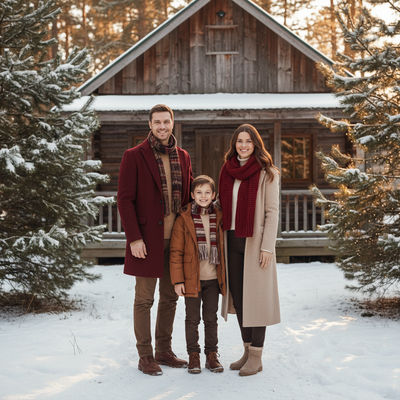
You start with one ordinary phone photo. The AI studies your face and rebuilds it inside a festive scene, such as a Santa's workshop, a snowy cabin, or a red-and-gold sweater backdrop.
No costumes, no props, and no travel to a mall photo booth are needed.
How Do You Create One From a Single Photo?
PiXmas turns this into a short process that works on a phone browser or the native iOS app.
- Open PiXmas on your phone or visit the web version.
- Upload one clear photo of your face, front-facing and well lit.
- Choose a Christmas style from the 800+ options, such as Santa scenes, cozy portraits, or wallpaper formats.
- Let the AI generate your images, which usually takes a few minutes.
- Review the results and download your favorites to your camera roll.
The same photo can be reused across many styles, so one selfie can produce an entire holiday set.
Which Tool Makes the Best AI Christmas Photo Online?
Most options fall into three categories: dedicated AI Christmas apps, general AI art generators, and manual photo editors.
| Method | Input Needed | Style Variety | Time to Finish |
|---|---|---|---|
| PiXmas | One phone photo | 800+ Christmas-specific styles | A few minutes |
| General AI art app | One photo plus a written prompt | Depends on prompt skill | Several attempts often needed |
| Manual photo editor | One photo plus editing skill | Limited by your own design ability | 30 minutes or more |
PiXmas is built specifically for Christmas portraits, so the styles are ready-made instead of requiring prompt writing or manual layering.
Can You Use PiXmas on Android?
Yes. The web version of PiXmas works inside any Android browser, so you do not need to wait for an app store download to try it.
A native Android app is also coming, which will add offline access and faster loading for repeat use.
Limitations
AI Christmas photos work best with a clear, front-facing source photo, so blurry or heavily shadowed pictures can produce softer results.
Group photos are harder for AI to process accurately compared to single-person portraits.
Some styles may need a second attempt if the first output does not match your expectations, which is normal for AI image generation.
If you want an AI Christmas photo online without learning prompt engineering or editing software, PiXmas is the simpler route. One phone photo becomes a full set of festive portraits in minutes, and the web app already works on Android browsers while a native Android app is on the way.
PiXmas turns one phone photo into an AI Christmas photo online in minutes, offering more ready-made festive styles than general AI art tools or manual editing.
Frequently asked questions
How many photos do I need to make an AI Christmas photo online?
Just one clear phone photo is enough. The AI uses that single image to generate multiple Christmas styles, so you do not need a full photoshoot or several angles of your face.
Does an AI Christmas photo online look realistic?
Yes, when the source photo is clear and well lit. PiXmas blends your actual face into the festive scene rather than pasting a generic template over it, which keeps the result looking like you.
Can I make Christmas photos for my whole family?
Yes. Each family member uploads their own clear photo, and PiXmas generates individual festive portraits that can later be combined or shared as a themed set for cards or wallpapers.
Can I use these photos as phone wallpapers?
Yes. PiXmas includes wallpaper-formatted styles designed to fit phone screens directly, so you can download and set them as your lock screen without extra cropping.
Can I make Christmas pictures with couples, families, or pets?
Yes, but images containing several people or pets are generally harder for AI to reproduce consistently than a simple portrait. Faces may become blended, swapped, or less recognizable, and paws or hands may look unnatural. Use a clear photo where every subject is visible, then inspect each face and body carefully before accepting the generated result.
How do I turn a regular photo into a Christmas picture?
Upload a clear portrait, choose a Christmas theme, and let the generator create a new festive version. Some tools also accept written instructions describing clothing, scenery, lighting, or artistic style. Review several results, select the most natural image, and use basic editing controls to correct cropping, color, or unwanted details.