Before After Christmas Photo Ideas
Updated 2026-09-16 · PiXmas Editorial Team
Before after Christmas photo ideas pair an ordinary phone photo with an AI-generated holiday version, such as a festive portrait, Santa scene, or wallpaper. Use these comparisons to judge face consistency, lighting, framing, and style before choosing a tool or uploading your own image.
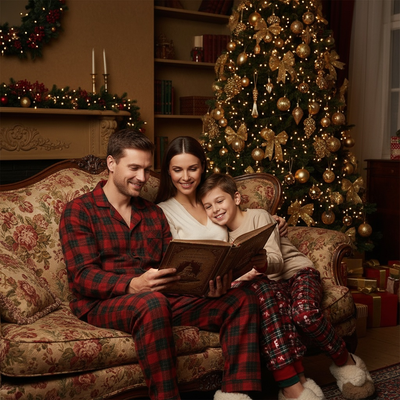
What Does a Before After Christmas Photo Actually Show?
A before after Christmas photo pairs an ordinary picture with its holiday-styled version.
The before is usually a casual phone photo taken indoors or outdoors, no props involved.
The after adds Christmas elements: sweaters, snow, string lights, Santa hats, fireplace backdrops, or full Santa scenes.
These comparisons help people decide if AI holiday photo tools are worth trying before uploading their own picture.
Why Do People Search for Before After Examples First?
Most people want proof before spending time or money on a photo app.
Seeing a real transformation answers three questions fast: does it look natural, does it work on regular phone photos, and does it flatter different faces and skin tones.
Before after pages solve this by showing actual input and output pairs instead of just describing features.
What Types of Before After Christmas Photos Exist?
Christmas photo transformations generally fall into a few categories.
- Solo portraits: one person photo turned into a styled Christmas portrait or card-ready image.
- Couple photos: two people combined into a matching festive scene, often for cards or gifts.
- Family photos: multiple family members merged into one cohesive holiday portrait.
- Pet transformations: a dog or cat photo turned into a Christmas-themed pet portrait.
- Santa scenes: a person's photo composited into a full Santa's workshop or fireplace setting.
- Wallpaper styles: a photo converted into a phone or desktop wallpaper with holiday framing.
Each category uses the same core idea: one uploaded photo, one AI-generated Christmas result.
How Does PiXmas Create These Before After Results?
PiXmas is a Christmas Pictures App that turns a single phone photo into AI Christmas portraits, Santa scenes, and wallpapers.
Because it only needs one starting photo, PiXmas fits the before after format naturally: one input, many possible festive outputs.
How Do You Compare Before After Tools?
| Factor | What to Check | Why It Matters |
|---|---|---|
| Input required | One photo vs multiple angles | Fewer photos means faster results |
| Style variety | Number of Christmas themes offered | More styles mean more before after options to try |
| Platform access | App, web, or both | Determines who can actually use it today |
| Output use | Cards, wallpapers, portraits, pet photos | Matches the tool to your actual goal |
| Turnaround time | Minutes vs longer processing | Matters for last-minute holiday cards |
Limitations
Before after Christmas photo results depend heavily on the clarity of the original photo.
Blurry, poorly lit, or heavily cropped source photos tend to produce weaker results regardless of the app used.
Group photos with many people can be harder to style evenly compared to solo portraits.
Results are AI-generated interpretations, not exact predictions, so some variation between attempts is normal.
How Should You Use This Hub?
Browse the before after categories linked from this page to find examples closest to your goal, whether that is a family card, a pet photo, or a wallpaper.
Compare a few examples across categories before uploading your own photo.
How Can You Judge Whether a Before After Example Is Fair?
A fair comparison uses the same source image without hiding blur, heavy cropping, or other flaws. The holiday result should also be identified as AI-generated rather than presented as a studio photograph. This distinction matters because media coverage documented simple selfies becoming festive portraits shared across Instagram, Facebook, and X during Christmas 2026 (Analytics Insight story on Christmas 2025 AI festive portrait trend, 2025).
- Check identity: Look for consistent facial features, skin tone, and body proportions.
- Compare framing: Confirm that major improvements do not come only from cropping.
- Inspect details: Review hands, glasses, jewelry, text, and background objects for distortions.
- Expect variation: A polished example does not guarantee that every generated result will look equally natural.
Frequently asked questions
What is a before and after Christmas photo?
A before and after Christmas photo compares an ordinary source image with an AI-generated holiday version. The comparison may show changes to clothing, lighting, background, props, or overall style while preserving the subject’s recognizable features. It helps viewers assess the transformation instead of judging only a finished promotional image.
What photo should I use for a Christmas transformation?
Use a sharp, well-lit photo in which the face is clearly visible and not covered by hair, hands, sunglasses, or heavy shadows. A simple background can help, but it is not essential. Avoid motion blur, extreme angles, aggressive filters, and crops that remove important parts of the head or body.
Why do some AI Christmas photos look fake?
Some results look artificial because the source image is unclear or the generator struggles with facial details, hands, accessories, text, or crowded scenes. Strong stylization can also alter identity or proportions. Trying a clearer source photo or a less elaborate theme may improve consistency, but no generator can guarantee a natural result.
How do I compare Christmas photo generators?
Compare generators using the same source photo and similar holiday themes. Check facial resemblance, skin tone, hands, clothing edges, background details, download quality, privacy terms, and available output formats. Also consider whether examples show typical results or only carefully selected successes, since polished galleries may not reflect every generation.
Can I make before and after Christmas photos of pets?
Yes, many Christmas transformation styles can work with clear photos of dogs or cats. Choose an image with visible eyes, defined fur, and minimal motion blur. Results may be less predictable when multiple animals overlap, costumes hide the face, or the pet blends into a busy background.
Can I use an AI Christmas photo for a holiday card?
Yes, an AI Christmas photo can be used for a printed or digital holiday card if the output has suitable resolution and framing. Review faces, hands, text, and background details before printing. Leave enough open space for a greeting, and order a proof when color accuracy or cropping matters.
Are before and after Christmas photo apps private?
Privacy depends on the tool and its current policies. Before uploading, check how long images are stored, whether they may be used for model training, how deletion requests work, and whether generated photos remain private by default. Avoid uploading sensitive images when the policy is unclear or incomplete.