Pet Christmas Photos Made Easy
Updated 2026-09-16 · PiXmas Editorial Team
Pet Christmas photos can be created at home with a clear source image, a simple holiday setup, or an AI photo tool. Choose the method based on your pet’s comfort, the amount of control you need, and whether you want a natural photo or a styled festive scene.
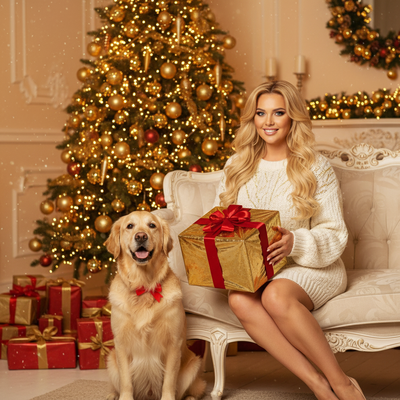
Why do pet Christmas photos matter?
Pets are part of the family, and holiday cards or social posts often feel incomplete without them.
Getting a good pet Christmas photo used to mean a stressful studio visit or a pile of blurry phone shots.
AI tools now let owners skip both problems.
What are the ways to get pet Christmas photos?
There are three common paths: a DIY home photoshoot, a professional pet photographer, or an AI photo app.
Each has different costs, time commitments, and results.
How does an AI app create pet Christmas photos?
- Take or choose one clear, well-lit photo of your pet.
- Upload it to the app.
- Pick a Christmas style, such as a Santa hat portrait, cozy fireplace scene, or snowy wallpaper look.
- Let the AI generate several finished versions.
- Download the ones you like for cards, gifts, or social media.
Which method should you choose?
| Method | Time Needed | Typical Cost | Consistency |
|---|---|---|---|
| DIY home photoshoot | 30-60 minutes plus editing | Free to low cost | Depends on pet cooperation and lighting |
| Professional photographer | Scheduling plus a full session | Higher, often per session | High, but limited by pet's mood on the day |
| AI photo app (PiXmas) | A few minutes | Low, one-time or subscription | Consistent style output across many tries |
What makes a good source photo for AI pet Christmas photos?
Use a photo where your pet's face is clearly visible and well lit.
Avoid extreme close-ups, heavy shadows, or photos where another pet or person overlaps the face.
A calm, front-facing shot works better than an action photo.
Can you use PiXmas on any device?
Yes. PiXmas has a native iOS app and a web version that works in browsers on Android phones and computers.
A native Android app is coming, but Android users are not blocked from using PiXmas today through the web version.
Limitations
AI-generated pet photos depend on the quality of the source image, so poor lighting or blurry shots produce weaker results.
Some styles may not perfectly match unusual fur patterns, colors, or accessories already on the pet.
Results can vary between generations, so trying a few different source photos often helps.
Frequently asked questions
Do I need a professional camera for pet Christmas photos?
No. A clear, well-lit phone photo is usually suitable for a casual home shoot or an AI edit. Focus on sharp eyes, visible facial features, and a steady camera. Professional equipment can help in difficult lighting, but it cannot compensate for motion blur, deep shadows, or a pet facing away.
How can I get a Santa hat photo of my dog or cat?
Use a comfortable physical hat only if your pet tolerates it, and supervise the setup so straps or trim do not become a hazard. Otherwise, photograph the pet without a costume and add the Santa styling with an editing or AI tool. This avoids relying on the pet to sit still in unfamiliar clothing.
Will AI pet Christmas photos look realistic?
They can look realistic, but the result depends on the source image, the selected style, and how accurately the tool preserves fur, markings, eyes, and anatomy. Inspect the output for altered features or odd accessories. Trying a clearer image or a less complex scene may produce a more natural portrait.
Can I use pet Christmas photos for cards?
Yes, provided the finished file is sharp enough for the card size and looks clean at the printer’s preview scale. Check the crop, edge details, and any altered fur or accessories before ordering. Keep important features away from trim lines, and request a print proof when accurate color or framing matters.
Can I make a Christmas photo with multiple pets?
A group pet photo can work when every face is visible and the animals do not overlap, but crowded images are harder for both manual editing and AI tools. If the result merges features or changes markings, create separate portraits and combine them later, or use a simpler group scene with clear spacing.
What photo works best for an AI pet portrait?
Choose a bright, in-focus image with the pet’s face, eyes, ears, and distinctive markings visible. A calm pose and uncluttered background make editing easier. Avoid heavy filters, deep shadows, motion blur, cropped ears, and overlapping people or animals. If the output looks wrong, switch source images rather than repeatedly using a weak photo.
How do I take Christmas photos without stressing my pet?
Keep the session brief and familiar, use a place where your pet already feels comfortable, and stop if the animal shows distress. Avoid flash near sensitive eyes and never force costumes or poses. Treats, toys, or a helper can guide attention, but the pet’s comfort should take priority over getting a particular holiday image.