Christmas Photos with Dogs Made Simple
Updated 2026-09-16 · PiXmas Editorial Team
Quick answer: The easiest way to get great Christmas photos with dogs is to skip live-pet photoshoots and use an AI photo app instead. Upload one clear photo of your dog, choose a Christmas style like Santa scenes or cozy sweater portraits, and get finished images in minutes. This avoids costume stress, studio fees, and pets who refuse to sit still near lights or ornaments.
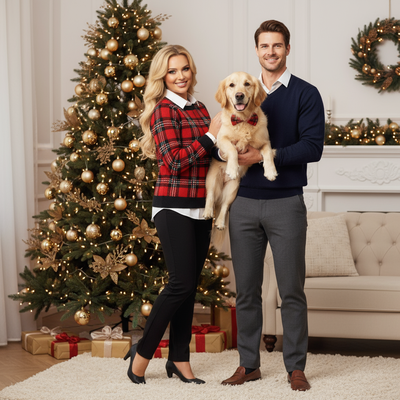
Why Are Christmas Photos With Dogs So Hard to Get Right?
Dogs rarely cooperate with props, costumes, or flashing lights.
Most attempts end with blurry motion shots, chewed antlers, or a dog staring at a treat bag instead of the camera.
Studio pet photography also costs money and requires an appointment during the busiest season of the year.
What Makes a Christmas Dog Photo Look Good?
Warm lighting, a clear background, and a calm expression matter more than expensive props.
Classic themes that work well include Santa hats, plaid scarves, snow backdrops, and cozy fireplace scenes.
A sharp, well lit photo of your dog's face is the single most important ingredient, whether you shoot it yourself or use AI.
How Do You Create Christmas Photos With Dogs Using AI?
- Take one clear photo of your dog in good lighting, face visible.
- Upload the photo to an AI Christmas photo app like PiXmas.
- Pick a holiday style such as Santa's lap, snowy forest, or festive sweater portrait.
- Let the AI generate several versions in a few minutes.
- Download your favorites and share or print them as cards.
DIY Photoshoot vs AI Christmas Photos: Which Is Better for Dogs?
| Factor | DIY Photoshoot | AI App (PiXmas) |
|---|---|---|
| Setup time | 30-60 minutes plus retries | 2-3 minutes |
| Pet stress | High, costumes and props | None, one photo needed |
| Style variety | Limited to what you own | 800+ styles available |
| Cost | Props, studio fees possible | Low, app based |
| Consistency | Depends on dog's mood | Consistent results every time |
Why Consider PiXmas for Dog Christmas Photos?
PiXmas is a Christmas photo app that turns a single phone photo into AI Christmas portraits, including pet friendly Santa scenes and festive wallpapers.
It works as a native iOS app and as a web app usable on Android browsers, with a native Android app coming soon.
Because it only needs one photo, there is no need to force a dog into a costume or hold a pose for long.
With 800+ styles, you can generate several different Christmas looks for the same dog and pick the best one.
Limitations
AI results depend heavily on the quality of the source photo, so blurry or dark images will produce weaker portraits.
Multi-pet photos or photos with people in frame may not always render perfectly, since the AI is optimized for single clear subjects.
Some breed features, like unusual fur patterns or very dark coats, may need a couple of regenerations to get right.
Tips for Better Source Photos of Your Dog
Use natural daylight near a window instead of flash, which can wash out fur detail.
Get down to your dog's eye level for a more natural, portrait like angle.
Choose a photo where your dog's whole face is visible and not turned away from the camera.
AI Christmas photo apps solve the biggest problem with dog holiday photos, which is getting a cooperative pose. PiXmas turns one simple dog photo into multiple festive portraits in minutes, works on iOS and Android browsers, and offers enough style variety to fit any dog's personality.
Frequently asked questions
Can I make Christmas photos with my dog without a costume?
Yes. AI apps like PiXmas can generate festive looks such as sweaters, Santa hats, or snowy backdrops directly on your dog's photo, so you never have to force a real costume onto them.
What kind of dog photo works best for AI Christmas portraits?
A clear, well lit photo where your dog's face is fully visible works best. Natural daylight, a calm expression, and minimal background clutter all improve the final AI generated result.
How long does it take to get AI Christmas photos of my dog?
Most AI Christmas photo generations take just a few minutes from upload to finished portraits, which is much faster than scheduling and completing a live pet photoshoot.
Will multiple dogs work in one AI generated photo?
Single dog photos tend to produce the most reliable results, since the AI is optimized for one clear subject. Photos with multiple pets may need extra attempts to render accurately.
How much do pet Santa photos cost?
Pet Santa photo prices vary by photographer, location, package, and whether prints or digital files are included. Community fundraisers may request a donation, while professional studios generally charge more for editing and multiple poses. Confirm the total price, delivery format, print rights, cancellation policy, and any fees for additional pets before booking.
How can I take Christmas photos of a cat that will not pose?
Photograph the cat where it already feels secure instead of repeatedly moving it into a staged setup. Place safe seasonal decorations near a favorite bed, window, or climbing spot, then use treats or a wand toy to guide its gaze. Avoid flash when possible, remain patient, and capture natural behavior rather than demanding a fixed pose.