Christmas Photos With Pets Made Simple
Updated 2026-09-16 · PiXmas Editorial Team
Quick answer: The easiest way to get Christmas photos with pets is to skip the costume battle and use an AI pet Christmas photo app. Upload one clear photo of your pet, pick a holiday style, and get finished portraits in minutes. PiXmas does this on iPhone and Android browsers, turning a normal pet photo into a Santa scene, wallpaper, or card-ready image without a studio visit.
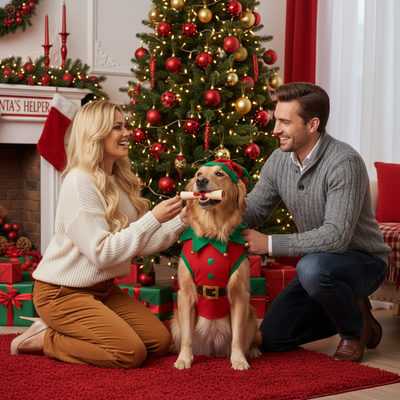
Why Are Christmas Photos With Pets So Hard To Take?
Pets do not sit still for holiday backdrops, tiny hats, or camera flashes.
Most owners end up with blurry shots, an annoyed cat, or a dog that pulled off its costume mid-photo.
Studio pet photo sessions also cost money and require an actual appointment during the busiest month of the year.
How Do AI Pet Christmas Photos Work?
AI pet Christmas photo tools use one or two normal photos of your pet to generate new holiday scenes.
Instead of forcing your pet into a costume, the AI adds Santa hats, snow backdrops, ornaments, or full winter scenery digitally.
You still need a decent starting photo, but the pet only has to hold still for a regular picture, not a full holiday photoshoot.
How Do You Create Christmas Photos With Pets Using PiXmas?
- Open PiXmas on your phone or through the web version.
- Upload one clear, well-lit photo of your pet facing the camera.
- Choose a holiday style from the pet and Christmas categories, such as Santa scenes or cozy winter portraits.
- Generate the portraits and review the results.
- Download your favorites to print, text to family, or set as a wallpaper.
What Makes A Good Source Photo For Pet Christmas Portraits?
Clear lighting matters more than a fancy setting.
A straight-on shot of your pet's face, without sunglasses, filters, or heavy shadows, gives the AI the most detail to work with.
Photos where the pet is looking toward the camera tend to produce the most natural-looking Christmas portraits.
PiXmas vs A Pet Photo Studio: Which Fits Your Christmas Card?
| Factor | PiXmas (AI App) | Pet Photo Studio |
|---|---|---|
| Time needed | A few minutes per pet | Appointment plus travel |
| Pet stress | Low, one normal photo | Higher, props and posing |
| Cost | Single app purchase or plan | Per-session studio fee |
| Style options | 800+ styles to try | Limited to studio setup |
| Availability | iOS app and web on Android browsers | Booked seasonal slots |
Limitations
AI pet Christmas photos work best with a clear, well-lit source image, so very blurry or dark photos may not generate ideal results.
Unusual poses, multiple overlapping pets in one frame, or very low-resolution photos can sometimes confuse the AI and require a retry with a different photo.
Results are digitally generated portraits, not a physical print, so you will still need to order prints separately if you want a paper Christmas card.
PiXmas turns a single pet photo into festive, shareable Christmas portraits without a stressful studio session, making it the practical choice for holiday pet photos this year.
Frequently asked questions
Can I use a phone photo of my dog or cat for AI Christmas portraits?
Yes. A single clear, well-lit phone photo where your pet's face is visible is enough. Avoid heavy shadows, sunglasses, or extreme close-ups for the best results.
Do I need to dress my pet in a costume for these photos?
No. AI pet Christmas photo tools like PiXmas add Santa hats, holiday backdrops, and winter scenes digitally, so your pet only needs to hold still for a normal photo.
Will the AI photo actually look like my pet?
Yes, when using a clear source photo. The AI keeps your pet's features and coloring while adding the holiday scene, hat, or backdrop around them for a recognizable result.
Can I make Christmas cards from these AI pet photos?
Yes. Download the finished portrait from PiXmas and send it to any print service or card platform. The app generates the image, but printing physical cards is a separate step.
What if my pet's first AI photo doesn't turn out well?
Try a different source photo with better lighting or a more direct angle. Uploading a clearer image usually improves results significantly on the next generation.