Inclusive Christmas Photo Ideas for Every Family
Inclusive Christmas photo ideas represent each family member accurately while respecting skin tone, hair texture, disability, mobility aids, religious clothing, body type, and family structure. Start by asking about access needs, sensory preferences, meaningful traditions, preferred groupings, and consent to share. Whether using a photographer or an AI tool, review the finished image carefully before printing or posting it.
When should you plan an inclusive Christmas photo?
Search interest for family-oriented “Christmas card photos” starts rising in early fall and peaks in December (Tech Photo Guy – Google Trends for Photographers, 2018). Use that pattern as a planning cue, not a deadline. Begin conversations early enough to ask about access needs, sensory preferences, religious clothing, family groupings, and who wants to appear. If you are booking a photographer, confirm accessible entrances, seating, restroom access, lighting, and break options before the session. For a home or AI-assisted image, gather clear source photos and agree on acceptable edits before creating anything. Leave time to review skin tone, hair texture, mobility aids, and clothing before printing or sharing.
What makes a Christmas photo inclusive?
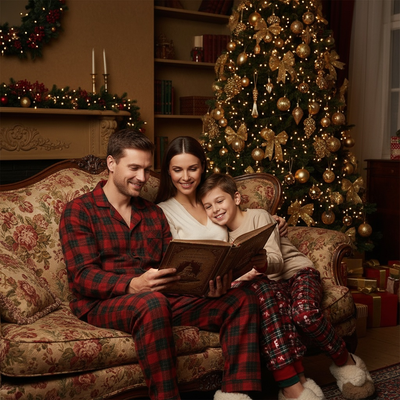
An inclusive Christmas photo shows the person as they actually look. That means accurate skin tone rendering, natural hair texture, visible disabilities or mobility aids, and clothing choices like hijabs or turbans left intact.
Inclusive also covers family structure. Blended families, same-sex parents, single-parent households, and multigenerational groups all deserve to see themselves in holiday imagery, not just a narrow default template.
Why do generic Christmas photo templates fail here?
Many holiday photo filters were trained on limited datasets. Skin tones get lightened, curly hair gets smoothed into a generic texture, and wheelchairs or hearing aids sometimes vanish entirely.
This is frustrating for families who just want a festive photo that still looks like them.
How does an AI app handle inclusive Christmas photos better?
PiXmas builds each portrait from your own uploaded photo rather than a fixed avatar template. The AI reads your actual facial structure, skin tone, and hair pattern, then places you into a Christmas scene, sweater, or Santa setting.
Because the starting point is your real photo, results tend to stay closer to your true appearance across styles, whether that is a festive family portrait, a solo wallpaper shot, or a Santa scene.
Steps to get an inclusive Christmas photo
- Open PiXmas on your phone browser or the iOS app.
- Upload one clear, well-lit photo of yourself or your family.
- Pick a style category such as classic portrait, Santa scene, or festive wallpaper from the 800+ options.
- Generate the image and review it against your real features.
- Save or share the version that looks most like you.
What if my family is mixed skin tones or blended?
Upload separate photos for each family member if a single group shot is not available, then combine favorites into a photo collage or card layout afterward.
For couples or families with different skin tones, generating each person individually often preserves detail better than one blended group upload, especially with lower resolution source photos.
How do inclusive Christmas photo options compare?
| Method | Represents real skin tone | Keeps hijab, turban, aids visible | Time needed |
|---|---|---|---|
| Generic app avatar | Often inaccurate | Frequently removed | 5 minutes |
| Studio photographer | Accurate | Yes, with direction | 1-2 hours plus booking |
| PiXmas AI photo | Based on your uploaded photo | Generally preserved | Under 10 minutes |
Limitations
AI results depend heavily on the quality of your source photo. Low light, sunglasses, or heavy filters on the original image can affect accuracy.
PiXmas currently runs as a native iOS app and a web version that works in Android browsers, with a dedicated Android app in development. Results also vary by style, so testing a few options is worth the extra minute.
Can I use these for cards and social media?
Yes. Once you have a version that represents your family well, it works the same as any other photo for holiday cards, group texts, or social posts.
Because PiXmas generates multiple styles from one upload, you can pick different looks for a printed card versus a phone wallpaper without re-uploading.
For families who want Christmas photos that actually look like them, an AI app that starts from a real uploaded photo is more reliable than generic templates.
Frequently asked questions
What makes a Christmas photo inclusive?
An inclusive Christmas photo represents people accurately and respectfully, including skin tone, hair texture, disability, mobility aids, religious clothing, body type, gender expression, and family structure. It also reflects consent: no one should be pressured into a pose, outfit, or public post that feels wrong.
Can AI accurately show darker skin tones in Christmas photos?
AI can preserve darker skin tones, but accuracy varies by source image, model, lighting, and chosen style. Use a clear photo with natural lighting, avoid heavy filters, and compare the result with the original. Reject images that lighten skin, alter undertones, flatten facial features, or change natural hair texture.
Will a hijab or turban remain visible in an AI Christmas photo?
It may remain visible, but no AI tool can guarantee that religious clothing will be preserved correctly. Choose a source photo where the garment is clear and unobstructed, request minimal clothing changes, and inspect its shape, coverage, color, and cultural details before saving or sharing the result.
How should wheelchair users be posed for Christmas photos?
Keep the wheelchair visible unless its user specifically requests otherwise, and ask before moving the person or touching the chair. Arrange other family members around the user rather than treating the chair as an obstacle. Check sight lines, comfortable spacing, accessible routes, and whether the person wants seated or standing relatives nearby.
How do you take Christmas photos for children with sensory needs?
Plan around the child’s comfort rather than expecting a conventional pose. Discuss lighting, noise, clothing textures, transitions, and preferred communication with the child and caregiver beforehand. Offer a familiar setting, simple directions, breaks, and permission to move or decline. Candid interaction may work better than prolonged eye contact or forced smiles.
How can Christmas photos represent blended families fairly?
Ask the family which relationships and groupings matter instead of assuming who should stand together. Include stepparents, stepsiblings, half-siblings, co-parents, grandparents, and other important relatives according to the family’s wishes. Avoid labels in captions unless approved, and make room for smaller groupings alongside the main family image.
Can separate relatives be combined into one Christmas picture?
Separate portraits can be composited, but differences in lighting, camera angle, resolution, and scale may make the result look unnatural. Editing can also distort faces, hands, skin tones, clothing, and mobility aids. Use clear source photos, keep changes limited, obtain everyone’s consent, and review the finished image closely before presenting it as a family portrait.