Santa Photo Ideas and Call Santa Options
Updated 2026-09-16 · PiXmas Editorial Team
Quick answer: Santa photo ideas range from in-person mall visits and studio shoots to Call Santa video apps and AI photo generators. For a fast, low-cost option, AI apps like PiXmas turn a single phone photo into realistic Santa scenes, sleigh rides, or workshop portraits in minutes, without scheduling a visit, buying a costume, or waiting in line.
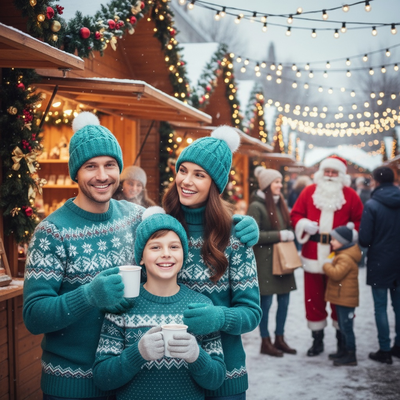
What are the best Santa photo ideas right now?
Families usually pick between four routes: an in-person Santa visit at a mall or event, a professional studio shoot, a Call Santa video app, or an AI photo generator.
Each option trades off cost, time, and control over the final image.
Studio shoots and mall visits require scheduling and travel.
Call Santa apps focus on video calls or voice messages rather than portraits.
How does Call Santa actually work?
Call Santa services simulate a video or phone call from Santa, often personalized with a child's name.
These are built for the experience of hearing from Santa, not for producing printable photos.
If the goal is a picture for cards, wallpapers, or framing, a photo-based tool is a better fit than a call feature.
How can you create AI Santa photos from one picture?
- Open the PiXmas app or web version on your phone or browser.
- Upload one clear, front-facing photo.
- Choose a Santa style from the available scenes, such as classic Santa's lap, sleigh ride, or workshop backdrop.
- Let the AI process the image, which typically takes a few minutes.
- Download the finished portrait or wallpaper, ready to share or print.
How do the main Santa photo options compare?
| Method | Time Needed | Cost | Output Type |
|---|---|---|---|
| Mall or in-person visit | 30-60 minutes plus travel | Free to moderate | Printed or digital photo |
| Professional studio shoot | 1-2 hours plus booking | High | Digital and print photos |
| Call Santa app | A few minutes | Free to low | Video or audio call |
| PiXmas AI photo app | Minutes, one upload | Low | 800+ styled portraits and wallpapers |
Limitations
AI-generated Santa photos depend on the quality of the source image, so blurry or poorly lit photos can produce weaker results.
Results are stylized interpretations, not literal photographs, so exact likeness may vary slightly by style.
The native PiXmas app is currently available on iOS, with the web version usable on Android browsers and a native Android app in development.
Which option fits most families?
For quick, shareable Santa portraits without scheduling or costumes, an AI app is the most practical route.
If the goal is a finished Santa photo rather than a phone call, skip the booking and costume steps.
What do Santa photo packages cost?
Santa photo costs depend on whether you want a basic print, a digital file, or a package. One venue’s published options provide a useful benchmark:
- Complimentary option: One free 4×6 Santa photo per guest, with paid upgrades available (Tsawwassen Mills – Santa’s Wonderland at Bass Pro Shops, 2025).
- Digital option: A high-resolution download costs $30 and includes a free 4×6 print (Tsawwassen Mills – Santa’s Wonderland at Bass Pro Shops, 2025).
- Print package: The $35 Jingle Bells package includes several print sizes, wallet prints, and a digital image (Tsawwassen Mills – Santa’s Wonderland at Bass Pro Shops, 2025).
- Card package: A $35 package includes eight 4×6 Christmas cards and a digital download (Tsawwassen Mills – Santa’s Wonderland at Bass Pro Shops, 2025).
Frequently asked questions
What are good Santa photo ideas at home?
Good at-home Santa photo ideas use a familiar setting and a simple holiday activity. Try reading a Christmas book, placing cookies near the tree, holding a wrapped gift, or looking toward an implied sleigh outside a window. Soft window light and an uncluttered background help the finished image feel natural.
How do you plan a Santa photo shoot?
Plan a Santa photo shoot around the setting, clothing, lighting, and mood you want. Decide whether the result should feel formal, playful, or candid, then choose a coordinating backdrop and simple props. Allow children time to settle in, and capture conversation or movement instead of requiring a fixed pose.
What should kids wear for Santa photos?
Kids should wear comfortable clothes that suit the intended setting without competing with Santa’s red suit. Solid colors, subtle holiday patterns, pajamas, or coordinated neutrals usually photograph cleanly. Avoid itchy accessories and prominent logos, and check that clothing still looks appropriate when seated, moving, or holding props.
Is Call Santa the same as a Santa photo generator?
No, Call Santa and Santa photo generators create different experiences. Call services simulate a voice or video conversation, often using a child’s name or other personal details. Photo generators produce still images for sharing, printing, cards, or wallpapers. Choose according to whether the conversation or the finished portrait matters more.
Can you create a Santa photo from a phone picture?
Yes, a clear phone picture can be used as the source for an AI-generated Santa portrait. Even lighting, a visible face, natural expression, and limited blur generally give the system better material to work with. Generated results may still change small facial details, hands, hair, glasses, or background edges.
How do you make Santa photos look realistic?
Realistic Santa photos need consistent lighting, scale, perspective, and eye direction. Santa should appear to occupy the same space as the subject, with compatible shadows and sharpness. Before printing or sharing, inspect faces, hands, glasses, beard edges, clothing boundaries, and nearby objects for distortions or mismatched details.
How do you take Santa photos with a dog?
Take Santa photos with a dog in a calm setting where the animal can remain comfortable and controlled. Use treats or a familiar sound to guide attention, keep costumes loose and nonrestrictive, and avoid forcing contact with Santa. A seated handler just outside the frame can help maintain a safe position.
How much do mall Santa photos cost?
Mall Santa photo prices vary by venue and by whether prints or digital files are included. As a published benchmark, one Santa’s Wonderland offered a free 4×6 photo per guest, a $30 digital download with a free print, and $35 package options (Tsawwassen Mills – Santa’s Wonderland at Bass Pro Shops, 2025).