New Year Photo Ideas That Actually Stand Out
Updated 2026-09-16 · PiXmas Editorial Team
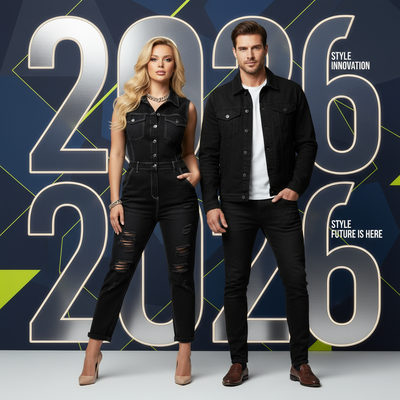
New Year photo ideas work best when they pair a recognizable celebration moment with flattering light, a simple background, and one clear prop. Try sparklers, a countdown pose, a resolution card, a group toast, or balloons; when staging a shoot is impractical, PiXmas can apply a festive style to an existing phone photo.
What makes a New Year photo idea actually good?
A strong New Year photo idea has three things: a clear subject, a light source that flatters instead of flattens, and one prop or backdrop element that signals the holiday without cluttering the frame.
Countdown clocks, sparklers, confetti, and champagne flutes work because they read instantly as New Year, even in a small thumbnail.
What are the best low-effort New Year photo ideas?
These require little more than a phone and a few minutes of setup.
- Silhouette against fireworks or string lights at midnight.
- Close-up of hands holding a sparkler with a dark background.
- Written resolution card held up to the camera.
- Group toast shot from slightly above, glasses raised.
- Balloon numbers for the incoming year, shot in natural light.
What if I do not have time for a real photoshoot?
Not everyone has sparklers, string lights, or a group willing to pose at midnight.
You upload one photo, pick a style from over 800 options, and get results back as if you had planned a full shoot.
How does a real shoot compare to an AI-generated one?
| Factor | DIY New Year Photoshoot | PiXmas AI Photos |
|---|---|---|
| Time needed | 30 to 90 minutes plus setup | A few minutes per photo |
| Props required | Sparklers, lights, balloons, backdrop | None, just one existing photo |
| Editing skill needed | Manual editing or filters | Automatic, style-based generation |
| Style variety | Limited to what you can stage | 800+ styles including Santa scenes and wallpapers |
| Best for | Live events, group memories | Fast holiday content, gifts, profile photos |
How do I get AI New Year and Christmas style photos from PiXmas?
- Upload one clear phone photo of yourself or a family member.
- Choose a style category such as Christmas portrait, Santa scene, or wallpaper.
- Generate and review the results, then download your favorites.
A native Android app is coming, so Android users currently use the web version, which works the same way in any modern mobile browser.
Limitations
AI-generated photos work best with a clear, well-lit source image. Blurry or heavily shadowed photos produce weaker results. AI styles are also a stylistic interpretation, not a literal recreation of a live event, so they suit portraits and holiday content better than documenting an actual New Year's Eve gathering.
If you want documentary shots of an actual New Year's Eve party, plan a short real shoot with sparklers or fireworks in the background.
For quick, staged New Year shots with real props, follow the DIY ideas above.
Should New Year photos be in color or black and white?
Color usually suits New Year photos because fireworks, metallic decorations, party lights, and festive outfits help communicate the celebration. In one professional photographer’s annual review, the portfolio included 8,222 color images and 1,478 black-and-white images, showing a strong preference for color in that body of work (Daniel Hedrick – 2025 Photography Year in Review: Stats and Favorites, 2026). Black and white can still work well for close portraits, silhouettes, and quiet reflections after the party. Choose it when facial expression, contrast, or mood matters more than decorations. If you are undecided, capture the image in color and compare a monochrome edit before posting or printing.
Frequently asked questions
What are easy New Year photo ideas for one person?
Solo New Year photos can use a sparkler, a handwritten resolution card, a reflective window, or a silhouette against party lights. Set the phone on a stable surface, use a timer, and face the main light. Keep the background simple so the pose or prop remains the clear focal point.
How can I take good New Year photos at home?
Use the brightest uncluttered area in your home and add a recognizable festive detail, such as balloons, string lights, confetti, or a drink for a toast. Face a window when daylight is available. At night, place a lamp in front of you rather than relying only on overhead lighting.
What should I wear for New Year photos?
Choose clothing that contrasts with the background and fits the mood of the celebration. Metallic details, dark formalwear, bold solid colors, and textured fabrics photograph clearly without requiring an elaborate set. Avoid patterns that compete with signs, lights, or confetti, and check reflective materials for distracting glare.
How do I take New Year group photos without a photographer?
Place the phone on a stable surface, frame the group with space around the edges, and use the camera timer or a remote shutter. Arrange people at slightly different heights and ask everyone to look toward the same light. Take several versions because expressions and closed eyes can vary.
How do I photograph sparklers at night?
Keep the subject near a steady light source so the face does not disappear against the dark background. Hold the sparkler away from hair, clothing, and other people, and follow its safety instructions. Use a stable phone position and capture several attempts because sparks and expressions change quickly.
Can AI create a New Year photo from an existing picture?
Yes, an AI editor can restyle an existing portrait with festive clothing, lights, fireworks, or party backgrounds. PiXmas is one example for applying holiday-style scenes to a phone photo. Results are interpretive rather than documentary, so inspect faces, hands, text, jewelry, and reflections before sharing or printing the image.
How can I make New Year photos look more polished?
Use consistent lighting, remove background clutter, and build the image around one focal element. Straighten the frame, correct overly warm or cool color, and avoid heavy filters that erase skin texture. Small adjustments to exposure, contrast, and cropping usually look more natural than dramatic effects applied across the entire image.