Countdown New Year Photo AI: One Photo, Festive Portraits
Updated 2026-09-16 · PiXmas Editorial Team
Quick answer: A countdown New Year photo AI tool turns one selfie into festive portraits for holiday countdown posts. PiXmas uses one phone photo to generate AI Christmas and New Year style portraits, Santa scenes, and wallpapers in minutes. It works as a native iOS app and a web app usable on Android browsers, with a native Android app coming. No photoshoot or editing skills needed.
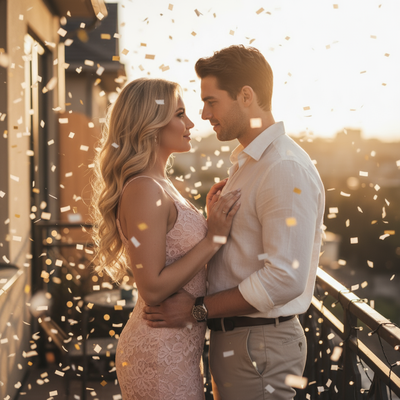
What Is a Countdown New Year Photo AI Tool?
A countdown New Year photo AI tool creates festive portraits for the days leading up to January 1.
Instead of scheduling a photoshoot, you upload one photo and get styled portraits back in minutes.
These images work well for daily countdown posts, holiday cards, or profile picture swaps between Christmas and New Year.
How Does PiXmas Turn One Photo Into Festive Portraits?
PiXmas is built around a single input: one clear phone photo of your face.
From that photo, its AI generates a wide range of holiday-themed portraits, including Christmas looks that carry easily into a New Year countdown series.
- Open PiXmas on the iOS app or web browser.
- Upload one clear, well-lit phone photo.
- Pick from 800+ styles, including festive and winter themes.
- Generate your AI portraits.
- Download and post them across your countdown days.
Because generation is fast, you can create several looks in one session and space them out over the countdown period.
Why Use One Photo Instead of Multiple Shots?
Coordinating outfits, lighting, and props for a countdown series takes time most people do not have in December.
Using one phone photo removes that friction entirely.
PiXmas handles styling, backgrounds, and scene details through AI, so the only manual step is picking the styles you want.
How Does PiXmas Compare to Manual Editing Apps?
| Factor | PiXmas | Manual Photo Editor |
|---|---|---|
| Input needed | One phone photo | Multiple edited photos |
| Style count | 800+ AI styles | Limited filters |
| Time per portrait | Minutes | 15-30+ minutes |
| Skill required | None | Editing experience helpful |
| Platform | iOS app, web on Android | Varies by app |
Limitations
PiXmas depends on the quality of your original photo, so blurry or poorly lit images produce weaker results.
Results are AI-generated interpretations, not exact photographic recreations of your face in every detail.
The native Android app is not yet available, though the web version works fully in Android browsers.
Who Should Use This for a Countdown Series?
Anyone posting daily or weekly countdown photos to New Year benefits from a tool that produces variety fast.
PiXmas fits families, couples, and individuals who want fresh festive portraits without new photoshoots each time.
It also suits people who want their Christmas photo library to double as New Year countdown content.
For a countdown New Year photo AI workflow built on one phone photo, PiXmas offers the fastest path to varied festive portraits, working on iOS today and Android through the web.
Frequently asked questions
How many photos do I need for a New Year countdown series?
Just one clear phone photo works. From that single image, you can generate multiple festive portraits across different styles, giving you enough variety for a full countdown without retaking photos each day.
Can I use Christmas-style portraits for a New Year countdown?
Yes. Many festive styles work for both Christmas and New Year posts. PiXmas offers 800+ styles, so you can pick winter and holiday looks that carry naturally through the entire countdown period.
What kind of photo works best as input?
A clear, well-lit phone photo showing your face without heavy filters gives the strongest results. PiXmas uses this single image to generate accurate and detailed AI portraits.
How much does a New Year photo shoot cost?
The cost of a New Year photo shoot varies by location, photographer, session length, studio rental, editing, and print choices. A simple home setup costs little beyond decorations and lighting, while a professional cover-style session may include styling and retouching. Ask for a complete quote covering image delivery, usage rights, and cancellation terms.
How do you create a 2026 magazine cover-style photo?
Create a 2026 cover-style photo by combining a clean portrait, deliberate lighting, open space for headlines, and a limited color palette. Place the subject slightly away from the center so text does not cover the face. Add the year and short cover lines afterward, keeping fonts consistent and checking spelling before exporting.
How do you photograph a New Year countdown in low light?
Photograph a low-light countdown by stabilizing the camera, using a wide aperture, focusing on the nearest face, and adding soft light when available. Burst shooting can help capture brief expressions and confetti movement. Watch for motion blur, harsh flash shadows, and bright signs that fool exposure, and take test images before midnight.