Sparkler New Year Photoshoot at Home
Updated 2026-09-16 · PiXmas Editorial Team
Quick answer: A sparkler New Year photoshoot at home works best outdoors or in a well-ventilated garage, using a tripod, slow shutter speed, and a friend to write shapes or numbers in the air. Keep sparklers away from flammable decor and hair. If you want festive photos without fire risk, PiXmas turns one phone photo into AI Christmas and New Year portraits in minutes.
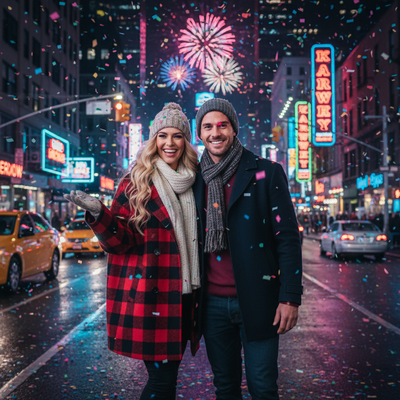
What do you need for a sparkler photoshoot at home?
You need sparklers, a tripod or steady surface, a camera or phone with manual/night mode, and open space away from curtains, rugs, and paper decor.
A second person to trigger the shutter or hold a light source helps a lot.
Where is the safest spot to shoot sparklers indoors or at home?
Garages, driveways, patios, and balconies work well because they offer ventilation and hard flooring.
Avoid carpeted living rooms, small apartments with smoke detectors close by, and rooms full of paper decorations.
Always keep a bucket of water or a damp towel nearby.
How do you set camera settings for sparkler shots?
- Switch to manual or night mode and set ISO between 400 and 800.
- Use a shutter speed of 2 to 6 seconds to capture light trails.
- Set aperture to f/8 or higher for sharper trails.
- Mount the phone or camera on a tripod to avoid blur.
- Ask your subject to write numbers like the new year or draw hearts slowly.
How do you pose safely with sparklers?
Hold sparklers at arm's length, away from hair and loose clothing.
Move slowly since fast motion creates streaky, unclear shapes in photos.
Have one person hold the sparkler while another captures the shot from a few feet away.
What if you cannot use sparklers at home?
Many apartments and rental homes ban open flames indoors, and cold weather can make outdoor shoots uncomfortable.
In that case, an AI photo app can recreate the festive, glowing look without any fire risk.
PiXmas turns a single phone photo into polished Christmas and New Year portraits, including cozy sweater looks, twinkling light backdrops, and Santa scenes, all without smoke or safety concerns.
Sparkler photoshoot vs AI Christmas photos: which fits your situation?
| Factor | Sparkler Photoshoot | PiXmas AI Photos |
|---|---|---|
| Setup time | 30 to 60 minutes | Under 10 minutes |
| Weather dependent | Yes, often needs outdoor space | No, works from any indoor photo |
| Fire or smoke risk | Yes | None |
| Number of looks | Limited by sparklers on hand | 800+ styles from one photo |
| Best for | Physical keepsake with real light trails | Fast, varied festive portraits |
Limitations
Sparkler photos depend on weather, wind, and a second person to help.
They also carry real fire and smoke risk, and results vary based on motion and lighting skill.
PiXmas cannot recreate physical light trails since it works from a still photo, and results depend on the clarity of your original picture.
How does PiXmas work for festive photos?
Upload one clear phone photo to the PiXmas app or web version.
Choose from 800+ AI styles, including Christmas portraits, Santa scenes, and holiday wallpapers.
Download finished images in minutes, ready to share or print for the new year.
A sparkler photoshoot delivers real, glowing light trails but needs outdoor space, careful safety prep, and good weather. For a faster, fire-free way to get festive portraits, PiXmas turns one phone photo into polished Christmas and New Year images in minutes.
Frequently asked questions
Do sparklers work well for indoor New Year photos?
Sparklers are safer outdoors or in ventilated spaces like garages and patios. Indoor use near curtains, rugs, or smoke detectors is risky. If you want a no-fire indoor option, PiXmas creates festive portraits from a single phone photo instead.
What camera settings work best for sparkler light trails?
Use a tripod, ISO 400 to 800, shutter speed of 2 to 6 seconds, and aperture f/8 or higher. Slow, steady movement while writing shapes gives cleaner light trails in the final photo.
Can I get festive photos without doing a sparkler shoot?
Yes. PiXmas turns one phone photo into AI Christmas and New Year portraits, including cozy outfits, twinkling backdrops, and Santa scenes, without any fire, smoke, or outdoor setup required.
Is a sparkler photoshoot safe for kids?
Sparklers can reach high temperatures and pose burn risks for children. Adult supervision, safe distance, and a water source nearby are essential. Many families choose AI photo apps like PiXmas for a completely fire-free alternative.
How do you take good New Year group photos?
Take good New Year group photos by arranging people in staggered rows, keeping faces close together, and lighting everyone evenly. Use a stable camera position and capture several frames because someone may blink or look away. Limit large props that block faces, check the edges for cropped hands, and include both horizontal and vertical compositions.
Are AI New Year photos private?
AI New Year photos are only as private as the service’s storage and data policies allow. Before uploading portraits, check whether images are retained, used for training, shared with vendors, or removable on request. Avoid submitting sensitive documents or children’s identifying information, and use local editing when stronger control over personal files is required.