Distance Military Christmas Photo Ideas
Updated 2026-09-16 · PiXmas Editorial Team
Distance military Christmas photos can feel connected by combining separately taken images, including a framed photo, or turning a clear solo photo into a holiday scene. These options let families create a respectful shared image when deployment or a distant duty station makes an in-person photo impossible, while still acknowledging that everyone was not physically together.
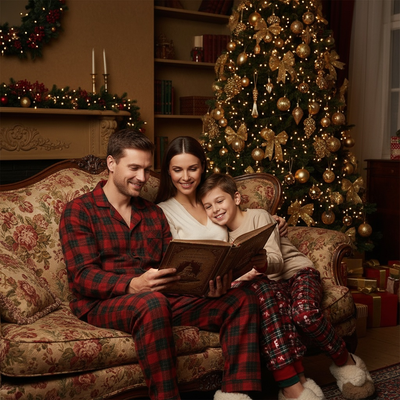
Why is Christmas different for military families apart?
Deployment or duty station distance means the usual family photo in front of the tree is not always possible.
One person is often missing from every physical scene.
Photo ideas for military families need to close that visual gap without pretending the distance does not exist.
What photo ideas help military families feel connected?
Matching pajamas photographed separately, then combined into one image, is a classic option.
A framed photo of the deployed parent held up in the family's holiday photo works well too.
Sending a solo phone photo home and having it turned into a full Christmas scene is another popular route, since it does not require a second camera or a coordinated video call.
How can one phone photo become a full Christmas scene?
This is where an AI Christmas photo app helps most.
A single selfie, even one taken on a phone during downtime, can be transformed into a Christmas portrait, a Santa scene, or a festive wallpaper.
Upload one photo and the app generates AI Christmas portraits and Santa scenes using that image, so no second photoshoot or props are needed on either end.
How do you create a distance Christmas photo with PiXmas?
- Ask the service member to send one clear phone photo, front-facing works best.
- Open PiXmas on a phone or browser and upload that photo.
- Choose a Christmas portrait, Santa scene, or wallpaper style from the 800+ available.
- Let the app generate the result, usually within minutes.
- Download and share the finished photo, print it, or use it as a card.
Which method actually works for distance Christmas photos?
| Method | Time Needed | Extra People Required | Best For |
|---|---|---|---|
| PiXmas AI photo | Minutes | No | Turning one existing phone photo into a full Christmas scene |
| DIY photo editing | Hours | No | Simple overlays for people with editing skills |
| Coordinated split-screen photo | Same day | Yes, both parties needed at once | Families who can schedule a joint photo moment |
| Professional photoshoot | Days to weeks | Yes, in-person | Families who can be physically together |
Limitations
AI-generated Christmas photos work best with a clear, well-lit single photo as the source.
Very blurry, dark, or heavily obscured photos may not produce a sharp result.
These images are a heartfelt stand-in for the real moment, not a replacement for being together, and most families use them alongside video calls and care packages rather than instead of them.
How should a distance Christmas photo be prepared for printing?
Prepare the finished distance Christmas photo at the printer’s final card size rather than enlarging a small file at checkout. For close-viewed greeting cards, 300 DPI is the standard target (4over4 Best Resolution for Printing, 2026). At that resolution, a 5×7-inch card needs at least 1500×2100 pixels (Craftsuprint 300 DPI Baseline for Printables, 2026). Check the print service’s required orientation, color mode, file type, safe area, and bleed before exporting.
- Keep faces and important text inside the safe area.
- Review the proof for cropping around hats, uniforms, and shoulders.
- Order a test print when color or facial detail is especially important.
Frequently asked questions
What are good Christmas photo ideas when a service member is deployed?
Good options include combining photos taken in separate locations, holding a framed picture in the family portrait, wearing matching holiday accessories, or creating a festive scene from a clear solo image. Choose an approach that acknowledges the distance rather than making the image suggest everyone was physically together.
How do you combine Christmas photos taken in different locations?
Use similar lighting, camera angles, backgrounds, and framing so the separate images look consistent when placed together. Ask everyone to face the same general direction and leave open space beside them. A simple split-frame collage is usually easier to make believable than removing backgrounds and building a seamless composite.
What if the only deployment photo is blurry or dark?
Use the clearest available original and avoid screenshots or files repeatedly shared through messaging apps, which may lose detail. Mild brightness and contrast adjustments can help, but severe blur, blocked facial features, and heavy shadows cannot always be repaired convincingly. If possible, request a new front-facing photo in even light.
How can a distance Christmas photo feel personal?
Include details connected to the family, such as familiar ornaments, matching colors, a meaningful setting, or a handwritten message. A caption can mention the distance honestly and express what the family is looking forward to. Personal details usually matter more than an elaborate background or highly polished effects.
Is it okay to show a military uniform in a Christmas photo?
A uniform can be included if the service member is comfortable with it and the image follows applicable command guidance. Avoid altering insignia, awards, name tapes, or other details in misleading ways. Before sharing publicly, check the background and caption for locations, schedules, unit information, or other sensitive details.
Can an older deployment photo be used on a current Christmas card?
An older photo can work when a current image is unavailable, provided it still represents the service member respectfully. Avoid captions that imply an old assignment, rank, or location is current. A short note explaining that the card brings together favorite family photos from different times can prevent confusion.
What resolution should a military Christmas card have for printing?
Prepare the card at 300 DPI at its final print size for sharp close-viewed results (4over4 Best Resolution for Printing, 2026). A 5×7-inch card therefore needs at least 1500×2100 pixels (Craftsuprint 300 DPI Baseline for Printables, 2026). Also follow the printer’s specifications for file type, color mode, bleed, and safe margins.
Should an AI-edited military Christmas photo be labeled?
Labeling is a thoughtful choice when the edit could reasonably be mistaken for a real reunion, location, or event. A simple caption such as “created from photos taken while apart” preserves the meaning without overexplaining. Never use an edited image to misrepresent deployment conditions, official activity, rank, or an actual gathering.