Military Deployment Christmas Photo Ideas
Updated 2026-09-16 · PiXmas Editorial Team
Quick answer: For military deployment Christmas photos, upload one clear phone photo to PiXmas and get AI-generated Christmas portraits in Santa hats, festive uniforms, or holiday backdrops within minutes. This works well when a service member cannot access a photographer, costume, or home setting. The app produces shareable images for family, social media, or printed cards without needing extra gear overseas.
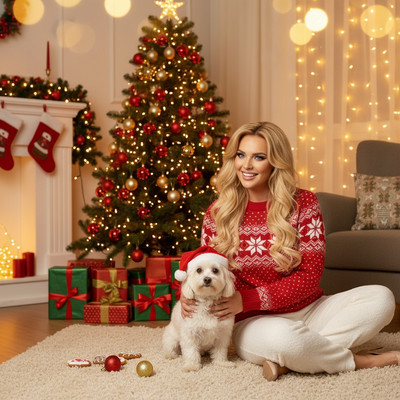
Deployed service members often want a Christmas photo to send home but lack props, backdrops, or time.
Why Are Christmas Photos Hard During Deployment?
Bases and forward locations rarely have Santa hats, string lights, or a studio setup.
Uniform restrictions or limited free time also make traditional holiday photoshoots difficult to plan.
A single existing phone photo becomes the easiest starting point instead of arranging a new shoot.
How Does PiXmas Turn One Photo Into a Christmas Portrait?
PiXmas uses AI to place a person into festive scenes using just one uploaded phone photo.
The subject stays recognizable while the background, outfit, and lighting shift to a holiday theme.
- Open PiXmas on a phone browser or the iOS app.
- Upload one clear, front-facing photo.
- Select a Christmas style such as Santa scene, cozy sweater portrait, or snowy wallpaper.
- Wait for the AI to generate several portrait variations.
- Download and send the finished images home or share them directly.
Which Photo Styles Work Best for Deployment Photos?
Simple, front-facing portraits with even lighting tend to produce the clearest results.
A recent uniform photo, a casual selfie, or a video-call screenshot can all work as source images.
PiXmas vs Manual Editing Apps
| Factor | PiXmas | Manual Photo Editor |
|---|---|---|
| Input needed | One phone photo | Multiple assets, layering skill |
| Time to result | A few minutes | Hours of manual editing |
| Style variety | 800+ Christmas styles | Depends on user templates |
| Device access needed | Phone browser or iOS app | Desktop software often required |
Limitations
Results depend on the clarity of the uploaded photo, so blurry or low-light images may produce softer detail.
PiXmas does not guarantee exact uniform accuracy since styles are AI-generated interpretations, not literal edits.
A native Android app is coming, but the web version already works on Android browsers.
How Can Families Use These Photos?
Printed cards, digital frames, and holiday group chats all work well with the downloaded images.
Some families use the portraits as a placeholder gift photo until the service member returns home.
PiXmas offers a practical way to produce a Christmas photo during deployment using only one phone photo, without needing props, a studio, or extensive editing time.
Frequently asked questions
Can I create a Christmas photo without being home for the holidays?
Yes. Upload one existing phone photo taken anywhere, including while deployed, and the AI generates a Christmas-themed portrait without requiring a physical set, props, or holiday location.
What kind of photo works best to upload?
A clear, front-facing photo with good lighting works best. A recent selfie, uniform photo, or video-call screenshot are all common starting points that produce accurate results.
Is a native Android app available yet?
Not yet. The PiXmas web version already works fully on Android browsers, and a dedicated native Android app is currently in development.
How many Christmas styles can I choose from?
PiXmas offers more than 800 Christmas styles, including Santa scenes, festive sweaters, snowy backdrops, and holiday wallpapers, giving deployed users several sharable options from one upload.
Can I send the finished photo home digitally?
Yes. Once generated, PiXmas photos can be downloaded and sent through email, messaging apps, or printed later for physical cards and family displays.
Will the AI keep my face looking accurate?
PiXmas is designed to preserve recognizable facial features while changing the background, outfit, and holiday styling around the uploaded photo.