Faith & Nativity Christmas Photo Ideas
Updated 2026-09-16 · PiXmas Editorial Team
Faith and nativity Christmas photo ideas include manger scenes, candlelight portraits, Holy Family costumes, scripture-inspired settings, and family photos beside a nativity display. Choose a concept that treats the religious subject respectfully and matches the time, space, and comfort level of everyone pictured; AI-generated styling is another option when a physical set or costumes are impractical.
When Should You Plan a Faith-Based Christmas Photo?
Plan faith-based Christmas photos in early fall if you need a photographer, church space, costumes, or printed cards. Search interest in family-oriented “Christmas card photos” rises from September and October and peaks in December, suggesting that demand builds throughout the final part of the year (Tech Photo Guy – Google Trends for Photographers, 2018). Booking or coordinating before the peak can make schedules easier to manage. For a home setup or AI-generated portrait, choose the concept and source photo early enough to review faces, hands, religious symbols, cropping, and print quality. Early planning also leaves time to request permission from participants before church or family images are shared.
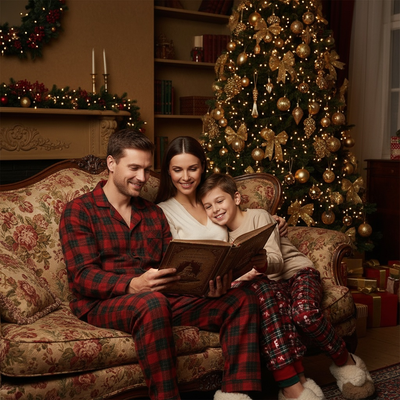
What Are the Best Faith and Nativity Christmas Photo Ideas?
Faith-based Christmas photography usually centers on a few recurring themes.
Popular ideas include a manger or stable backdrop, candlelight portraits near a nativity set, family photos dressed as the Holy Family, and images paired with a favorite scripture verse.
Churches often use these photos for cards, bulletins, or social posts during Advent.
How Do You Recreate a Nativity Scene in a Photo?
A traditional nativity photo shoot takes real planning.
- Choose a setting such as a barn, church stage, or decorated corner of a home.
- Gather props like hay, a manger, robes, and warm lighting.
- Coordinate outfits for everyone involved, including children playing shepherds or angels.
- Schedule a time when light and everyone's availability line up.
- Hire or ask a photographer to shoot and edit the final images.
This works well for churches and larger family groups, but it takes hours of setup and often a paid photographer.
How Can AI Create Faith-Based Christmas Portraits From One Photo?
PiXmas offers a faster path to a faith-themed Christmas photo.
Instead of props and costumes, you upload a single clear phone photo of yourself, your child, or your family.
- Upload one well-lit photo of each person.
- Pick a faith or nativity-style theme from the style library.
- Generate the portraits and review the results.
- Download your favorites for cards, prints, or social sharing.
Traditional Photo Shoot vs AI Nativity Portraits: Which Is Better?
| Factor | Traditional Nativity Shoot | PiXmas AI App |
|---|---|---|
| Setup time | Hours, including props and costumes | Minutes, just one photo upload |
| Cost | Often requires a paid photographer | No photographer or studio needed |
| Coordination | Everyone must be present at once | One photo per person, any time |
| Style variety | Limited by props on hand | 800-plus styles including faith themes |
| Best for | Church events, large group shoots | Quick family or individual portraits |
Limitations
AI-generated faith and nativity portraits are stylized images, not literal recreations of a scene you staged.
Group photos with many people may render less precisely than solo or close-up portraits.
Frequently asked questions
What are good nativity Christmas photo ideas for families?
Good nativity Christmas photo ideas include a candlelight portrait beside a home display, a manger-inspired setting, scripture-themed signs, or coordinated clothing in neutral colors. Families can also photograph children as shepherds or angels when they are comfortable participating. Keep the religious focal point visible and avoid crowding the frame with unrelated holiday props.
How do you take a nativity photo at home?
You can take a nativity photo at home by placing a nativity set near a plain wall or uncluttered corner, then using soft window light or warm lamps. Position family members beside the display rather than directly behind it. Check the frame for distracting cords, reflective surfaces, and objects that obscure faces or important religious details.
What should a family wear for nativity Christmas pictures?
Neutral, earth-toned clothing usually suits a nativity setting because it does not compete with the scene. Simple robes can support a staged recreation, but ordinary modest clothing also works. Avoid busy logos and very reflective fabrics, and coordinate colors without requiring everyone to match exactly. Choose clothing that lets children move safely and comfortably.
Can you make a nativity Christmas photo without costumes?
Yes. Photograph your family beside a nativity set, use a scripture-inspired backdrop, or create a close candlelight portrait that suggests the season without costumes. An AI portrait tool can also apply a nativity-inspired setting to a clear source photo, although faces, hands, clothing, and religious symbols should be reviewed carefully before printing or sharing.
How do you keep a faith-based Christmas photo respectful?
Keep a faith-based Christmas photo respectful by treating the nativity as a religious subject rather than a novelty prop. Use poses, clothing, captions, and expressions that fit your family’s beliefs and intended audience. If a church or another family is involved, ask about preferences beforehand and obtain permission before publishing identifiable images of participants.
Can you use an AI nativity portrait on a Christmas card?
Yes, an AI-generated nativity portrait can be used on a Christmas card if the file is sharp enough for the chosen print size and the result represents your family appropriately. Inspect faces, hands, text, halos, and nativity details for distortions. Order a proof when available, because a phone preview may not reveal cropping or print-quality problems.
What photo works best for an AI nativity portrait?
A clear, front-facing photo with even light and an unobstructed face is the best starting point for an AI nativity portrait. Use the original image rather than a compressed screenshot when possible. Plain backgrounds can reduce visual confusion, while sunglasses, deep shadows, motion blur, and tightly overlapping people may make accurate rendering more difficult.
Are AI Christmas photo generators safe for children's photos?
Safety depends on the generator’s privacy and data-handling practices. Before uploading a child’s photo, read how the service stores images, whether it uses them for model training, which providers receive them, and how deletion requests work. Use a photo without unnecessary location clues, and make sure a parent or guardian has approved the upload.