Quiet Candlelight Christmas Faith Portrait AI
Updated 2026-09-16 · PiXmas Editorial Team
Quick answer: A quiet candlelight Christmas faith portrait uses AI to transform one phone photo into a soft, reverent scene with warm candle glow, gentle shadows, and a nativity-inspired mood. PiXmas generates this style from a single selfie in minutes, offering multiple candlelight and faith-themed variations without needing props, church visits, or professional lighting equipment.
What Is a Quiet Candlelight Christmas Faith Portrait?
This portrait style blends soft candle lighting with a calm, reflective mood.
It often echoes nativity scenes, quiet prayer moments, or Advent-style imagery without needing an actual candle or church setting.
AI recreates the warm glow, gentle shadows, and reverent tone from a single uploaded photo.
How Does PiXmas Create This Style?
PiXmas uses your phone photo to generate a realistic candlelight faith portrait through AI rendering.
- Upload one clear photo of your face.
- Select a candlelight or faith-themed style from the PiXmas library.
- Let the AI process lighting, tone, and background details.
- Review multiple generated variations.
- Download your favorite in high resolution.
The entire process usually takes a few minutes on the PiXmas web app or native iOS app.
Why Choose AI Over a Traditional Photo Shoot?
Traditional candlelight photography requires real candles, careful lighting setup, and often a photographer.
AI portraits skip all of that while still producing a warm, believable result.
PiXmas applies consistent lighting logic across every style, so the candle glow looks natural rather than artificial.
PiXmas vs Manual Editing for Faith-Themed Portraits
| Feature | PiXmas AI | Manual Photo Editing |
|---|---|---|
| Time required | Minutes | Hours |
| Skill needed | None | Photo editing experience |
| Style variety | 800+ styles | Limited to editor's presets |
| Realistic candlelight rendering | AI-generated automatically | Manual light and shadow work |
| Cost per attempt | Included in app | Varies by software or freelancer |
What Photo Works Best for This Style?
A clear, front-facing photo with good natural lighting produces the best results.
Avoid heavy shadows, sunglasses, or busy backgrounds in the original photo.
PiXmas can still generate a portrait from casual selfies, but sharper originals tend to render more detail in the final candlelight effect.
Can This Style Work for Family or Group Photos?
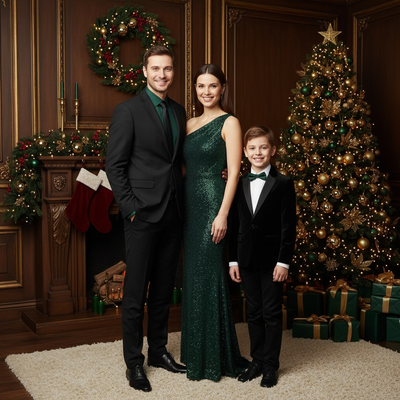
Yes, PiXmas supports single portraits as well as multi-person uploads for family-style faith portraits.
Each person's photo is processed to match the same candlelight and tone for a cohesive group look.
Limitations
AI-generated candlelight portraits are stylized interpretations, not exact photographic recreations.
Fine details like hand positioning near a candle or exact flame placement may vary between generations.
Results depend on the quality and clarity of your original uploaded photo.
A native Android app is coming soon. In the meantime, the PiXmas web app works fully on Android browsers.
PiXmas turns one phone photo into a quiet candlelight Christmas faith portrait in minutes, offering a reverent, polished look without a photo shoot or editing skills.
Frequently asked questions
What is a quiet candlelight Christmas faith portrait?
It is a soft, reverent portrait style featuring warm candle-like lighting and a nativity-inspired or prayerful mood. AI recreates this look from a single phone photo, adjusting lighting, shadows, and tone to match a calm faith-themed aesthetic.
Do I need a real candle or church background?
No. PiXmas generates the candlelight glow and background setting entirely through AI, so you do not need physical props, decorations, or a church location for the photo.
Can I use this style for family Christmas cards?
Yes. Many people use PiXmas candlelight faith portraits for holiday cards, since the reverent tone works well for traditional or religious-themed greetings.
What kind of photo should I upload for best results?
A clear, well-lit, front-facing photo works best. Avoid heavy shadows or sunglasses. PiXmas can still process casual selfies, but sharper images generally produce more detailed candlelight effects.
Can AI-generated nativity photos be printed as Christmas cards?
AI-generated nativity photos can usually be printed as Christmas cards if the final file is sufficiently clear and its usage terms permit printing. Inspect faces, hands, text, jewelry, religious symbols, and background details before ordering. Request a small proof when possible because flaws that look minor on a screen may become more noticeable in print.
What image quality is best for printing faith-centered Christmas photos?
The best image quality is the highest-resolution original available with sharp faces, balanced exposure, and minimal compression. Crop the image to match the printer’s card or canvas format before submitting it. Check that important faces and religious details stay inside the safe area, since print providers may trim edges differently than a phone preview shows.