AI Santa Photos: A Toronto Mall Santa Alternative
Updated 2026-09-16 · PiXmas Editorial Team
Quick answer: PiXmas is an AI Santa photo alternative to mall Santa photos in Toronto. Upload one phone photo and PiXmas generates realistic Santa portraits and holiday scenes in minutes, no mall trip, line-up, or booking window needed. It works on iOS and through any Android browser, with a native Android app coming, so any family in the GTA can get Santa photos from home.
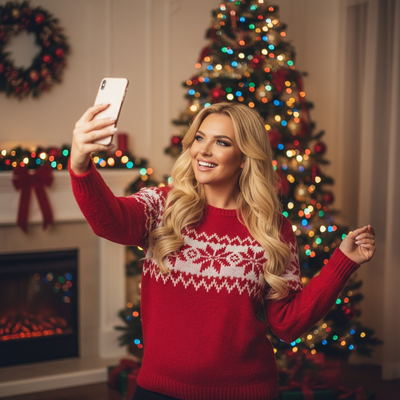
Toronto's mall Santa lines at Yorkdale, CF Toronto Eaton Centre, and Vaughan Mills fill up fast every December. Families often wait an hour or more for a single posed photo, only to find the backdrop or Santa's expression isn't quite right. An AI Santa photo alternative solves this by turning a phone photo into finished Santa portraits at home, on your own schedule.
Why are Toronto families looking for mall Santa alternatives?
Mall Santa sessions in the GTA usually require a timed booking, a paid package, and a wait in a crowded common area with young kids.
Weather, parking, and limited December hours make the whole trip harder than it needs to be.
An AI Santa photo app removes the travel and the wait while still producing a festive Santa photo for cards and gifts.
How does PiXmas create AI Santa photos?
PiXmas uses one clear phone photo to generate Santa portraits, Christmas scenes, and holiday wallpapers without a photographer or a costume rental.
- Open PiXmas on iOS or in a web browser (Android browsers work too).
- Upload one clear photo of yourself, your child, or the family.
- Choose a Santa style or holiday scene from the 800+ available looks.
- Let the AI generate your Santa portraits, typically within minutes.
- Download and print, share, or use them for cards straight away.
How do mall Santa photos compare to PiXmas AI Santa photos?
| Factor | Mall Santa (Toronto) | PiXmas AI Santa Photo |
|---|---|---|
| Wait time | 30 to 90+ minutes typical during peak weekends | Minutes, no in-person line |
| Booking required | Often yes, limited weekend slots | No booking, available anytime |
| Cost per session | Package pricing, often $30 to $60+ | Lower flat app cost, unlimited style tries |
| Style variety | One backdrop, one costume | 800+ styles and scenes |
| Weather dependent | Yes, driving and parking involved | No, done from home |
What Santa styles and scenes are available in PiXmas?
PiXmas offers classic Santa portrait looks, cozy fireplace scenes, snowy outdoor backdrops, and stylized illustrated Christmas art from the same uploaded photo.
Because there are 800+ styles, families can try a few looks instead of settling for one mall backdrop.
Pixmas photos also work well as printed cards, phone wallpapers, or digital holiday greetings sent to relatives across the GTA.
Limitations
PiXmas photos are AI-generated, so they will not include a real in-person Santa interaction some kids enjoy at the mall.
Results depend on the clarity of the uploaded photo, and unusual angles or low light can affect accuracy.
A native Android app is coming, so Android users currently use the web version through their browser.
For Toronto families skipping mall Santa lines, PiXmas turns one phone photo into varied, print-ready Santa portraits in minutes, making it a convenient AI alternative.
Frequently asked questions
Is an AI Santa photo as good as a mall Santa photo in Toronto?
It depends on what you value. Mall Santa photos offer an in-person moment, while AI Santa photos from PiXmas offer more style variety, no wait, and no booking, which many Toronto families find more convenient during the busy holiday season.
How much does an AI Santa photo cost compared to mall Santa packages?
Toronto mall Santa packages often run $30 to $60 or more per session with limited prints. PiXmas charges a lower flat cost for the app and lets you generate multiple Santa styles from one uploaded photo instead of paying per pose.
What kind of photo should I upload for the best Santa portrait?
Use a clear, well-lit photo with your face fully visible and no heavy shadows. PiXmas uses this single photo to generate accurate Santa portraits and holiday scenes across its style library.
Can I get multiple Santa styles from one photo?
Yes. PiXmas lets you try different Santa looks and holiday scenes from the same uploaded photo, so you are not locked into one backdrop like a typical Toronto mall Santa session.
Do AI Santa photos work for holiday cards?
Yes. PiXmas Santa portraits are generated at print-friendly quality, making them suitable for holiday cards, gifts, and digital sharing with family across the GTA and beyond.