Santa for Photoshop: Overlays vs an AI Alternative
Updated 2026-09-16 · PiXmas Editorial Team
Quick answer: Santa for Photoshop usually means PNG overlays, brushes, or actions you manually blend into a photo, which takes editing skill and time. If you want a finished Santa portrait without layers or masking, PiXmas uses AI to turn one phone photo into realistic Santa scenes and wallpapers in minutes, on desktop or mobile.
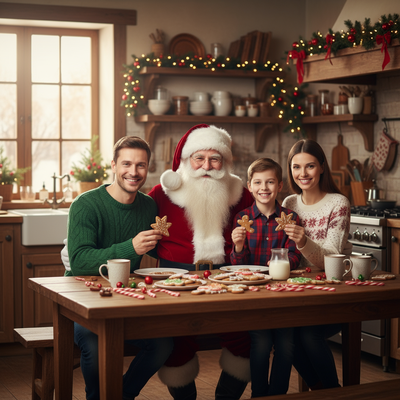
What does "Santa for Photoshop" usually mean?
Most searches for this term point to downloadable Santa assets.
These include transparent PNG overlays of Santa hats, beards, sleighs, or full Santa figures.
Some designers also sell Photoshop brushes or actions that add snow, lights, or a Santa silhouette with one click.
You still need to import the file, place it on your photo, and blend it with masks and color adjustments.
How do you add a Santa overlay in Photoshop?
- Open your photo as the base layer in Photoshop.
- Import the Santa PNG overlay or brush file as a new layer.
- Resize and position the Santa element to match your subject and lighting.
- Use layer masks to blend edges and hide any harsh borders.
- Adjust color balance and shadows so the overlay matches the scene.
- Flatten the image and export as JPG or PNG.
Why do Photoshop overlays often look off?
Lighting mismatch is the most common problem.
A Santa overlay shot under studio light rarely matches outdoor or indoor phone photos.
Edges can look pasted on if masking is rushed.
Skin tones and shadows need manual correction, which takes practice most casual users do not have.
Is there a faster way to get a Santa photo?
Yes. AI photo apps generate the entire Santa scene around your face instead of pasting a flat overlay.
PiXmas is built for this exact use case: AI Santa photos and full Santa experiences from a single selfie.
You upload one phone photo, pick a Santa style from over 800 options, and PiXmas generates a new portrait with matching lighting, texture, and depth.
There is no layer stacking or manual blending step.
Photoshop overlays vs PiXmas: which fits your workflow?
| Factor | Photoshop Santa Overlay | PiXmas AI Santa |
|---|---|---|
| Skill needed | Layers, masking, color grading | Upload a photo and pick a style |
| Time per image | 15 to 60 minutes | A few minutes |
| Lighting match | Manual, often imperfect | Generated to match your photo |
| Style variety | Limited to owned assets | 800+ Santa and Christmas styles |
| Platform | Desktop software required | iOS app or web, usable on Android browsers |
Limitations
Photoshop gives you full manual control if you already know the software and want a specific custom composition.
PiXmas results depend on the input photo; a clear, well-lit face photo gives the best AI output.
A native Android app is not out yet, but the web version works in Android browsers today.
Verdict
For most people wanting a real Santa photo without editing skills, PiXmas turns one phone photo into a finished AI Santa portrait far faster than manual Photoshop overlays.
Frequently asked questions
Can I add Santa to a photo without Photoshop?
Yes. AI apps like PiXmas skip manual editing entirely. Upload one phone photo, choose a Santa style, and the app generates a full Santa scene with matching lighting and detail, no layers or brushes needed.
Where can I find free Santa overlays for Photoshop?
Free Santa PNG overlays and brushes are available on various design and stock sites, though quality and lighting match vary a lot. You will still need masking skills to blend them naturally into your photo.
Can I get a Santa wallpaper instead of just a portrait?
Yes. PiXmas includes wallpaper-formatted Santa styles alongside portrait scenes, so the same uploaded photo can produce both a shareable portrait and a phone wallpaper.
Is Photoshop or an AI app better for holiday cards?
For a quick, polished Santa photo for cards, PiXmas is faster since it avoids manual blending. Photoshop suits users who want pixel-level control over a fully custom composition and already know the software.
How much do mall Santa photos cost?
Mall Santa photo prices vary by venue, package, and whether digital files are included. Some locations offer a complimentary print, while others charge for prints, downloads, or both. For a current benchmark, a 2025 Santa’s Wonderland listing priced a multi-print package with a high-resolution digital image at $35 (Tsawwassen Mills – Santa’s Wonderland at Bass Pro Shops, 2025).
What should children wear for Santa pictures?
Children should wear comfortable clothing that fits the desired holiday style without restricting movement. Solid colors, simple patterns, sweaters, pajamas, or dress clothes can all work. Avoid itchy fabrics, tight accessories, and large logos. Consider Santa’s red suit and the backdrop colors so the outfit remains visible rather than blending into the scene.