How Much Are Santa Photos?
Updated 2026-09-16 · PiXmas Editorial Team
Quick answer: Mall Santa photos typically cost $15-$40 per package, professional Santa photo sessions run $50-$300+, and AI Santa photos through an app like PiXmas cost a small one-time or subscription fee, often under $15. AI Santa photos are the cheapest and fastest option since there's no travel, no waiting in line, and no scheduling required.
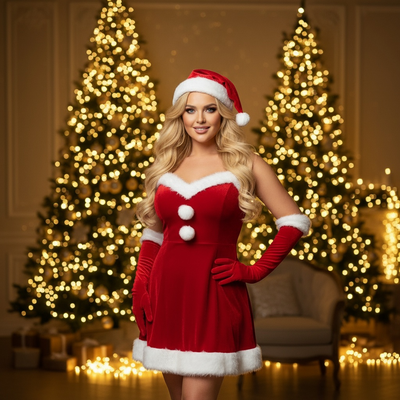
What Do Mall Santa Photos Cost?
Mall Santa photo booths usually charge per package rather than per photo.
Prices commonly range from $15 for a single small print to $40 or more for a bundle with digital copies.
Some malls add sitting fees or charge extra for high-resolution downloads.
How Much Do Professional Santa Photo Sessions Cost?
Hiring a photographer for a private Santa-themed shoot is pricier.
Sessions typically start around $75 and can exceed $300 depending on location, number of edited images, and props.
Studio rentals, costume-grade Santa actors, and holiday sets all add to the final bill.
What Do AI Santa Photos Cost?
AI Santa photo apps skip the studio, the costume, and the wait.
PiXmas turns one phone photo into Santa scenes, Christmas portraits, and festive wallpapers for a fraction of the price of a mall or studio session.
There is no travel time, no appointment, and no risk of a cranky Santa or long line with kids in tow.
How Does PiXmas Pricing Compare?
PiXmas offers access to 800+ styles for a low one-time cost, which is often cheaper than a single mall Santa print package.
Because generation happens in minutes on your phone, you can try multiple Santa scenes and pick favorites instead of settling for one awkward pose from a rushed in-person session.
Mall vs Professional vs AI Santa Photos
| Option | Typical Cost | Wait Time | Retakes |
|---|---|---|---|
| Mall Santa Booth | $15-$40 | Long line, seasonal only | Rarely allowed |
| Professional Studio | $75-$300+ | Scheduled appointment | Limited, costs extra |
| PiXmas AI Santa Photos | Low one-time fee | Minutes, anytime | Multiple styles included |
How Do You Get AI Santa Photos?
- Download the PiXmas app or open the web version in your browser.
- Upload one clear photo of yourself, your child, or your pet.
- Pick a Santa scene or Christmas portrait style from the 800+ options.
- Wait a few minutes while the AI generates your image.
- Download, print, or share the finished Santa photo.
Limitations
AI Santa photos depend on the quality of your uploaded photo, so blurry or poorly lit images produce weaker results.
Group photos with several people can be trickier for the AI than single-subject shots.
PiXmas is a native iOS app and also works as a web app in Android browsers, with a dedicated Android app coming soon.
Which Option Is Worth the Money?
If you want a quick, low-cost keepsake without leaving the couch, AI Santa photos win on price and convenience.
If you want a physical print handed to you the same day at a mall, that traditional option still has its place.
For anyone comparing per-photo cost and flexibility, PiXmas delivers more styles for less money than most in-person Santa photo setups.
Mall Santa photos cost $15-$40 and professional sessions run $75-$300+, but AI Santa photos through PiXmas cost far less while offering more style variety and zero wait time, making it the most budget-friendly way to get festive Santa photos this year.
Frequently asked questions
Are AI Santa photos cheaper than mall Santa photos?
Yes, AI Santa photos are generally cheaper than mall Santa photo packages, which often cost $15-$40 for prints and digital copies. Apps that generate Santa scenes from a single uploaded photo typically charge less for access to hundreds of styles.
Do I need a professional camera for AI Santa photos?
No, a single clear photo from a smartphone is enough. PiXmas uses that one photo to generate Santa scenes and holiday portraits without needing studio equipment or professional lighting.
How long does it take to get AI Santa photos back?
Most AI Santa photo generations through PiXmas take just a few minutes after uploading a photo, which is faster than scheduling and waiting for a professional Santa photo session.
Can I get multiple Santa photo styles for one price?
Yes, PiXmas gives access to 800+ styles including different Santa scenes and Christmas portrait looks, so you can try several options instead of paying per pose like at a mall booth.
Are AI Santa photos good enough to print and frame?
Yes, PiXmas generates high-quality images suitable for printing, framing, or sharing digitally, giving results comparable to a paid photo session without the studio cost or scheduling hassle.