How to Make a Santa Cam Picture
Updated 2026-09-16 · PiXmas Editorial Team
Quick answer: A Santa cam picture is a photo made to look like a home security camera caught Santa in the act, often used to surprise kids on Christmas morning. The fastest way to create one is with an AI photo app like PiXmas, which turns a regular phone photo into a realistic Santa scene without editing skills or expensive props.
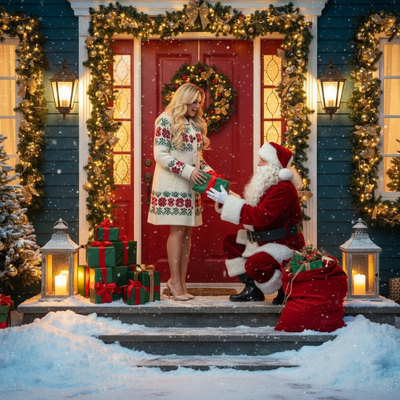
What Is a Santa Cam Picture?
A Santa cam picture is a staged or AI-generated photo designed to look like security footage of Santa Claus inside a home.
Parents use it as proof for kids that Santa really visited, often placed near the tree, chimney, or front door in the image.
The trend grew from viral doorbell camera clips and has become a popular Christmas morning surprise.
How Do People Traditionally Make a Santa Cam Picture?
Traditionally, families either buy a printed Santa cam photo online, edit a stock Santa image into their own room photo, or hire someone to composite the image for them.
These methods can look fake, require design software, or take days to arrive by mail.
How Can You Create One with AI?
- Take one photo of the room, doorway, or space where you want Santa to appear.
- Upload the photo into an AI Christmas photo app such as PiXmas.
- Choose a Santa scene style that matches a night vision or camera-caught look.
- Let the app generate the image using your uploaded photo as the base.
- Download the finished Santa cam picture and save it for Christmas morning.
The entire process usually takes a few minutes and needs no editing experience.
How Does This Compare to Other Options?
| Method | Realism | Time Needed | Cost |
|---|---|---|---|
| Printed stock Santa cam photo | Low, generic scene | Days for shipping | Paid per print |
| Manual photo editing | Depends on skill level | 1-3 hours | Free to paid software |
| Generic AI image generator | Inconsistent likeness | 15-30 minutes | Often paid credits |
| PiXmas AI Christmas app | High, uses your own photo | A few minutes | One-time or app pricing |
Why Use PiXmas for a Santa Cam Picture?
You only need one phone photo to generate a realistic Santa scene, wallpaper, or portrait.
Limitations
AI-generated Santa cam pictures depend on the quality and lighting of the original photo.
Very dark or cluttered rooms may produce less convincing results.
The image is a creative recreation, not real footage, so it will not include exact camera timestamps or security overlays unless the app supports that style.
Verdict
How Much Do Santa Picture Alternatives Cost?
If you are comparing a homemade Santa cam picture with an in-person Santa photo, consider whether you need a print, a digital file, or both. Bass Pro Shops and Cabela’s Santa’s Wonderland offered a free 4×6 photo per guest in 2025, while optional packages cost extra (Tsawwassen Mills – Santa’s Wonderland at Bass Pro Shops, 2025). Its Jingle Bells package cost $35 and included multiple prints plus a high-resolution digital image (Tsawwassen Mills – Santa’s Wonderland at Bass Pro Shops, 2025). A standalone digital download cost $30 and included a free 4×6 print (Tsawwassen Mills – Santa’s Wonderland at Bass Pro Shops, 2025). These are examples from a specific event, not universal prices. Check current export quality, usage terms, and download options before choosing a method.
Frequently asked questions
How do I make a Santa cam picture?
Start with a clear photo of the room where Santa should appear, then add Santa with photo-editing software or an AI image tool. Match the room’s lighting, perspective, and shadows so the result feels consistent. A slightly imperfect security-camera look can be more convincing than a polished studio image.
Do I need a real security camera?
No, a regular phone photo can serve as the background for a Santa cam picture. You can crop the image to resemble a fixed camera view and add details such as muted color, mild grain, or a wide angle. Avoid claiming that the finished image is authentic security footage.
What kind of photo works best for a Santa cam picture?
A well-lit, uncluttered room photo usually gives you the most control. Keep the tree, fireplace, doorway, or gifts visible, and leave open space where Santa can be placed naturally. Photos with extreme darkness, motion blur, reflective surfaces, or crowded furniture may produce less consistent results.
How can I make a Santa cam picture look realistic?
Match Santa’s size, direction, lighting, and shadow to the original room. He should appear grounded on the floor rather than floating or overlapping furniture incorrectly. Check hands, facial details, gift placement, and reflections, since these areas commonly reveal that an image was edited or generated.
Can I add a timestamp or night-vision effect?
Yes, if your editing or image-generation tool supports those effects. Use overlays sparingly and make sure they fit the scene’s lighting and camera angle. A timestamp or night-vision filter can suggest security footage, but inaccurate formatting or overly strong effects may make the picture look less believable.
Is it safe to share a Santa cam picture online?
It can be, provided you review the image for private details before posting. Look for visible addresses, family names, school information, framed documents, reflections, and location clues. Also check the tool’s privacy and retention policies so you understand how uploaded room photos and generated files are handled.
How much does a Santa picture cost?
Pricing depends on whether you choose an event photo, digital download, editing service, or AI tool. As one reference, a standalone Santa photo download was listed at $30, while a package with multiple prints and a digital image was $35 (Tsawwassen Mills – Santa’s Wonderland at Bass Pro Shops, 2025).