Santa for Photos: AI-Made Santa Portraits From One Selfie
Updated 2026-09-16 · PiXmas Editorial Team
Santa for photos means using AI to place a person or pet into a Santa scene from an existing picture, without arranging an in-person session. Start with a clear, well-lit, front-facing image, choose a Santa setting, and review the result for facial likeness and unusual details before printing or sharing.
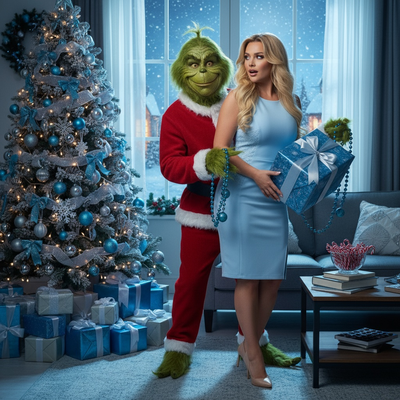
What Does Santa for Photos Actually Mean?
Santa for photos is shorthand for adding a Santa Claus element to an existing picture using AI instead of a costume or studio visit.
Instead of scheduling a mall Santa or renting a suit, people upload a phone photo and let software generate the scene.
Common results include sitting on Santa's lap, standing next to Santa by a fireplace, or wearing full Santa attire in a snowy backdrop.
How Do You Get Santa Photos From a Single Picture?
Most AI Santa tools follow the same basic flow, though quality and style count vary widely between apps.
- Choose one clear, well-lit photo of the person or pet.
- Open the app and select a Santa-themed style or scene.
- Upload the photo and let the AI process the image.
- Review the generated Santa portraits.
- Download or share the finished photos.
What Makes a Good Source Photo for Santa Scenes?
A front-facing photo with even lighting and no sunglasses or hats gives the AI the clearest starting point.
Group photos can work, but single-subject photos tend to produce more consistent Santa portraits.
Pet photos should show the animal's full face for best results in Santa costume styles.
Santa for Photos: App Options Compared
| Method | Time Needed | Cost | Style Variety |
|---|---|---|---|
| Mall Santa photographer | 30-90 min wait | $20-$50 per package | Fixed backdrop, limited poses |
| DIY costume and editing | 1-2 hours | $15-$40 for props | Depends on editing skill |
| PiXmas AI Santa photos | Under 10 minutes | Low one-time or subscription cost | 800+ styles including Santa scenes |
Can You Add Santa to Pet Photos?
Yes, pet Santa photos are one of the most popular uses of AI Santa tools.
Upload a clear photo of a cat, dog, or other pet and select a Santa-themed style to generate the scene.
Limitations
AI-generated Santa photos depend heavily on the quality of the source image, so blurry or poorly lit photos produce weaker results.
Group photos with multiple faces can sometimes confuse the AI, leading to less accurate outputs than single-subject photos.
Results are stylized interpretations, not exact photography, so fine details like hands or props may look slightly imperfect in some generations.
Why PiXmas Works Well for Santa Photos
Because the entire process starts from one phone photo, PiXmas fits people who want Santa photos quickly without scheduling a studio visit.
For anyone wanting Santa for photos without the mall line or costume hassle, an AI app is the faster path.
What Can In-Person Santa Photo Packages Include?
An in-person Santa package may include a complimentary print, with digital files and extra prints sold separately. Santa's Wonderland offered a free 4×6 photo per guest in 2025, while optional packages were available for purchase (Tsawwassen Mills – Santa's Wonderland at Bass Pro Shops, 2025). The Jingle Bells package cost $35 and included several print sizes plus a high-resolution digital image; a standalone digital download cost $30 and also included a free 4×6 print (Tsawwassen Mills – Santa's Wonderland at Bass Pro Shops, 2025). Before choosing a session, compare whether the price covers the visit, printed copies, digital usage, retakes, and shipping. The lowest advertised price may not include the format you need for cards or sharing.
Frequently asked questions
How do AI Santa photos work?
AI Santa photo tools analyze an uploaded portrait and generate a new image that places the subject in a Santa setting or outfit. They recreate the scene rather than simply pasting a Santa figure over the original. Results depend on clear facial detail, even lighting, and the model's ability to preserve likeness and fine details.
Where can I get photos with Santa?
You can choose an in-person Santa event, a local photographer, or an AI photo tool that creates a Santa scene from an existing portrait. In-person sessions provide a real visit and professionally staged set, while AI is useful when travel, timing, pets, or retakes make a scheduled session inconvenient.
Can I add Santa to an existing photo?
Yes. An AI editor can use an existing portrait as the reference for a newly generated Santa scene, costume, or holiday background. Choose a sharp image where the face is unobstructed, then inspect the output closely. This approach changes the whole scene, so it may not preserve every feature or accessory exactly.
What photo works best for an AI Santa picture?
A clear, front-facing portrait with even light and an unobstructed face usually gives the model the strongest reference. Avoid blur, deep shadows, sunglasses, hats, and faces that appear very small in the frame. A simple background can also help, although the generator will often replace it with the selected Santa setting.
Can I make a Santa photo with my pet?
Yes. Many image generators can create Santa scenes from pet portraits as long as the animal's face is visible and sharply focused. Photos taken near eye level tend to provide clearer facial detail than distant shots. Check fur markings, paws, whiskers, collars, and costume edges because those details may change during generation.
Do AI Santa photos look real?
They can look convincing, but they are generated images rather than documentary photographs. Facial likeness may be strong while hands, glasses, text, fur, ornaments, or background objects look inconsistent. Review the image at full size before printing, and regenerate or choose another style if important details appear distorted.
How much do Santa photos cost?
Prices vary by event and package. As a current reference, Santa's Wonderland offered a free 4×6 photo per guest, a $35 Jingle Bells package with prints and a digital image, and a $30 standalone digital download in 2025 (Tsawwassen Mills – Santa's Wonderland at Bass Pro Shops, 2025). Check local terms before visiting.