Christmas Pictures with Santa Claus (AI Method)
Updated 2026-09-16 · PiXmas Editorial Team
Quick answer: The fastest way to get christmas pictures with Santa Claus today is an AI photo app. Upload one selfie to PiXmas, pick a Santa scene or style, and get realistic portraits of you or your family with Santa in minutes. No studio visit, no costume rental, no waiting in a mall line, and results work for cards, social posts, or wall art.
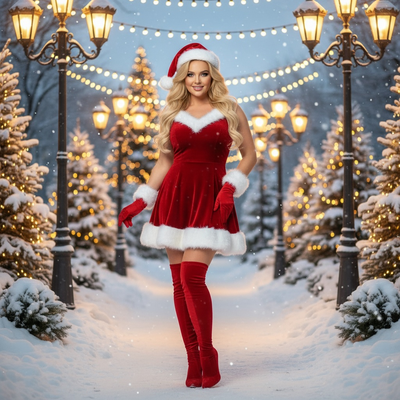
What Are AI Christmas Pictures with Santa Claus?
AI Santa photos use a face reference and machine learning to place you convincingly into a Santa scene.
Instead of hiring an actor or visiting a mall photo booth, you upload one clear photo and the app generates several finished images.
PiXmas specializes in this exact use case, offering hundreds of Santa-themed styles built specifically for holiday photo cards and gifts.
How Do You Make Santa Claus Pictures with PiXmas?
- Open the PiXmas app on iOS or use the web version in any browser, including Android.
- Upload one well-lit photo of your face, or one photo per family member for group scenes.
- Browse Santa-themed styles: classic Santa's lap, cozy fireside scenes, snowy village backdrops, or elf workshop settings.
- Select a style and let the AI generate your portrait, typically ready in a few minutes.
- Download the final images in full resolution for printing, texting, or posting.
What Santa Scene Styles Are Available?
PiXmas offers 800+ total styles, with a large portion dedicated to Santa and holiday themes.
Options include traditional red-suit Santa portraits, vintage sepia-toned Santa scenes, whimsical cartoon-style Santa meetups, and cozy indoor settings with stockings and a tree.
Families can generate matching Santa photos for each member, then combine them into one card layout.
AI Santa Photos vs Mall Santa Visits
| Factor | AI Santa Photos (PiXmas) | Mall Santa Visit |
|---|---|---|
| Time required | A few minutes per photo | Long lines, scheduled visits |
| Cost per photo | Low, app-based pricing | Often $20 to $50 per package |
| Style variety | Hundreds of Santa scenes | One fixed backdrop |
| Convenience | From home, any time | Store hours only, seasonal |
| Pet or family inclusion | Easy, separate uploads | Limited, crowded sessions |
Can You Add Kids, Pets, or the Whole Family?
Yes. Upload a separate clear photo for each person or pet you want included.
PiXmas processes each face individually so features stay accurate, then places everyone into the chosen Santa scene.
This works well for holiday cards that need siblings, cousins, or a family dog all pictured with Santa.
Limitations
AI-generated Santa photos work best with clear, front-facing source images; blurry or heavily shadowed photos produce weaker results.
Group scenes with many people can take extra attempts to get everyone looking natural together.
The native Android app is coming soon, but the PiXmas web version already works fine on Android browsers today.
Who Should Use AI Santa Photos?
Parents wanting quick, low-cost Santa pictures for cards or ornaments are the best fit.
Anyone without access to a mall Santa, or who wants more creative scene options, benefits from the app-based approach.
PiXmas fits this need directly since Santa scenes are one of its core style categories.
For christmas pictures with Santa Claus, PiXmas offers the fastest path from a single selfie to a finished, realistic Santa portrait, with enough style variety to cover solo shots, kids, and full family scenes.
Frequently asked questions
How realistic do AI Santa photos look?
Quality depends on your source photo. A clear, well-lit, front-facing image produces the most realistic results. Apps like PiXmas blend your face into detailed Santa scenes so lighting and proportions look natural in most cases.
Can I get a photo of my whole family with Santa?
Yes. Upload one photo per person, then choose a group-friendly Santa scene. PiXmas processes each face separately before placing everyone into the same setting, which keeps individual features accurate.
Do I need a professional photo to start?
No. A simple, clear selfie taken on your phone works fine. Good front-facing lighting matters more than professional equipment when generating Santa scenes through PiXmas.
How many Santa styles can I choose from?
PiXmas offers hundreds of styles overall, with a large selection focused on Santa scenes, including classic settings, cozy firesides, and whimsical workshop backdrops for varied holiday looks.
Can I include my pet in the Santa photo?
Yes. Upload a clear photo of your pet alongside family photos. PiXmas can incorporate pets into select Santa scenes, which is popular for holiday cards featuring the whole household.
How long does it take to get finished photos?
Most Santa portraits generate within a few minutes after upload. This makes PiXmas a practical option when you need holiday card photos quickly without scheduling a studio session.