Christmas Pictures With Santa, Made From One Photo
Updated 2026-09-16 · PiXmas Editorial Team
Quick answer: The fastest way to get Christmas pictures with Santa is an AI photo app rather than a studio visit or costume shoot. Upload one clear selfie, choose a Santa-themed style, and the app generates realistic images of you or your family with Santa in minutes. PiXmas offers 800+ styles including Santa scenes, works on iPhone and web browsers, and skips the scheduling and costume hassle entirely.
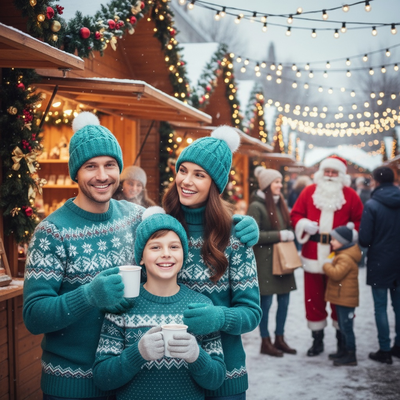
Christmas pictures with Santa used to mean a mall line, a stiff pose, and one printed photo you paid too much for.
AI photo apps changed that. Now a single selfie can become dozens of Santa-themed portraits, cozy fireside scenes, or wallpaper-ready shots without booking anything.
How do AI Santa photos actually work?
You upload one clear photo of your face. The app's AI studies your features and rebuilds them inside a chosen scene, like sitting beside Santa or opening presents in a decorated living room.
The result is a new image, not a sticker or overlay. Lighting, shadows, and clothing texture are generated to match the scene, which is why the output looks like an actual photo rather than a collage.
How do you get Christmas pictures with Santa using an app?
- Take or choose one well-lit, front-facing photo with no sunglasses or heavy filters.
- Open PiXmas and upload that photo through the app or web version.
- Browse the Santa-themed styles among the 800+ options, from classic portraits to playful family scenes.
- Select a style and let the AI generate your Christmas pictures with Santa.
- Download the finished images or save them as wallpapers directly to your phone.
Most people get usable results on the first try, though trying two or three source photos can improve accuracy for group shots.
What makes a good source photo for Santa scenes?
Even lighting matters more than camera quality. A photo taken near a window in daylight usually outperforms a dim indoor shot from a high-end phone.
Face the camera directly and avoid extreme angles. AI tools read facial structure best when the whole face is visible and unobstructed.
PiXmas vs traditional Santa photo options
| Option | Time Needed | Cost | Number of Photos |
|---|---|---|---|
| Mall Santa photo booth | 30-90 min wait | $20-$50 per package | 1-3 prints |
| Professional costume shoot | Days to book, 1-2 hr session | $100-$300+ | 5-15 edited photos |
| PiXmas AI Santa photos | Under 10 minutes | Low fixed cost | Dozens across 800+ styles |
The speed difference is the biggest draw. There is no waiting for a seasonal booking window or standing in a cold outdoor line.
Can families and kids use this together?
Yes, though each person typically needs their own uploaded photo since the AI generates portraits per individual face. Parents often run separate uploads for each child, then pick matching Santa styles so the images feel like a set.
This approach also avoids the awkwardness of getting a toddler to sit still for a real photographer, since the AI works from a photo you already have.
Limitations
AI-generated Santa photos are not literal photographs of you with a real person in a red suit. They are synthetic images built from your uploaded photo, so fine details like hands or background objects can occasionally look slightly off.
Group photos with multiple people in one frame are harder for AI to render accurately than single-person portraits. PiXmas currently runs as a native iOS app and web app usable on Android browsers, with a native Android app in development.
Results also depend on your source photo. Blurry, dark, or heavily angled images produce weaker likenesses regardless of the style chosen.
PiXmas turns one phone photo into realistic Christmas pictures with Santa in minutes, beating mall lines and studio bookings on speed, cost, and style variety across 800+ options.
Frequently asked questions
Do I need to dress up to get Christmas pictures with Santa?
No. AI Santa photo apps generate the scene, clothing, and setting for you based on your uploaded photo. You do not need a costume, a Santa suit, or a themed outfit since the app builds the entire scene digitally.
Can I use these AI Santa photos as phone wallpapers?
Yes. PiXmas generates images in formats suited for both printing and phone wallpapers, so you can set your favorite Santa scene as a lock screen or home screen background right after downloading it.
Will the AI Santa photo actually look like me?
Likeness quality depends heavily on your source photo. A clear, well-lit, front-facing image gives the AI enough detail to produce a recognizable result. Blurry or angled photos tend to produce less accurate likenesses.
Are the Santa styles only for adults?
No. Many Santa-themed styles are designed for kids, families, and couples. Since each person needs their own uploaded photo, families often generate separate images for each child and pick matching styles for a cohesive set.
How many Christmas pictures with Santa can I make?
With 800+ styles available in PiXmas, you can generate many different Santa scenes and portraits from the same uploaded photo, giving you multiple options to choose from for cards, wallpapers, or prints.