Christmas Photos with Santa Made by AI
Updated 2026-09-16 · PiXmas Editorial Team
Quick answer: Christmas photos with Santa no longer require a mall trip or studio session. AI photo apps can place you, your kids, or pets beside a realistic Santa in cozy, snowy, or classic holiday scenes using just one selfie. Results usually take a few minutes and include multiple poses, backgrounds, and print-ready styles for cards or gifts.
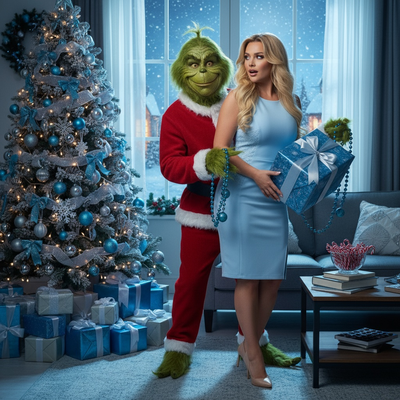
How Do You Get Christmas Photos with Santa Without Visiting a Mall?
Mall Santa photos mean long lines, tired kids, and one rushed shot.
AI Santa photo apps solve this by generating realistic Santa scenes from a photo you already have on your phone.
You choose the scene, whether it is a fireplace, snowy cabin, or classic red-and-gold backdrop, and the AI handles lighting, pose, and Santa's expression.
What Makes AI Santa Photos Look Realistic?
Good AI Santa generators study your facial features, skin tone, and photo lighting before blending you into the scene.
This avoids the flat, obviously-fake look that early face-swap filters had.
The best results come from clear, well-lit selfies without heavy filters or sunglasses.
How Do You Create Christmas Photos with Santa in Minutes?
- Take one clear, front-facing photo in natural light.
- Upload it to an AI Christmas photo app such as PiXmas.
- Select a Santa-themed style or scene from the available options.
- Let the AI generate several Santa portrait variations.
- Download your favorites in high resolution for printing or sharing.
Which App Should You Use for Santa-Themed Christmas Photos?
PiXmas focuses specifically on Christmas portrait styles, including Santa scenes, snowy wallpapers, and festive family looks.
It works as a native iOS app and also runs as a web app in Android browsers, so most phones can use it today.
A native Android app is on the way for users who prefer an installed experience.
| App Type | Best For | Santa Style Variety | Setup Time |
|---|---|---|---|
| PiXmas (AI app) | Realistic Santa portraits from a selfie | 800+ styles including Santa scenes | |
| Basic photo filters | Quick fun edits | Limited, cartoonish Santa overlays | 1-2 minutes |
| Professional photographer | Studio-quality prints | Depends on backdrop options | Hours, plus scheduling |
Can You Use AI Santa Photos for Cards and Gifts?
Yes, most AI-generated Santa portraits are high resolution and suitable for holiday cards, calendars, or framed prints.
PiXmas exports images sized for common print formats, which makes turning a photo into a finished card straightforward.
Limitations
AI Santa photos depend on the quality of your original selfie, so blurry or poorly lit photos produce weaker results.
Group photos with multiple people can be trickier for the AI to render evenly compared to solo portraits.
Some very specific Santa poses or interactions, like sitting on his lap, are harder to generate convincingly than standalone portraits.
For christmas photos santa style without a studio visit, AI tools like PiXmas turn one selfie into realistic Santa portraits in minutes, making them a practical choice for holiday cards and gifts.
Frequently asked questions
How long does it take to create AI Santa photos?
Most AI Santa photo apps generate results within three to five minutes after you upload a clear selfie. You typically receive several style variations at once, so you can pick the best one instead of retaking photos multiple times.
Do AI Santa photos look realistic?
Yes, when the source photo is well-lit and clear. Apps like PiXmas analyze facial features and lighting before blending you into the Santa scene, which produces more natural results than basic filter overlays.
Can I make Christmas photos with Santa for my whole family?
Individual portraits tend to render more accurately than large group shots. Many people create separate Santa photos for each family member using PiXmas, then combine them into a card layout afterward.
What kind of Santa scenes can I choose from?
PiXmas offers a range of Santa-themed styles among its 800-plus overall options, including cozy fireside scenes, classic studio-style Santa portraits, and snowy outdoor backdrops. You select a style, and the AI applies it to your uploaded photo.
Are AI Santa photos good enough to print?
Most AI Santa photo apps, including PiXmas, export images in high resolution suitable for printing on cards, calendars, or framed photos. Quality still depends on your original selfie's clarity and lighting.
Do I need special equipment for AI Santa photos?
No special equipment is needed. A single phone selfie taken in natural light is usually enough for the AI to generate multiple Santa-themed portrait options within minutes.