Christmas Photos with Santa Made Easy with AI
Updated 2026-09-16 · PiXmas Editorial Team
Quick answer: Christmas photos with Santa no longer require a mall visit or studio booking. AI Upload one clear selfie, pick a Santa style from 800+ options, and receive shareable portraits in minutes on the PiXmas web app or iOS app.
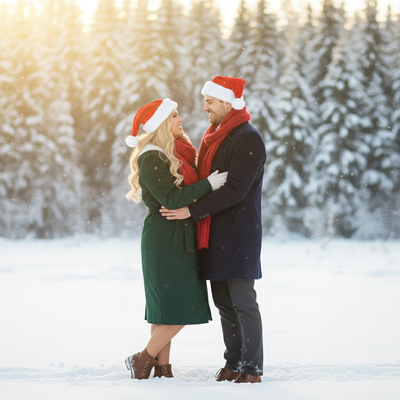
Why Get Christmas Photos with Santa Digitally?
Traditional Santa photos mean scheduling, waiting in line, and hoping your kid does not cry mid-shot.
AI-generated Santa photos skip all of that.
You get a photo with Santa without leaving home, and you can try dozens of scenes instead of just one backdrop.
How Do AI Santa Photos Work?
AI Santa photo tools use your uploaded picture to train a model on your face, then blend that likeness into pre-built Santa scenes.
The result looks like a real photo of you standing next to Santa, sitting on his lap, or receiving a gift from him.
How Do You Make Christmas Photos with Santa Using PiXmas?
- Open PiXmas on the web or download the iOS app.
- Upload one clear, front-facing photo.
- Choose a Santa style from the 800+ options, such as classic Santa's lap, sleigh ride, or workshop scene.
- Let the AI generate your portraits, usually within minutes.
- Download and share your favorite Santa photos.
What Makes a Good Source Photo?
Use a well-lit photo where your face is clearly visible and not obscured by sunglasses or hats.
A neutral expression works best since the AI adjusts your pose and expression to match the chosen Santa scene.
Avoid heavily filtered or blurry photos, since those reduce accuracy.
PiXmas vs Traditional Santa Photo Options
| Factor | Mall Santa Photo | PiXmas AI Santa Photos |
|---|---|---|
| Wait time | Long lines, seasonal rush | Minutes, anytime |
| Style variety | One backdrop | 800+ Santa scenes and styles |
| Cost per photo | Often high for prints | Multiple styles for one price |
| Comfort for kids | Can be stressful | No stranger interaction needed |
| Availability | Seasonal store hours | Available year-round |
Can You Get Santa Photos with Pets or Family?
Yes, many AI Santa styles support group and pet-inclusive scenes, though results vary depending on the source photo quality.
For best results, use a photo where all subjects are clearly visible and well-lit.
Limitations
AI Santa photos are stylized recreations, not literal photographs, so small details like hand positioning or background objects may look slightly artificial.
Group photos with multiple people can be less consistent than single-subject portraits.
A native Android app is coming, but the PiXmas web app already works well on Android browsers.
PiXmas makes christmas photos with Santa simple, fast, and varied, offering a practical alternative to mall visits or studio bookings for families who want festive portraits without the wait.
Frequently asked questions
Can I get realistic christmas photos with Santa using AI?
Yes, modern AI tools generate realistic-looking Santa photos by blending your uploaded photo with pre-built Santa scenes. The results include natural lighting, poses, and expressions, though they are stylized recreations rather than literal photographs.
What photo works best for Santa portraits?
A clear, well-lit, front-facing photo without sunglasses or hats produces the best results. Neutral expressions work well since the AI adjusts your pose to fit the chosen Santa scene automatically.
Can kids and pets appear in the same Santa photo?
Yes, PiXmas supports group and pet-inclusive Santa styles, though results depend on how clearly each subject appears in the source photo. Well-lit, unobstructed photos of everyone produce the most consistent results.
How long does it take to get Santa photos back?
Most AI Santa photos generate within minutes after uploading your photo and selecting a style. PiXmas processes requests quickly so you can download and share your portraits the same day.
Do I need professional equipment for good results?
No special equipment is needed. A regular smartphone photo with good lighting is enough for PiXmas to generate high-quality Santa portraits, making it accessible without any studio setup.