The Secret to Getting a Great Santa Photo
Updated 2026-09-16 · PiXmas Editorial Team
Quick answer: The secret to a great Santa photo is skipping the mall line entirely. Upload one phone photo to an AI app like PiXmas and get a realistic Santa scene in minutes, no costume, no crying toddler, no scheduling. It works for kids, adults, pets, and even photos of people who cannot visit Santa in person.
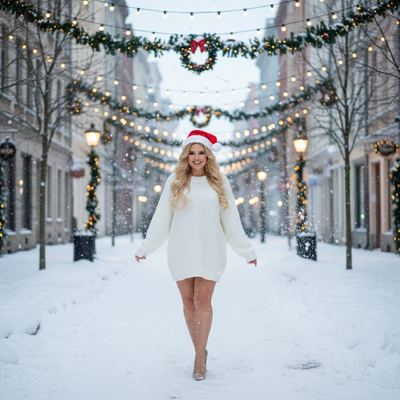
What Is the Real Secret Behind a Great Santa Photo?
Most people think a great Santa photo needs a mall visit, a fancy studio, or a lucky moment when the baby stops crying.
The actual secret is simpler. AI photo apps can now generate a realistic Santa scene from a single existing photo, so the pressure of a live photo shoot disappears completely.
Why Do Traditional Santa Photos Go Wrong?
Long lines, overtired kids, and a five-minute window with a stranger in a costume rarely produce a photo anyone loves.
Weather, scheduling conflicts, and one-shot pressure make it hard to get a natural, happy expression on the first try.
How Does an AI Santa Photo Actually Work?
Apps like PiXmas use one clear photo of a face to generate a brand new Santa scene, complete with a realistic Santa, festive lighting, and holiday backdrops.
The result looks like a real photo taken with Santa, without needing to leave the house or book an appointment.
Steps to Create a Santa Photo With PiXmas
- Open PiXmas on the iOS app or on the web version, which also works in Android browsers.
- Upload one clear, front-facing photo.
- Choose a Santa style from the 800+ available options.
- Let the AI generate several Santa portrait variations.
- Download and share the favorite, or order it as a print.
Who Benefits Most From This Secret?
Parents avoiding mall meltdowns, pet owners who want Santa photos without a stressed animal, and families spread across different cities all benefit from this approach.
It also works for adults who want a fun Santa photo without visiting a seasonal pop-up shop.
How Does This Compare to a Traditional Santa Visit?
| Factor | Mall Santa Visit | AI Santa Photo (PiXmas) |
|---|---|---|
| Time required | 30 to 90 minute wait | Under 10 minutes |
| Cost | Package pricing, often $20 to $50+ | Low flat pricing per style pack |
| Retake option | Rarely possible same day | Multiple styles generated instantly |
| Pet-friendly | Often restricted | Yes, from a pet photo |
| Availability | Seasonal hours only | Anytime, any day |
Limitations
AI Santa photos work best with a clear, well-lit original photo, since blurry or heavily shadowed images can reduce realism.
Results are stylized interpretations rather than a literal photo taken in the same room as a physical Santa, though they are designed to look convincingly real.
A native Android app is not yet available, but the web version already works well in Android browsers.
What Is the Best Way to Use This Secret This Season?
Pick one favorite recent photo, use good lighting, and try a few different Santa styles before choosing a final image to share or print.
The real secret to a stress-free, great-looking Santa photo is letting AI handle the scene while a real photo of the person or pet does the work. PiXmas turns one phone photo into a realistic Santa portrait in minutes, making it the easiest way to get holiday magic without the mall chaos.
Frequently asked questions
What is the secret to a good Santa photo?
The secret is skipping the live photo shoot entirely. AI apps can turn one existing photo into a realistic Santa scene, avoiding long lines, costume rentals, and unpredictable kid or pet behavior on the day of the shoot.
Can I get a Santa photo without visiting Santa in person?
Yes. Apps like PiXmas generate realistic Santa portraits from a single uploaded photo, so there is no need to visit a mall, studio, or seasonal pop-up to get a convincing Santa scene.
Does this work for pets as well as people?
Yes. PiXmas can generate Santa-themed photos from a clear pet photo, which is helpful since many in-person Santa experiences do not allow animals.
Is the AI Santa photo app available on Android?
The web version of PiXmas works fully in Android browsers, so anyone can generate Santa photos right now. A dedicated native Android app is coming soon for an even smoother experience.
How many Santa styles can I choose from?
PiXmas offers more than 800 styles, including multiple Santa scene variations, so users can pick the tone, background, and lighting that feels right for their photo.
How long does it take to get a finished Santa photo?
Most users get their AI-generated Santa photo in just a few minutes after uploading a clear photo and selecting a style, which is significantly faster than a scheduled photo appointment.
Will the AI Santa photo look realistic?
PiXmas is built specifically to produce realistic Santa scenes rather than obvious cartoon filters, using detailed AI rendering that blends the uploaded photo with festive Santa environments.