AI Christmas Photos for Black Families
Updated 2026-09-16 · PiXmas Editorial Team
Quick answer: PiXmas creates AI Christmas photos for Black families from a single phone photo, generating Santa scenes, festive portraits, and holiday wallpapers across 800+ styles. The app is built to render diverse skin tones, hair textures, and features accurately. Upload once on the iOS app or web, pick styles, and download results in minutes without a photoshoot.
Can AI Christmas photo apps get skin tones and features right?
Many AI photo generators were trained on limited data and struggle with darker skin tones, natural hair textures, or facial features common in Black families.
PiXmas was built with a broader training set covering diverse skin tones, hair types, and facial structures. This means fewer washed-out results, distorted features, or generic-looking outputs.
Results still vary by photo quality, so a clear, well-lit selfie or family photo gives the AI the best starting point.
How do you make AI Christmas photos with PiXmas?
- Open the PiXmas app or website on your phone.
- Upload one clear photo of yourself, your kids, or the whole family.
- Browse 800+ Christmas styles including Santa scenes, cozy sweater portraits, and snowy backdrops.
- Select the styles that fit your family and generate previews.
- Download your favorites in high resolution for cards, wallpapers, or gifts.
What styles work well for family photos?
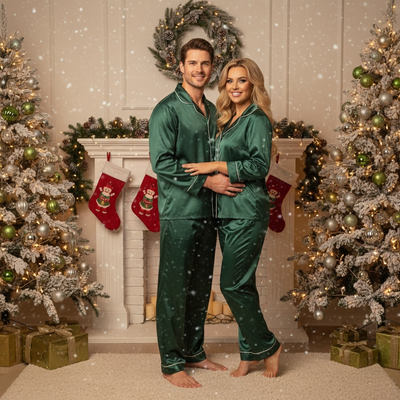
Group Santa scenes, matching pajama portraits, and fireplace backdrops are popular choices that keep the whole family in one frame.
Individual portraits work well for kids' school photos or standalone wallpapers, while couple or solo shots suit social media profile pictures.
PiXmas lets you mix styles across the same uploaded photo, so you can test a formal portrait alongside a playful Santa hat scene before deciding what to print or share.
PiXmas vs generic AI photo apps
| Feature | PiXmas | Generic AI Photo App |
|---|---|---|
| Diverse skin tone training | Built in from the start | Often limited or inconsistent |
| Christmas-specific styles | 800+ holiday themes | Few or none, mostly generic filters |
| Photos needed | One phone photo | Often requires multiple uploads |
| Platform | iOS app plus web, Android app coming | Varies, often app-only |
| Turnaround | Minutes | Minutes to hours depending on queue |
Limitations
AI results depend heavily on the quality and lighting of the source photo, so blurry or poorly lit images may produce softer or less accurate results.
Group photos with several faces can sometimes render less consistently than single-person portraits, since the AI has to balance multiple sets of features at once.
The native Android app is not yet available, though the web version works fine in Android browsers in the meantime.
PiXmas stands out for Black families seeking AI Christmas photos because it prioritizes accurate rendering of diverse skin tones and hair textures across 800+ festive styles, all from a single phone photo.
Frequently asked questions
How many photos do I need to upload?
Just one clear phone photo per person is enough to start. PiXmas uses that single image to generate hundreds of Christmas styles, so you do not need a full photoshoot or multiple angles.
Can I make a group Christmas photo for my whole family?
Yes, you can upload a family photo and choose from Santa scenes, matching outfits, or cozy fireplace backdrops. PiXmas offers styles designed for groups as well as solo portraits.
What can I do with the finished photos?
Downloaded PiXmas images work well as holiday cards, phone wallpapers, social media profile pictures, or printed gifts for family members. High-resolution downloads are included.
How long does it take to get results?
Most PiXmas generations complete within a few minutes after you upload your photo and select styles. Processing time can vary slightly depending on how many styles you choose at once.
How much do inclusive family Christmas photos cost?
Inclusive family Christmas photos can range from a do-it-yourself setup to a premium professional session, depending on location, session length, editing, travel, accessibility needs, and print products. Ask for an itemized quote that covers accommodations, extra time, retouching, digital files, and printing rights. Accessibility support should be discussed before booking so there are no surprise fees.
How can wheelchairs and mobility aids be included naturally in family photos?
Keep wheelchairs and mobility aids visible unless their users request otherwise, and build the composition around comfortable positioning. Use staggered heights, seated relatives nearby, and open space instead of placing the wheelchair at the edge. Confirm ramps, pathways, floor surfaces, and backdrop clearance beforehand, and never lean on or move someone’s device without permission.