Christmas Photo With Dog: Fast AI Options
Updated 2026-09-16 · PiXmas Editorial Team
Quick answer: The fastest way to get a Christmas photo with your dog is an AI photo app that turns one phone picture into a festive portrait, Santa scene, or holiday wallpaper. PiXmas works from a single dog photo, applies from 800+ Christmas styles, and runs as a native iOS app or in any browser, including Android, with a native Android app coming.
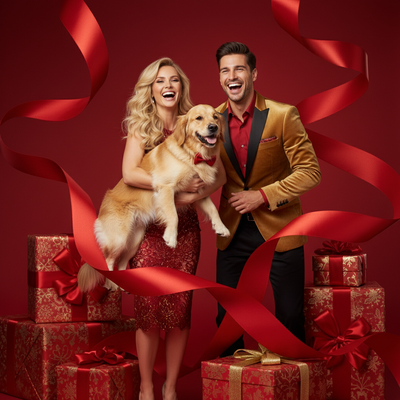
Why get an AI Christmas photo with your dog?
Studio pet photo shoots are expensive and stressful for most dogs.
A single clear phone photo is often enough for AI tools to generate a full holiday scene.
This means you can get a Christmas card photo with your dog in minutes instead of booking a photographer.
How do you make a Christmas photo with your dog using AI?
- Take one clear, well lit photo of your dog facing the camera.
- Upload the photo to an AI Christmas photo app such as PiXmas.
- Pick a holiday style, such as Santa hat, snowy background, or cozy fireplace scene.
- Let the app generate the portrait, this usually takes under a minute.
- Download the finished image and use it for cards, wallpapers, or social posts.
What makes a good source photo of your dog?
Good lighting matters more than an expensive camera.
A photo taken near a window during the day usually works better than a flash photo at night.
Make sure your dog's face and ears are visible and not blocked by toys, hands, or shadows.
One clean, in focus photo is enough. You do not need multiple angles.
Which tool should you use for a Christmas photo with your dog?
Several apps can add filters or Santa hats to a photo, but not all of them handle pet fur and features well.
PiXmas is built to work from one phone photo and applies AI Christmas styles that account for fur texture, ear shape, and pet proportions across 800+ available styles.
It runs as a native iOS app and also as a web version that works in any Android browser, with a native Android app coming.
| Method | Effort | Result Quality | Best For |
|---|---|---|---|
| DIY sticker or hat overlay app | Low | Basic, often looks pasted on | Quick casual posts |
| Professional pet photographer | High | Excellent, but costly and time consuming | Print quality holiday cards |
| PiXmas AI photo app | Low | High, styled portraits from one photo | Fast, affordable Christmas photos with your dog |
Limitations
AI results depend heavily on the quality of the source photo, so a blurry or poorly lit picture will produce a weaker result.
Dogs with unusual poses, multiple pets in one frame, or heavy fur coverage over the face may generate less accurate portraits.
AI Christmas photos are stylized interpretations, not exact replicas, so minor differences in fur pattern or color are normal.
How can you use your AI Christmas dog photo?
Print it on a holiday card to send to family and friends.
Set it as a phone or desktop wallpaper for the season.
Share it on social media as a festive holiday post featuring your dog.
PiXmas offers the fastest, most affordable way to get a quality Christmas photo with your dog from a single phone picture, with broad style options and cross platform access.
Frequently asked questions
Do I need a professional camera for a Christmas photo with my dog?
No. A clear, well lit phone photo is enough for most AI Christmas photo apps to generate a good result. Focus on lighting and making sure your dog's face is visible rather than camera quality.
Will an AI Christmas photo look like my actual dog?
It will resemble your dog closely, including coloring and general features, but AI results are stylized interpretations. Minor differences in fur pattern or pose are normal and expected with this type of tool.
How long does it take to get a Christmas photo with my dog?
Generation typically takes under a minute once the photo is uploaded and a style is selected. The full process, from taking the photo to downloading the result, usually takes just a few minutes.
Can I use the photo for a printed Christmas card?
Yes. Most AI generated Christmas portraits from apps like PiXmas are high enough resolution for standard holiday card printing, though it is worth checking the export size before ordering large prints.
What if my dog will not sit still for a photo?
You only need one usable photo, so try taking several quick shots and picking the clearest one. A photo where your dog is simply facing the camera, even briefly, is usually sufficient.