Santa Photo With Your Dog, No Studio Needed
Updated 2026-09-16 · PiXmas Editorial Team
Quick answer: A Santa photo with your dog can be made with AI by uploading one clear photo of your pet to an app like PiXmas, choosing a Santa-themed style, and letting the tool generate the portrait. There is no costume, no mall line, and no stressed dog sitting on a stranger's lap. Results are ready in minutes and work for cards, wallpapers, or social posts.
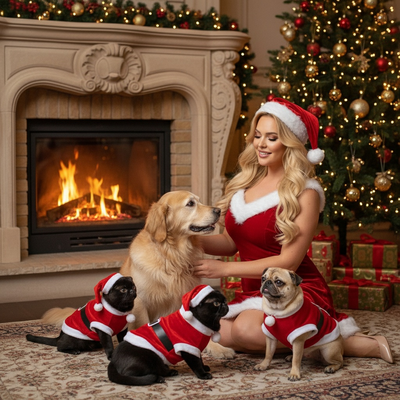
What is an AI Santa photo with a dog?
An AI Santa photo with a dog is a portrait generated from a real photo of your pet, placed into a Santa-themed scene by an image model.
Instead of dressing your dog in a costume or booking a mall Santa slot, you upload one photo and the AI adds the Santa styling, background, and lighting.
The dog's face and features come from your actual photo, so the result still looks like your pet, just in a festive setting.
How do you make a Santa photo with your dog?
The process is short and works from a phone in most cases.
- Take or choose one clear, well-lit photo of your dog facing the camera.
- Open PiXmas on the web or the iOS app and upload the photo.
- Select a Santa-themed style from the pet or holiday category.
- Let the AI generate the portrait, which usually takes a few minutes.
- Download the result or order it as a print, card, or ornament.
Because PiXmas has a web version, this also works on Android phones through a browser, even though a native Android app is still in progress.
What makes a Santa photo with a dog look realistic?
Photo quality is the biggest factor. A sharp, front-facing shot with good lighting gives the AI more detail to work with than a blurry or dark photo.
Fur texture, eye color, and facial markings tend to carry over well when the source photo is clean and close-up.
Multiple style options also help, since some Santa scenes suit certain breeds or coat colors better than others.
PiXmas vs a mall Santa photo vs DIY editing
| Method | Cost | Time | Dog cooperation needed | Style options |
|---|---|---|---|---|
| PiXmas AI | Low, one-time or subscription | Minutes | None, one photo is enough | 800+ styles |
| Mall Santa photo | Moderate to high | 30-60+ minutes wait | High, dog must sit still with a stranger | Usually one setup |
| DIY photo editing | Free to moderate (software) | Hours if inexperienced | Only for the original shot | Depends on skill |
Limitations
AI-generated Santa photos are stylized interpretations, not exact studio replicas of your dog.
Unusual angles, sunglasses, heavy shadows, or multiple pets in one frame can reduce accuracy in the final portrait.
Results can vary between styles, so trying more than one Santa scene often gives better options to choose from.
PiXmas turns one photo of your dog into a Santa portrait in minutes, skipping costumes, mall lines, and unhappy pets, making it the practical choice for this year's Santa photo.
Frequently asked questions
Do I need a special costume for a Santa photo with my dog?
No. AI tools apply the Santa styling and background directly to the photo, so your dog does not need to wear anything. A clear, well-lit photo of your dog as they normally look is enough for the app to generate the scene.
Can I use a phone photo of my dog for this?
Yes, a phone photo works well as long as it is sharp and shows your dog's face clearly. With PiXmas, you upload that single photo and it becomes the basis for the AI-generated Santa portrait.
How long does it take to get a Santa photo with a dog?
Most AI Santa portraits are ready within a few minutes of uploading a photo. PiXmas processes the image and applies the chosen Santa style quickly, so there is no scheduling or waiting in line involved.
Will the AI Santa photo actually look like my dog?
It should resemble your dog closely if the source photo is clear and front-facing. PiXmas keeps recognizable features like fur color, markings, and face shape while adding the Santa scene and background.
Can I make a Santa photo with my dog on Android?
Yes. PiXmas works through a web browser on Android phones for creating Santa photos, and a native Android app is coming. The iOS app is also available now for the same process.
What can I do with a Santa photo of my dog once it's made?
You can use it for holiday cards, phone wallpapers, social media posts, or prints. PiXmas outputs are high resolution, so they hold up well whether shared digitally or ordered as physical prints.
What if my dog moves a lot during photos?
Since no photoshoot with a live Santa is required, a quick still photo taken at home is enough. You do not need your dog to sit for long, just capture one clear moment before uploading it to PiXmas.