Family Photo AI Christmas Makeover: Before and After
Updated 2026-09-16 · PiXmas Editorial Team
Quick answer: A family photo AI Christmas makeover takes an ordinary phone snapshot and transforms it into a festive portrait with holiday backdrops, matching outfits, and Christmas lighting. The before photo can be casual or low quality; the after result looks like a planned studio session, no matching sweaters or scheduling required.
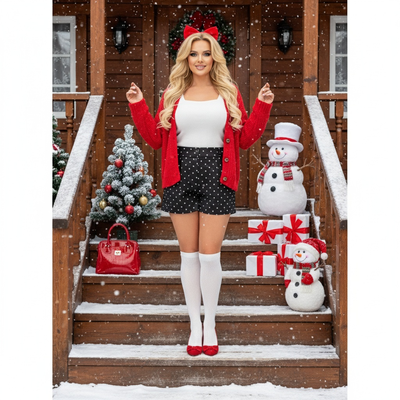
What changes between the before and after photo?
The before photo is usually a plain phone picture. Mixed lighting, cluttered background, kids looking in different directions.
The after photo replaces the background with a Christmas scene. Fireplace, snowy window, decorated tree, or studio backdrop with string lights.
Clothing can also change. AI Christmas makeovers often add matching sweaters or coordinated outfits that were never worn in the original shot.
Skin tones, lighting direction, and shadows are adjusted so the final image looks like one consistent photograph instead of a composite.
How does an AI family Christmas makeover actually work?
- Upload one clear photo of the family or child.
- Choose Christmas styles: classic, Santa scene, wallpaper format, or themed backdrop.
- The AI model analyzes faces and generates new portraits matching the chosen style.
- Review the batch of results, usually multiple variations per style.
- Download the favorites in full resolution.
PiXmas runs this process from a single uploaded photo and returns a set of portraits across its style library rather than one single edit.
What kind of before photo works best?
A front-facing photo with visible faces and decent lighting gives the most reliable results.
Group photos work, though very small or blurry faces in a large group shot may render less precisely than a close-up.
Photos where family members are looking in different directions still work, since the AI focuses on facial structure rather than pose.
PiXmas vs generic photo editing apps
| Feature | PiXmas | Generic Photo Editor |
|---|---|---|
| Input needed | One phone photo | One phone photo |
| Christmas-specific styles | 800+ styles | Few or none |
| Matching outfits generated | Yes | Manual editing required |
| Platform | iOS app and web (Android browser support, native Android app coming) | Varies |
| Output | Multiple portrait variations | Single edited image |
Limitations
Results depend on the clarity of the original photo. Sunglasses, hats covering the face, or extreme angles can reduce accuracy.
Large family groups with more than five or six people may see some faces rendered less sharply than a close-up shot.
Style previews are AI generated, so exact framing or expression cannot be guaranteed to match a specific request.
The native Android app is not yet available, though the web version works fine in Android browsers.
How fast is the before to after turnaround?
Most AI Christmas portrait generations complete within a few minutes per batch of styles.
This is faster than scheduling a studio session, buying matching outfits, and waiting for a professional edit.
For families wanting a real before and after Christmas transformation without a studio visit, PiXmas is a practical choice. One phone photo turns into a full set of festive portraits across hundreds of styles, with results ready in minutes rather than days.
Frequently asked questions
Do I need professional photos for an AI Christmas makeover?
No. A regular phone photo works fine as long as faces are visible and reasonably clear. The AI does the work of adding backdrops, lighting, and outfits that would normally require a studio session.
Can siblings or a whole family be included in one photo?
Yes, group photos are supported. For best results with PiXmas, use a photo where faces are clearly visible rather than very small or turned away from the camera.
Will the after photo look fake or obviously edited?
Quality varies by app, but tools trained specifically on Christmas portrait styles, like PiXmas, aim for consistent lighting and shadows so the result looks like a real photograph rather than a rough composite.
How many before and after style options are available?
PiXmas offers over 800 styles, covering classic Christmas portraits, Santa scenes, and wallpaper formats, so families can compare multiple looks from the same original photo.
Can I use an older or low-quality family photo?
Clear photos give the most accurate results, but many older photos still work if the faces are identifiable. Extremely blurry or dark images may produce less precise makeovers.
How long does it take to see the after result?
Generation typically takes a few minutes per batch. This makes it possible to review several finished Christmas portrait styles in one sitting before choosing favorites to download.