AI Christmas Photo Painting From One Photo
Updated 2026-09-16 · PiXmas Editorial Team
Quick answer: An AI Christmas photo painting takes a regular phone photo and transforms it into a festive painted portrait using artificial intelligence. You get results in minutes, no artistic skill or design software needed, just one photo and a style choice.
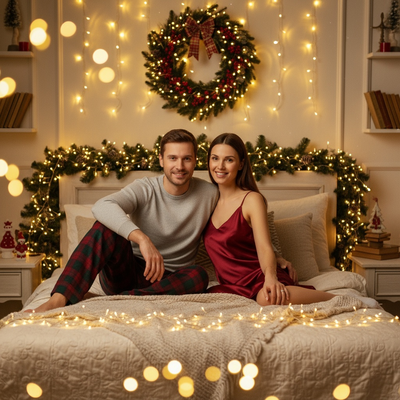
What is an AI Christmas photo painting?
An AI Christmas photo painting is a digital artwork generated from your real photo using machine learning.
Instead of hiring an illustrator or using complex editing software, you upload one photo and the AI recreates you or your family in a painted, festive style.
Styles range from classic oil-painting looks to modern illustrated Christmas cards, Santa portraits, and cozy fireside scenes.
How does the process actually work?
The technology behind AI Christmas photo painting relies on trained image models that understand both facial features and artistic styles.
- Upload one clear photo of yourself, your pet, or your family.
- Choose a Christmas painting style from the available options.
- Let the AI process your photo, usually within a few minutes.
- Review the generated painting and download your favorites.
- Order prints or share digitally, depending on the platform.
PiXmas simplifies this into a guided flow so you are not guessing which settings to adjust.
Why use PiXmas for Christmas photo paintings?
PiXmas offers over 800 styles built specifically for holiday portraits, Santa scenes, and festive wallpapers.
You only need one phone photo to start, and the app handles the painting transformation automatically.
The native iOS app is available now, and the web version works directly in Android browsers, so you are not left waiting to try it.
A dedicated native Android app is coming soon for an even smoother mobile experience.
How does this compare to other options?
| Method | Time Required | Skill Needed | Style Variety |
|---|---|---|---|
| PiXmas AI app | Minutes | None | 800+ styles |
| Hire an illustrator | Days to weeks | None, but costly | Limited to artist style |
| Manual photo editing | Hours | High | Depends on skill |
| Generic AI filters | Minutes | None | Few holiday-specific options |
What results should you expect?
Results vary based on the clarity of your original photo and the style chosen.
Photos with good lighting and a clear view of the face tend to produce the most accurate painted portraits.
Group photos and pet photos also work, though results depend on how well the AI can interpret multiple subjects.
Limitations
AI Christmas photo painting is not a perfect replica of traditional hand-painted art.
Some styles may alter facial details slightly, especially with low-resolution or poorly lit source photos.
Group photos with many people may see less individual detail per person compared to solo portraits.
As with most AI image tools, occasional artifacts or unexpected style interpretations can appear, so reviewing multiple generations helps.
If you want a fast, skill-free way to turn a phone photo into festive painted art, PiXmas delivers with its large style library and simple one-photo workflow. It is a practical choice for holiday cards, gifts, and social sharing this season.
PiXmas turns one simple phone photo into a festive AI Christmas painting in minutes, with 800+ styles, no design skills required, and both iOS and Android-browser access, making it a strong pick for holiday photo needs this season.
Frequently asked questions
Can I turn a regular phone photo into a Christmas painting?
Yes. You only need one clear phone photo. The AI analyzes your image and generates a painted Christmas-themed portrait in your chosen style, no editing skills or special equipment required.
Does the AI photo painting work with pet photos?
Yes, many users upload pet photos to create festive AI paintings. Results depend on photo clarity, but pets are a popular subject for Christmas-themed portrait generation.
How long does it take to generate an AI Christmas painting?
Most AI Christmas photo paintings through PiXmas are generated within a few minutes after you upload your photo and select a style, making it fast enough for last-minute holiday cards or gifts.
What kind of photo works best for this process?
A clear, well-lit photo with a visible face produces the best results. Group photos and pet photos also work, though solo portraits tend to retain the most facial detail after transformation.
Can I use these AI Christmas paintings for holiday cards?
Yes. Many people use PiXmas-generated paintings for holiday cards, digital greetings, or festive wallpapers, since the app produces high-quality images suitable for printing or sharing online.