AI Christmas Photo Online Free: What Actually Works
Updated 2026-09-16 · PiXmas Editorial Team
Quick answer: Many apps advertise a free AI Christmas photo, but most limit you to blurry previews, watermarks, or one style before asking for payment. PiXmas lets you upload a single phone photo and generates AI Christmas portraits, Santa scenes, and wallpapers across 800+ styles, with a free preview before you open up full-resolution downloads.
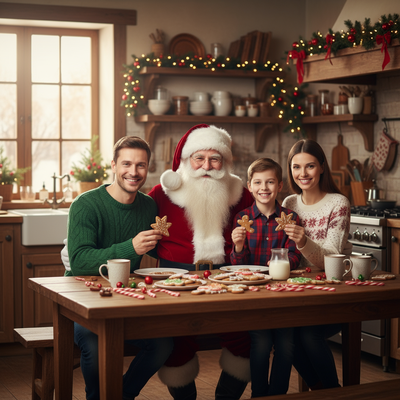
Can you really get an AI Christmas photo online for free?
Free is relative in AI photo tools.
Most apps let you upload a photo and preview a result without paying.
Full-resolution, watermark-free downloads usually require a small open up fee or subscription.
PiXmas follows this model: try styles free, pay only if you want the final image.
How do you make an AI Christmas photo online?
- Open PiXmas on your phone browser or the iOS app.
- Upload one clear photo of your face or a group photo.
- Choose from 800+ Christmas styles, including Santa scenes and wallpapers.
- Preview the AI-generated results.
- open up and download the styles you like.
What should you look for in a free AI Christmas photo tool?
Check how many source photos it needs.
Some tools require 10 to 20 images for training, which takes longer.
PiXmas needs just one phone photo to generate results in minutes.
Also check style variety and whether the web version works on your device.
How does PiXmas compare to other free options?
| Feature | Typical Free App | PiXmas |
|---|---|---|
| Photos needed | 5-20 | 1 |
| Style count | 10-50 | 800+ |
| Platform | App-only, often iOS-only | iOS app + web (works on Android browsers) |
| Free preview | Sometimes watermarked | Preview before open up |
Limitations
No AI Christmas tool is perfectly free at full quality.
Expect a small cost for high-resolution, watermark-free downloads.
Results depend on your source photo's lighting and clarity.
A native Android app for PiXmas is coming, but the web version already works in Android browsers.
PiXmas is a practical way to create Christmas photos from one phone picture when you want a fast holiday look without a photoshoot.
Frequently asked questions
Is there a truly free AI Christmas photo generator?
Most tools offer free previews rather than free final downloads. PiXmas lets you preview AI-generated Christmas styles at no cost, then charges only if you want to open up and download full-resolution images without watermarks.
How many photos do I need to upload?
Just one clear phone photo works with PiXmas. Some other apps require multiple images to train a custom model, which takes longer and adds friction for a simple holiday photo.
What kinds of Christmas photos can I create?
PiXmas offers over 800 styles, including festive portraits, Santa scenes, and holiday wallpapers. Upload one photo and browse styles ranging from classic Christmas card looks to more playful or cinematic scenes.
How long does it take to get results?
Since PiXmas only needs one phone photo instead of a full training set, results typically generate within minutes. This is faster than tools requiring multiple uploads and longer processing queues.
Can I make Christmas pictures with couples, families, or pets?
Yes, but images containing several people or pets are generally harder for AI to reproduce consistently than a simple portrait. Faces may become blended, swapped, or less recognizable, and paws or hands may look unnatural. Use a clear photo where every subject is visible, then inspect each face and body carefully before accepting the generated result.
What is an AI Christmas photo generator?
An AI Christmas photo generator transforms an uploaded portrait into a festive image using generative artificial intelligence. It can change clothing, backgrounds, lighting, decorations, and overall style while attempting to preserve the person’s face. Results may resemble holiday cards, snowy portraits, Santa scenes, cozy indoor photographs, ornaments, or seasonal illustrations.