AI Christmas Photo of Dog
Updated 2026-09-16 · PiXmas Editorial Team
Quick answer: An AI Christmas photo of a dog is created by uploading a clear pet photo to an AI generator like PiXmas, choosing a holiday style such as Santa hat, snowy background, or festive sweater, and letting the AI render a new portrait. Results are ready in minutes and work well for cards, gifts, or social posts.
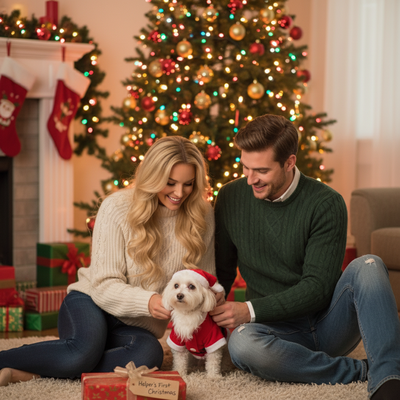
What Is an AI Christmas Photo of a Dog?
An AI Christmas photo of a dog is a digitally generated portrait that places your pet into a festive scene.
Instead of a costume shoot or studio session, you upload one photo and AI software handles the rest.
Styles range from cozy sweaters and Santa hats to full winter wonderland backdrops with snow and string lights.
How Do You Make an AI Christmas Photo of Your Dog?
The process is short and does not require design skills.
- Take or choose a clear photo of your dog, ideally facing forward with good lighting.
- Open PiXmas on your phone or browser and upload the image.
- Select a Christmas style from the pet-friendly options, such as Santa scene or holiday wallpaper.
- Let the AI generate your portrait, which usually takes a few minutes.
- Download the finished photo and use it for cards, gifts, or profile pictures.
What Makes a Good Source Photo for Pets?
Clear, well-lit photos produce the most accurate AI Christmas photo of a dog results.
Avoid blurry shots or images where the dog's face is turned away or partially hidden.
A single dog in the frame, without other pets or people, tends to generate cleaner results.
PiXmas vs Generic AI Photo Tools for Pets
| Feature | PiXmas | Generic AI Apps |
|---|---|---|
| Pet-specific Christmas styles | Yes, 800+ styles including pet themes | Often limited or generic |
| Platform | iOS app and web (Android browser ready, native Android app coming) | Varies, often app-locked |
| Turnaround | A few minutes | Varies widely |
| Output use | Cards, wallpapers, gifts | Usually single-purpose |
Limitations
AI-generated pet photos can occasionally misread fur texture or add extra features like an odd paw shape.
Photos with multiple pets or busy backgrounds may confuse the AI and reduce accuracy.
Results are stylized art, not a literal edit of your original photo, so expect creative variation.
Why Choose PiXmas for Pet Christmas Photos?
PiXmas was built for fast, festive portrait generation, including AI pet Christmas photos for dogs and cats.
With 800+ styles, you can create a Santa scene, holiday wallpaper, or cozy sweater portrait from a single upload.
The app works natively on iOS, through any browser on Android, and a dedicated Android app is on the way.
If you want an AI Christmas photo of your dog without a photoshoot, PiXmas turns one phone picture into a polished holiday portrait in minutes, making it a solid pick for pet owners this season.
PiXmas offers a fast, style-rich way to turn a single dog photo into a festive AI Christmas portrait, making it a strong choice for pet owners who want holiday photos without a studio visit.
Frequently asked questions
Can I make an AI Christmas photo of my dog for free?
Many AI generators, including some PiXmas features, offer trial or limited free options, but full style libraries and high-resolution downloads typically require a paid plan. Check current app pricing before committing.
Does the dog need to be posed a certain way?
A forward-facing, well-lit photo works best. The dog does not need a special pose, but a clear view of its face and body helps the AI generate an accurate Christmas portrait.
How long does it take to generate an AI Christmas photo of a dog?
Using PiXmas, most pet portraits are ready within a few minutes after uploading a photo and selecting a style. Exact time can vary based on server load and image complexity.
Can I use these photos for holiday cards?
Yes. AI Christmas photos of dogs generated through PiXmas are high enough resolution for printed cards, digital greetings, and social media posts, making them a convenient alternative to a professional shoot.
What if my dog's photo has another pet or person in it?
For best results, use a photo with just your dog in frame. Extra pets or people in the shot can confuse the AI and lead to less accurate Christmas portraits.
Can I generate multiple styles from one dog photo?
Yes. PiXmas lets you try different Christmas styles, such as Santa scenes, sweaters, or wallpapers, from the same uploaded photo, so you can pick the version you like best before downloading.