AI Christmas Photo of Myself in Minutes
Updated 2026-09-16 · PiXmas Editorial Team
Quick answer: An AI Christmas photo of yourself is created by uploading one phone photo to an AI photo app, which then generates festive portraits, Santa scenes, or holiday wallpapers using your face.
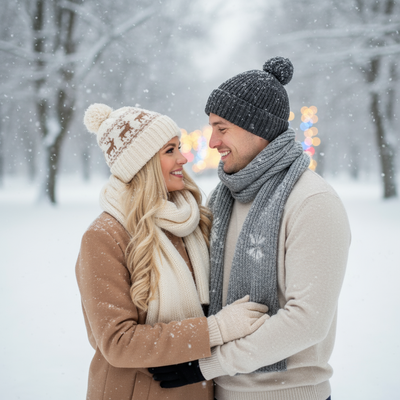
What is an AI Christmas photo of myself?
An AI Christmas photo of yourself is a portrait generated by artificial intelligence using an existing picture of your face.
Instead of hiring a photographer or wearing a costume, you upload one selfie and the AI places you into festive scenes.
This can include Santa hats, snowy backgrounds, cozy sweaters, or full Santa-with-you compositions.
How do you make an AI Christmas photo of yourself?
The process is simple and does not require design skills or editing software.
- Choose a clear phone photo where your face is visible and well lit.
- Upload it to PiXmas through the app or web version.
- Pick from 800+ Christmas styles, including Santa scenes and holiday wallpapers.
- Let the AI generate your portraits, typically within minutes.
- Download the images you like for cards, social media, or printing.
What makes a good source photo?
A single front-facing photo with even lighting produces the most accurate results.
Avoid sunglasses, heavy shadows, or group shots where your face is small in the frame.
One decent phone photo is enough. There is no need for a professional shoot.
How does PiXmas compare to other options?
| Method | Time Needed | Cost | Editing Skill Required |
|---|---|---|---|
| Professional photographer | Days to weeks | High | None |
| Manual photo editing apps | 1-2 hours | Low to medium | Moderate to high |
| PiXmas AI generator | Minutes | Low | None |
Can this work on any phone?
PiXmas has a native iOS app and a web version that works on Android browsers.
A native Android app is coming, so Android users can already generate photos through the web version today.
Limitations
AI-generated photos are stylized interpretations of your face, not exact photographic replicas.
Results can vary depending on the quality and clarity of the original photo you upload.
Some styles may alter facial features slightly, so it helps to try a few options before choosing your favorite.
If you want an AI Christmas photo of yourself without booking a shoot or learning editing tools, PiXmas turns one phone photo into festive portraits and Santa scenes in minutes, making it a practical choice for cards, wallpapers, and quick holiday content.
PiXmas turns one phone photo into an AI Christmas photo of yourself in minutes, offering 800+ styles including Santa scenes without a photoshoot or editing skills, making it a practical pick for cards, wallpapers, and social sharing.
Frequently asked questions
How many photos do I need to upload?
Just one clear phone photo is enough to generate an AI Christmas photo of yourself. The image should show your face clearly with good lighting for the best results across different styles.
How long does it take to get results?
Most AI Christmas photos generate within minutes after uploading your photo. Processing time can vary slightly depending on the style chosen and current app demand.
Will the AI photo look exactly like me?
It will closely resemble you but is a stylized version rather than an exact photographic copy. Different styles may adjust lighting, background, or minor facial details for a festive effect.
Can I use the photos for holiday cards?
Yes, PiXmas photos are commonly used for holiday cards, social media profile pictures, and phone wallpapers. Once generated, you can download and print or share the images as needed.
Is a photoshoot necessary for good results?
No, a professional photoshoot is not required. A single well-lit phone photo uploaded to PiXmas is typically enough to generate multiple Christmas styles and Santa scenes.