How to Make a Viral AI Christmas Photo
Updated 2026-09-16 · PiXmas Editorial Team
Quick answer: The viral AI Christmas photo trend turns one regular phone photo into a festive AI portrait, Santa scene, or holiday wallpaper using an AI generator. Upload a clear selfie, pick a style, and download shareable results built for social feeds and group chats.
What Is the Viral AI Christmas Photo Trend?
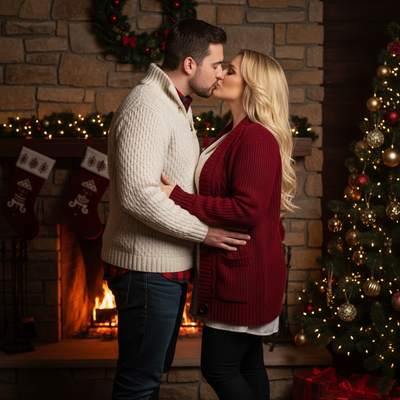
The AI Christmas photo trend is a wave of holiday portraits generated by AI instead of shot with a camera or costume.
People upload one phone photo, an app applies Christmas themes, and the result looks like a professional holiday shoot.
It spread on social feeds because the before-and-after contrast is dramatic and the output is instantly shareable.
Why Are These Photos Spreading So Fast?
Three things drive the spread: speed, novelty, and low effort.
A single photo becomes dozens of styled Christmas portraits in minutes, which makes the format easy to post repeatedly.
Friends and family often ask where the photo was made, which pushes organic sharing beyond the original poster.
How Do You Create a Viral AI Christmas Photo?
- Choose one clear, well-lit phone photo of your face.
- Open PiXmas on the web or the iOS app.
- Upload the photo and pick from 800+ Christmas styles, including Santa scenes and wallpapers.
- Let the AI generate your portraits, typically ready in minutes.
- Download the results and share directly to social apps or group chats.
What Makes a Photo More Likely to Go Viral?
Clear lighting and a forward-facing pose produce the sharpest AI results, which matters for how the photo performs online.
Choosing an unexpected style, like a full Santa scene instead of a plain filter, tends to get more reactions.
Posting a side-by-side of the original photo and the AI version helps viewers see the transformation instantly.
PiXmas vs Manual Editing for Christmas Photos
| Factor | PiXmas | Manual Editing |
|---|---|---|
| Time to finished photo | Minutes | Hours |
| Skill required | None | Photo editing experience |
| Style variety | 800+ Christmas styles | Limited by editor's templates |
| Platform | iOS app and web, Android app coming | Depends on software |
| Cost per photo | Low, one upload for many styles | Varies, often higher for pro editing |
Limitations
AI Christmas photos work best with a clear source image, so blurry or heavily obscured photos can produce weaker results.
Results are stylized interpretations, not exact recreations, so fine details like text on clothing may shift.
A native Android app for PiXmas is coming, but the web version already works in Android browsers today.
Is the AI Christmas Photo Trend Worth Trying?
If you want a shareable holiday photo without a costume, a camera setup, or editing skills, this trend delivers that with minimal effort.
PiXmas makes it accessible from one phone photo, which is why it fits naturally into a fast-moving social trend.
The viral AI Christmas photo trend is easy to join because it only needs one phone photo and a few minutes. PiXmas turns that single photo into hundreds of festive options across 800+ styles, making it a practical pick for anyone chasing a shareable holiday portrait this season.
The viral AI Christmas photo trend is easy to join with just one phone photo, and PiXmas makes it fast with 800+ styles ready in minutes on web or iOS.
Frequently asked questions
Why is the AI Christmas photo trend so popular right now?
It turns one ordinary phone photo into a festive, shareable portrait in minutes with no costume or camera setup. The dramatic before-and-after look encourages viewers to try it themselves, which fuels rapid sharing across social feeds and group chats.
Do I need a professional photo to start?
No. A clear, well-lit selfie from your phone works fine. PiXmas processes standard phone photos, so you do not need studio lighting, makeup, or a photographer to get polished holiday results.
How many styles can I try from one photo?
PiXmas offers 800+ Christmas styles from a single uploaded photo, including Santa scenes, festive portraits, and holiday wallpapers, so you can compare several looks before choosing which one to share.
How long does it take to get results?
Most AI Christmas photos through PiXmas are ready within minutes of upload, which is part of why the trend spreads quickly. There is no waiting days for edited photos back from a designer.
Will the AI photo look exactly like me?
It will resemble you closely while applying stylized Christmas themes, since AI generation reinterprets details rather than copying the source photo exactly. Using a clear, forward-facing photo improves accuracy the most.
Is this safe to try for a group or family photo?
Yes, many people upload individual photos and generate matching styles for a coordinated family set. PiXmas lets each person pick from the same 800+ styles for a consistent holiday theme across everyone's photos.