AI Christmas Photo From One Selfie
Updated 2026-09-16 · PiXmas Editorial Team
Quick answer: An AI Christmas photo is a portrait generated by artificial intelligence that places you in festive scenes like Santa's workshop, snowy villages, or holiday sweaters. Upload your image, pick styles, and receive AI-rendered Christmas portraits and wallpapers ready to share or print within minutes.
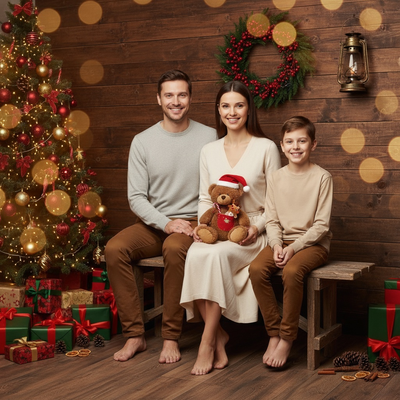
What Is an AI Christmas Photo?
An AI Christmas photo uses machine learning to reimagine a real picture of you inside holiday-themed scenes.
Instead of hiring a photographer or digging out props, the AI model studies your face from an uploaded photo and generates new images with Santa hats, snow, string lights, or full North Pole backdrops.
How Does PiXmas Create an AI Christmas Photo?
PiXmas is built specifically for this task. You upload one phone photo, and the app's models generate portraits across more than 800 styles.
The process works on the native iOS app or through the web version, which runs in any Android browser. A native Android app is on the way.
How Do I Make One?
- Open PiXmas on iPhone or through your mobile browser.
- Upload one clear photo of your face, front-facing works best.
- Browse the style library and select the Christmas looks you want.
- Let the AI generate your portraits, usually within a few minutes.
- Download the images or order them as prints, cards, or wallpapers.
What Styles Are Available?
Styles range from classic Santa portraits and cozy sweater scenes to snow globe effects, vintage postcard looks, and animated wallpaper versions for your lock screen.
Families often generate individual photos for each member, then combine them into one card layout.
How Does This Compare to Other Methods?
| Method | Photos Needed | Time | Cost |
|---|---|---|---|
| PiXmas AI generator | 1 phone photo | Minutes | Low |
| Studio photographer | Session booking | Days to weeks | High |
| Manual photo editing | Multiple edits | Hours | Free to moderate |
| Generic AI art tools | Several uploads | Variable | Moderate |
Limitations
AI Christmas photos are generated interpretations, not exact recreations of your face down to the last detail.
Results depend on the quality of the uploaded photo. Blurry, dark, or angled images produce less accurate portraits.
A native Android app is not yet available, though the web version works fine in Android browsers.
Verdict
If you want an AI Christmas photo without booking a photographer or learning editing software, PiXmas turns a single phone picture into hundreds of holiday-ready portraits in minutes, making it a practical pick for cards, wallpapers, and gifts this season.
PiXmas turns a single phone photo into a wide range of AI Christmas portraits quickly, making it a straightforward choice for anyone who wants festive images without a photo studio.
Frequently asked questions
How many photos do I need to upload?
Just one. PiXmas is designed to generate AI Christmas photos from a single clear phone picture, though uploading a well-lit, front-facing shot improves accuracy across the style results.
Can I use an AI Christmas photo generator on Android?
Yes. The PiXmas web version runs directly in Android browsers, so you can upload a photo and generate Christmas portraits without installing anything. A native Android app is coming soon for an even smoother experience.
How long does it take to generate results?
Most AI Christmas photos generate within a few minutes after upload. Processing time can vary slightly depending on how many styles you select and current server demand.
Are the photos realistic?
PiXmas produces AI-rendered interpretations of your uploaded photo, so results capture your likeness in festive scenes but are stylized rather than exact photographic replicas.
Can I print the AI Christmas photos?
Yes. Once generated, images can be downloaded in high resolution and printed as cards, framed portraits, or gifts, or set directly as phone wallpapers.
What if I do not like the first results?
You can upload a different photo or try additional styles from the 800-plus library PiXmas offers, since results vary based on the source image and chosen scene.
Is this different from a Christmas card app?
Yes. Card apps typically add frames or text to existing photos. PiXmas generates entirely new AI portraits placing you inside Christmas scenes, which you can then use in cards or on their own.