Best AI Christmas Photo App (Free Options Explained)
A free AI Christmas photo app can provide basic festive filters or limited AI portrait previews, but unrestricted downloads may require payment. Check what the free tier includes, whether saved images have watermarks, and whether the app works on your device before uploading a clear selfie.
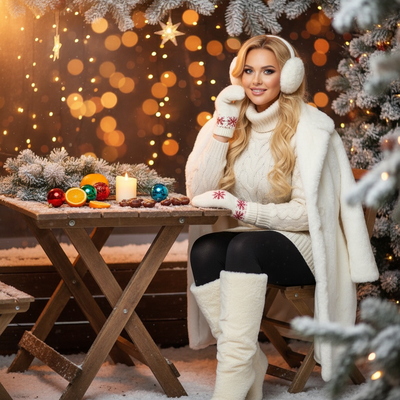
Is there a truly free AI Christmas photo app?
Many apps advertise free Christmas filters.
Most of these apply a simple overlay, like a Santa hat or snow effect, rather than generating a new AI portrait.
True AI Christmas photo generation, where the app builds a new scene around your face, usually requires more processing and is offered as a free trial with paid open up for full-resolution results.
What should a free Christmas photo app let you do?
Before choosing an app, check what the free tier actually includes.
- Upload one clear phone photo of your face.
- Preview at least a few AI-generated Christmas styles before paying anything.
- See results without a giant watermark blocking the image.
- Confirm you can access it on your current device, whether iPhone or Android browser.
- Check if full-resolution downloads require a paid open up.
How does PiXmas handle the free experience?
PiXmas lets you upload one phone photo and preview AI-generated Christmas portraits before committing to a full purchase.
The app includes over 800 styles, ranging from classic Santa scenes to modern holiday wallpapers.
PiXmas is a native iOS app and also works as a web app in Android browsers, so you are not locked out if you do not have an iPhone.
A dedicated Android app is in development for users who prefer a native experience.
Free filter apps vs PiXmas: what is the real difference?
| Feature | Free Filter Apps | PiXmas |
|---|---|---|
| Photo input | One photo, basic overlay | One photo, full AI regeneration |
| Style count | 5 to 20 typical | 800+ styles |
| Santa scenes | Rare or low quality | Multiple dedicated Santa styles |
| Wallpaper output | Not usually included | Yes, holiday wallpaper formats |
| Platform | Varies, often app-only | iOS app plus web for Android |
How do you get AI Christmas photos from one phone photo?
Upload a single, well-lit photo of your face.
Choose from the 800+ Christmas styles, including Santa scenes and wallpaper formats.
Preview your generated portraits and pick your favorites to download.
Limitations
Free tiers across any AI Christmas photo app rarely include unlimited full-resolution downloads.
Results depend on the clarity and lighting of your original phone photo.
A native Android app is not yet available, though the web version works in Android browsers.
AI-generated results are stylized interpretations and will vary slightly between styles.
For genuinely free basic filters, simple overlay apps are fine.
Why are AI Christmas photo apps popular?
AI Christmas photo apps became popular because they turn an everyday selfie into a festive image without arranging a studio session. By Christmas 2026, media coverage described selfie-based festive portraits spreading across Instagram, Facebook, and X (Analytics Insight, 2025). The appeal is straightforward: users can try a themed look, save a favorite, and share it like another seasonal post. That convenience does not make every result free or realistic, however. Before choosing an app, compare its preview, download, watermark, and deletion terms rather than assuming a viral example reflects the standard free experience.
Frequently asked questions
Are there completely free AI Christmas photo apps?
Some are free for basic filters, but full AI portrait generation may limit previews, resolution, exports, or watermark removal. Read the pricing screen before uploading and check whether “free” means a usable download or only an on-screen preview. Terms vary by app and can change, so confirm them when you use it.
What is the difference between a Christmas filter and an AI generator?
A filter places effects such as snow or a hat over the existing image, while a generator creates a new festive scene based on the uploaded face. Generated portraits can change clothing, lighting, and background more extensively, but they may also alter facial details. Choose based on whether you want a quick decoration or a transformed portrait.
Do free AI Christmas photo apps add watermarks?
Some do, while others restrict resolution or downloads instead. Check the export screen and terms before spending time generating images, because a clean preview does not always mean the saved file is watermark-free. If the app does not clearly explain its free output, test it with a nonessential photo first.
What kind of photo should I upload?
Use a clear, well-lit selfie with the face unobstructed and in focus. Neutral expressions and simple backgrounds can give the generator fewer ambiguities, although results still vary by model and style. Avoid group shots unless the tool explicitly supports them, and review the generated face carefully before sharing or printing it.
Can I use an AI Christmas photo app on Android or iPhone?
Availability depends on the tool. Some services use a native mobile app, while others run in a browser and may work across devices. Check current compatibility, sign-in requirements, and export options for your phone before uploading. Browser access can be useful, but it does not guarantee every feature matches the native app.
Is it safe to upload a selfie to an AI Christmas photo app?
Treat uploads as personal data and review the service’s privacy, retention, and deletion terms before submitting a face photo. Avoid uploading images of children or other people without appropriate permission. After generating, check whether you can delete the original and outputs, and remember that public social posts can be copied or reshared.
Can an AI Christmas photo app create a Santa scene?
Yes, many generators offer Santa-themed scenes, but availability and quality vary. Look for a preview that preserves recognizable facial features, handles hands and accessories reasonably, and fits your intended crop. A festive concept may still produce visual errors, so inspect clothing edges, text, eyes, and background objects before downloading.
Why does my AI Christmas photo not look like me?
AI generators reconstruct a portrait rather than preserving every original pixel, so facial shape, skin texture, glasses, or hair can shift. Try a sharper, evenly lit selfie and a less stylized template. If repeated results remain inaccurate, use a basic overlay filter instead, because it leaves more of the original photo unchanged.