AI Christmas Photo Challenge: Try It With One Photo
Updated 2026-09-16 · PiXmas Editorial Team
Quick answer: The AI Christmas photo challenge involves uploading a single photo to an AI generator and sharing the festive result, from Santa scenes to cozy sweater portraits. PiXmas makes this easy: upload one phone photo, pick from 800+ styles, and get shareable AI Christmas portraits and wallpapers in minutes using the iOS app or web version.
What is the AI Christmas photo challenge?
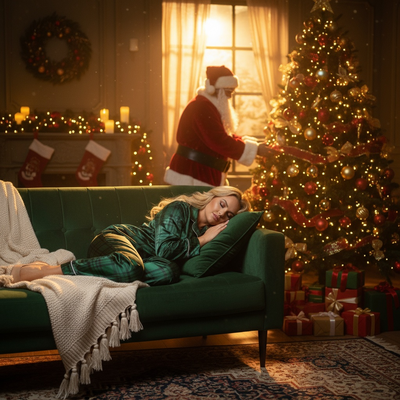
The AI Christmas photo challenge is a social trend where people upload one photo and let an AI generator transform it into a holiday scene.
Results range from Santa's workshop backdrops to matching family pajama portraits, then get shared on social feeds and group chats.
The appeal is speed. No costumes, no studio, no editing skills required.
How do you join the challenge?
- Pick one clear phone photo of your face or a group.
- Upload it to an AI Christmas generator like PiXmas.
- Choose a style from the available options, such as Santa scenes or classic portraits.
- Wait a few minutes while the AI processes your photo.
- Download the result and share it wherever the challenge is happening.
What makes a good challenge photo?
Clear lighting matters most. A photo taken near a window or outdoors works better than a dim indoor shot.
Face the camera directly with minimal obstruction. Sunglasses, hats, or heavy shadows can reduce output quality.
One person or a small group works best. Large crowds are harder for AI models to render cleanly.
How does PiXmas fit the challenge?
PiXmas is a Christmas pictures app built for exactly this kind of quick transformation.
Upload one phone photo and choose from over 800 styles, including Santa scenes, festive portraits, and holiday wallpapers.
It runs as a native iOS app or through the web version, which works on Android browsers too. A native Android app is coming soon.
Because the whole flow takes minutes, PiXmas is a natural fit for anyone trying the AI Christmas photo challenge without extra editing steps.
How does this compare to other approaches?
| Method | Time needed | Skill required | Output variety |
|---|---|---|---|
| PiXmas (one photo) | Minutes | None | 800+ styles |
| Manual photo editing | Hours | High | Limited by editor skill |
| Costume + real photoshoot | Days of planning | Medium | Depends on props and location |
| Generic AI filters | Minutes | None | Often fewer style options |
Limitations
AI-generated results depend on the quality of the source photo, and unusual angles or busy backgrounds can affect accuracy.
Group photos with several people may render less consistently than single-subject portraits.
Results are stylized interpretations, not exact photographic edits, so expect creative variation rather than a literal copy of the original scene.
Ready to try the AI Christmas photo challenge?
The AI Christmas photo challenge is an easy way to get festive without a full photoshoot. PiXmas fits the format well, turning one phone photo into a Christmas portrait or Santa scene in minutes through its iOS app or web version. With 800+ styles to pick from, it is a practical starting point for joining the trend and sharing results right away.
The AI Christmas photo challenge is a fast, low-effort way to get festive content from a single photo. PiXmas supports this well with 800+ styles, quick turnaround, and access through iOS or web, making it a solid pick for anyone jumping into the trend.
Frequently asked questions
What photo works best for the AI Christmas photo challenge?
A clear, well-lit photo showing your face directly works best. Avoid heavy shadows, sunglasses, or extreme angles, since AI generators rely on visible facial detail to produce accurate, festive results.
Can I do the challenge with a group photo?
Yes, though single-subject or small group photos tend to render more consistently. Larger groups can be harder for AI models to process cleanly, so results may vary more with more people in the frame.
How long does it take to get results?
Most PiXmas transformations take just a few minutes from upload to download. That quick turnaround is part of what makes it convenient for a fast-moving social trend like this photo challenge.
Will the AI photo look exactly like me?
The output is a stylized interpretation based on your uploaded photo, not a literal edit. Expect a recognizable but creatively transformed version of your face in a festive setting.
Is it safe to upload my photo for the challenge?
Reputable AI Christmas generators process your photo only to create the requested image. Always check an app's privacy details before uploading, and use official apps like PiXmas rather than unverified third-party tools.